HARDWARE REVIEWS & GUIDES
GL.iNet Flint 2 as a Home VPN Server: Worth It?
The GL.iNet Flint 2 (GL-MT6000) has become a favorite recommendation for home networking, but is it actually good as a dedicated GL.iNet Flint 2 home VPN…
✓Flint 2 Hardware Strengths for✓WireGuard Server Performance✓Setup Effort: Genuinely Easy
Quick Answer
The GL.iNet Flint 2 is an excellent home VPN server: its quad-core ARM processor handles WireGuard at near-gigabit speeds, the stock firmware gives one-click WireGuard server setup, and it sips power at idle. Buy it for the headroom and its dual role as your main router.
- Specs: MediaTek Filogic 830, 1 GB RAM, gigabit plus 2.5 GbE ports, WiFi 6; stable for months.
- Speed: WireGuard throughput in the high hundreds of Mbps; your ISP upload, not the router, is the bottleneck.
- Setup: admin panel, VPN, WireGuard Server; keys generate automatically, built-in DDNS, client QR codes; under an hour.
- Verdict: buy it if it doubles as your main router; a solo traveler can use a Beryl AX. HomeIPVPN handles selection and configuration so it’s right the first time.
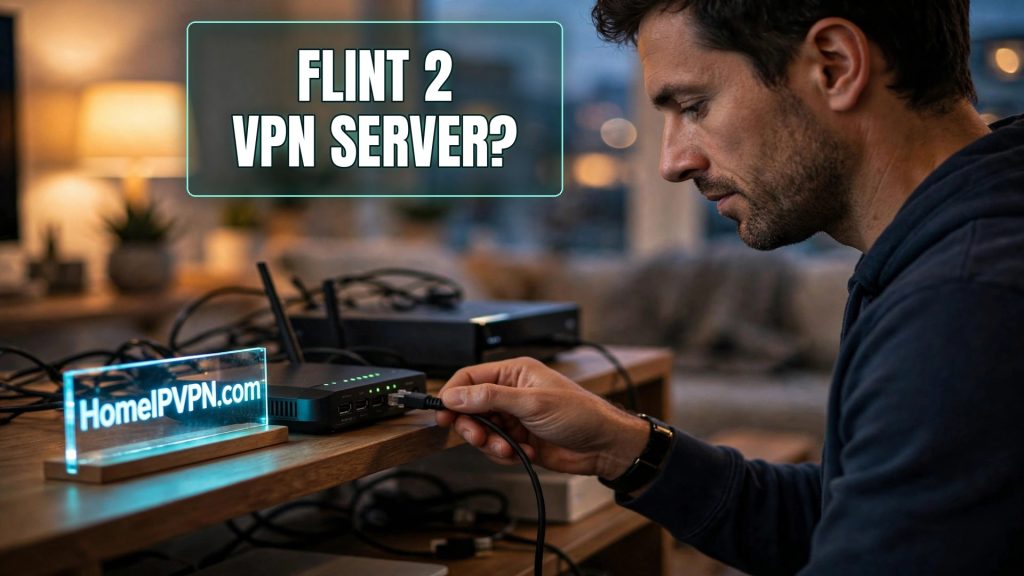
GL.iNet Flint 2 as a Home VPN Server: Worth It?
The GL.iNet Flint 2 (GL-MT6000) has become a favorite recommendation for home networking, but is it actually good as a dedicated GL.iNet Flint 2 home VPN server? If you're building a Home IP VPN setup and need something to sit at home running WireGuard 24/7, here's an honest assessment of its strengths, its performance, and when a simpler option might do.
Flint 2 Hardware Strengths for Always-On Server Duty
What makes a good VPN server is simple: a capable CPU for encryption, enough RAM to stay stable for months, reliable Ethernet, and firmware that doesn't fight you. The Flint 2 checks each box:
- CPU: A quad-core ARM processor (MediaTek Filogic 830) that's dramatically more powerful than the chips in pocket travel routers. Encryption that would saturate a travel router barely registers here.
- RAM: 1 GB, plenty for VPN server duty plus routing, ad-blocking, and other services simultaneously.
- Ports: Multiple gigabit Ethernet ports including 2.5 GbE, so the LAN side is never the bottleneck.
- Wi-Fi 6: Fast wireless if you also use it as your main home router, though for pure server duty you'd wire it via Ethernet anyway.
- Power draw: A handful of watts at idle, cheap to leave on permanently, and easy to keep alive on a small UPS during outages.
For 24/7 server duty, the boring virtues matter most: it runs cool, it's stable for months between reboots, and the hardware is far from its limits doing VPN work, which means consistent performance rather than thermally-throttled inconsistency.
WireGuard Server Performance Expectations
Here's the practical question: how fast can clients connect through it? On WireGuard, the Flint 2 delivers throughput in the high hundreds of Mbps, far beyond what any home upload connection can feed it. In other words, the router will never be your bottleneck; your ISP's upload speed will be, long before the Flint 2 breaks a sweat.
That headroom matters in real scenarios:
- Multiple simultaneous clients: You, your partner, a family member, all tunneled through home at once, with performance to spare.
- Future-proofing: If you upgrade to a faster fiber plan later, the server side is already ready.
- Doing double duty: Running the VPN server while also serving as the household's main router, running ad-blocking, or handling parental controls, all without the VPN slowing down.
OpenVPN server performance is lower (that's the protocol, not the hardware), but still several times what a pocket router manages, adequate as a fallback option.
Setup Effort: Genuinely Easy
This is where GL.iNet earns its reputation. On stock firmware:
- Open the admin panel → VPN → WireGuard Server.
- Click to generate the server configuration (keys, port, tunnel subnet are all created for you).
- Set up the built-in DDNS so your changing home IP stays reachable.
- Generate client profiles (QR codes and
.conffiles) for your travel router, phone, and laptop. - Forward UDP 51820 on your ISP modem/router to the Flint 2.
Total hands-on time: well under an hour, most of it the port-forwarding step on the ISP's equipment. Compare that with hand-rolling WireGuard on generic OpenWrt or a Raspberry Pi, where you write configs by hand and manage firewall rules yourself. The Flint 2 abstracts exactly the tedious parts.
Setup Effort vs a Simpler Home-Server Router
Is the Flint 2 overkill? For some people, yes, and that's fine to admit:
| Option | Best for | Trade-off |
|---|---|---|
| Flint 2 | Power users; doubles as main router; multiple clients | Higher upfront cost; more router than pure VPN duty needs |
| GL.iNet Beryl AX / Slate | Budget home server; single traveler | Lower throughput ceiling; still plenty for one person's remote work |
| Raspberry Pi + OpenWrt | Tinkerers who enjoy manual setup | More hands-on; less polished VPN UI |
| Existing ISP router's built-in VPN | Zero new hardware | Often slow, outdated firmware, limited WireGuard support |
The honest calculus: if the Flint 2 will also be (or replace) your main home router, it's an easy yes, you consolidate two devices into one. If you purely need a silent box in a closet running a WireGuard server for one traveler, a smaller GL.iNet model does the job for less. Buy the Flint 2 for the headroom and the dual role, not because a VPN server intrinsically needs that much power.
One more consideration: physical placement. A VPN server doesn't need central placement for Wi-Fi coverage, it just needs Ethernet to your modem and power. A closet or utility shelf is ideal, which also keeps it out of the way.
Frequently Asked Questions
Can the Flint 2 be both my home router and VPN server?
How many VPN clients can it handle at once?
Does it support OpenVPN server too?
Do I still need DDNS with the Flint 2?
What happens to my VPN during a home power outage?
Is the stock firmware or plain OpenWrt better for VPN server use?
Need help setting this up?
Buying the right hardware is only half the job; configuring it well is the other half. We handle both, so your setup is done right the first time instead of the third: https://homeipvpn.com.

