REMOTE WORK & DIGITAL NOMAD
Working from Brazil While Keeping Your Home IP
Brazil is enormous, vibrant, and genuinely excellent for remote work: big cities with real infrastructure, coworking everywhere in São Paulo and Rio, a culture
✓The Services That Misbehave on✓Home IP VPN Setup for Long Stays✓Backup Connectivity: eSIMs and
Quick Answer
For long stays in Brazil, build a home IP VPN: a home server with auto-updates and start-on-boot, short-TTL DDNS, and an out-of-band admin path like Tailscale. Brazil-to-US latency is very workable; Brazil-to-Europe adds delay, so test early. HomeIPVPN hardens all of this before you fly.
- Banking: Brazilian IPs trip fraud systems on accounts that normally log in from the US; a home IP keeps the pattern boring.
- Long-stay engineering: A UPS on the home server, a monitoring watchdog, a monthly leak-test ritual, and a spare client profile on a different port.
- Latency: The transatlantic detour adds noticeable but manageable delay; test your real call quality in week one.
- Backup: A Brazilian eSIM for router tethering and a coworking day pass for critical calls are cheap insurance.
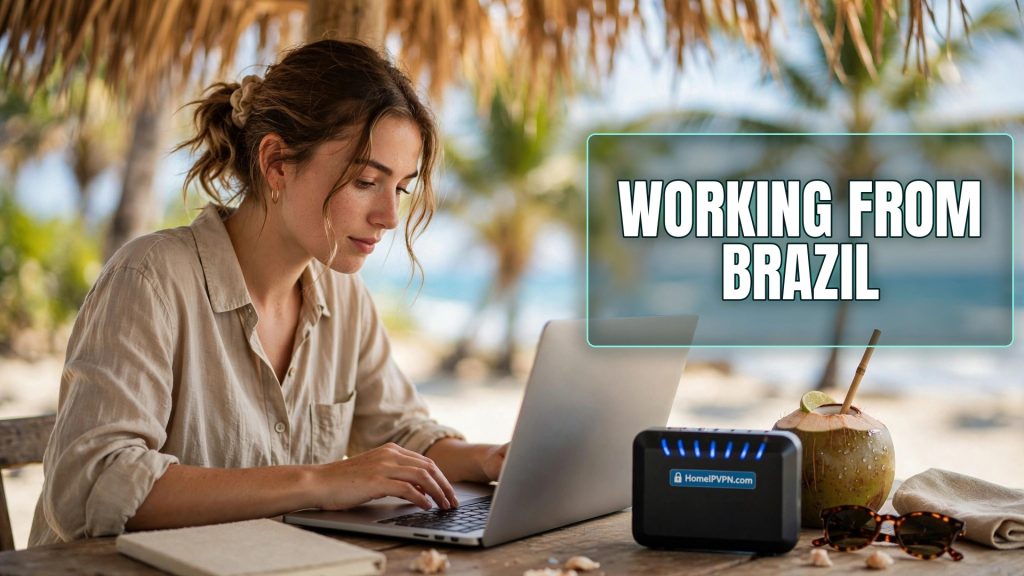
Working from Brazil While Keeping Your Home IP
Brazil is enormous, vibrant, and genuinely excellent for remote work: big cities with real infrastructure, coworking everywhere in São Paulo and Rio, a culture that runs late (handy if your team is in US time zones). But Brazilian IPs can be finicky with foreign services, distances make latency interesting, and long stays mean your setup needs to be sustainable, not just functional. Here's how to work from Brazil with a home IP VPN, what misbehaves on Brazilian addresses, and the backup connectivity worth arranging.
The Services That Misbehave on Brazilian IPs
It's not that Brazil is blocked anywhere; it's that fraud and abuse patterns have made some automated systems twitchy about the region:
- Banking and fintech. The classic pain point. Banks' fraud systems weigh IP geography heavily, and a login from São Paulo on an account that usually logs in from Ohio triggers step-up authentication at best, temporary locks at worst. A home IP sidesteps the entire category: the bank sees the same residential address it always has.
- Company SSO and IP allowlists. If your employer restricts access to known IPs or home-country ranges, a Brazilian IP either fails closed or generates security alerts to your IT team. Neither is how you want to start a Monday. Home IP keeps you inside the expected range.
- Streaming catalogs. Your home subscriptions show Brazil's catalog on a Brazilian IP. Fine if you're exploring local content; annoying when the show you follow isn't licensed there. Home IP restores your usual library.
- Government and tax portals. Some home-country portals restrict or complicate foreign access. Less dramatic than banking, but capable of ruining an afternoon when a deadline is involved.
- E-commerce fraud filters. Ordering things (to home, to Brazil) can trip velocity and geography checks on unfamiliar IPs. Home IP plus your usual payment methods keeps the pattern boring.
The common thread: none of these are blocking Brazil. They're risk-scoring unfamiliarity. A home IP removes the unfamiliarity at the network layer, which is where most of these decisions get made.
Home IP VPN Setup for Long Stays in Brazil
A week in Rio and three months in Florianópolis are different engineering problems. For long stays, build for durability:
- Home server that survives without you. Before you fly: automatic security updates enabled, WireGuard set to start on boot, a watchdog or monitoring that alerts you (via an out-of-band channel, not through the tunnel) if the server goes quiet. For multi-month stays, consider what happens if the home power blips: a UPS on the server and router is cheap insurance.
- Dynamic DNS with a short TTL. Brazilian stays are long enough that your home IP will change at some point (most residential ISPs rotate addresses). Dynamic DNS with a low TTL keeps the travel router pointed at the right address with minimal downtime. Test the failover before you leave: change nothing, just confirm the DDNS updates propagate.
- Redundant tunnel configs. Keep two client profiles on the travel router: primary WireGuard, plus a fallback (different port, or an obfuscated variant). Brazilian ISPs and hotel networks are generally VPN-friendly, but "generally" isn't "always," and you don't want to debug from a pousada with checkout in an hour.
- DNS through the tunnel, verified. Long stays mean more chances for a network change to quietly break your DNS config. Make the leak test a monthly ritual, not a one-time event.
- A second admin path to the home server. SSH over the tunnel is fine until the tunnel is the thing that's broken. An out-of-band path (Tailscale, a VPS jump host, a trusted person with physical access) is what turns "server down, I'm in Recife" from a crisis into a chore.
- Mind the latency. Brazil to North America is very workable; Brazil to Europe or Asia adds noticeable delay through a home tunnel (your packets visit home first, remember). For daily video calls with a European team, test early in the trip: if the scenic route is too laggy, split tunneling (calls direct, everything else through home) is the pragmatic compromise.
Backup Connectivity: eSIMs and Coworking
Brazil's connectivity is good in cities, patchy elsewhere, and your backup plan should reflect that:
- eSIM data as the first backup. Brazilian eSIM plans are easy to buy online before arrival or at the airport. 4G/5G in São Paulo, Rio, Brasília, and the bigger coastal cities is genuinely fast; it's a solid router uplink via USB tethering when the Airbnb WiFi disappoints (and it will, at least once).
- Coworking for critical days. Brazil's coworking scene is strong and affordable: São Paulo alone has options in every neighborhood, and the digital nomad hubs (Florianópolis, Rio, Jericoacoara) have solid ones too. For the big presentation or the important client call, a coworking day pass buys certainty that no Airbnb can promise.
- Know the dead zones. Long-distance buses (a Brazilian institution) have WiFi in name only. Interior towns and beach villages off the main corridors can have surprisingly thin coverage. Plan deep-work blocks around travel days, not through them.
- Power is stable but bring the bank anyway. Brazilian power is generally reliable in cities, but a power bank in the daypack covers the beach-office afternoons and the occasional outage. Your travel router sips USB power; keeping it alive through a blip is trivial with a bank.
- Have a "WiFi is dead" drill. Know, before you need it: how to switch the router's uplink to phone tethering, which eSIM profile is active, and that the VPN comes back on its own. Rehearse once at home. The drill takes five minutes; the panic it prevents is priceless.
FAQ
Is it legal to work remotely from Brazil on a tourist entry?
Will my home IP VPN be fast enough from Brazil?
Do Brazilian ISPs block VPNs?
Should I get a Brazilian SIM or use an international eSIM?
What if my home IP changes while I'm in Brazil for months?
Can I run the home server on a relative's connection instead of mine?
Need Help Setting This Up?
Long stays are where setup quality really shows: the difference between a tunnel that survives three months in Brazil and one that needs babysitting is all in the preparation. Our done-for-you service builds the whole thing, home server hardening, DDNS, fallback profiles, tested before you fly: https://homeipvpn.com.

