REMOTE WORK & DIGITAL NOMAD
Fiverr Asked Me to Verify My Country: What to Do
You are having coffee in a coworking space in Bali. A buyer messages you about a rush order, you click through to your Fiverr dashboard, and there it is: a…
✓What Fiverr is actually asking for✓Why you, why now: the usual✓Step by step: completing
Quick Answer
Fiverr asks sellers to verify their country when your login location stops matching your profile, usually because you are traveling or recently moved abroad. The fix is straightforward: complete the fiverr country verification with your real government ID, answer honestly, and keep your connection consistent. Travelers who log in through a stable home connection, for example with HomeIPVPN, report far fewer verification interruptions.
- Stay calm: Country verification is routine and aimed at fraud prevention, not at you personally.
- Do it promptly: Open the verification prompt, follow the steps, and submit a real, unexpired government ID.
- Be honest: If you are traveling, say so. Verification teams handle traveling sellers every day.
- Prevent repeats: A consistent home connection via HomeIPVPN stops the country mismatch that triggers verification.
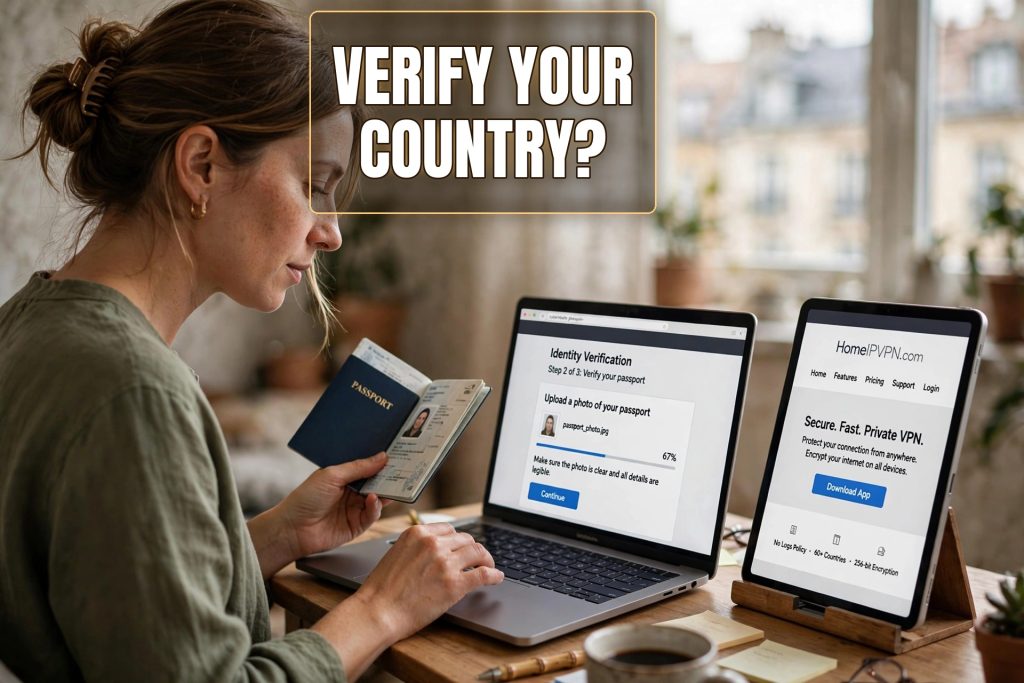
You are having coffee in a coworking space in Bali. A buyer messages you about a rush order, you click through to your Fiverr dashboard, and there it is: a notice asking you to verify your country before you can continue. Your gigs are fine, your reviews are fine, but the platform wants proof of where you are.
Your stomach drops for about ten seconds, and then the practical questions start. Is my account in trouble? Will my gigs disappear? How long does this take? Can I still deliver the order that is due tonight?
Here is the reassuring version first: country verification on Fiverr is a normal process, it happens to traveling sellers all the time, and it almost always ends with your account working normally again. This post walks through what it is, why it happened to you, and exactly what to do, step by step.
What Fiverr is actually asking for
Country verification is Fiverr’s way of confirming that the person behind the seller account is who the account claims to be. In practice, freelancers report that it usually means uploading a government-issued photo ID (passport, national ID card, or driver’s license) and sometimes confirming your address or completing a quick identity check flow.
It is the same idea as the identity check you did when you first joined, just triggered again because something changed. Think of it like a bouncer who has seen your ID before but wants another look because you walked in wearing a different jacket. Annoying, but not personal.
During verification, some account features may be limited. Freelancers report that gigs usually stay visible and in-progress orders keep their deadlines, but withdrawing earnings or publishing new gigs can be paused until verification completes. That is why the first thing to do is check whether you have any pending deliveries and message those buyers.
Why you, why now: the usual triggers
Fiverr does not publish its fraud-detection rules, so this is based on what sellers report and how these systems generally work. The common thread is always the same: the platform’s picture of where you are stopped matching its picture of where you should be.
You have been logging in from a different country
This is the overwhelmingly common trigger for travelers. Your profile says one country, but your recent logins come from somewhere else, or from several somewhere-elses in a row. The longer the mismatch lasts, the more likely the verification prompt. A two-week holiday rarely triggers it. Three months of logins from a different continent often does.
Your details point in different directions
Profile country in one place, phone number registered in another, payment method issued in a third. Each one is normal for a nomad. Together, they look like the kind of stitched-together identity that fraud systems are built to catch. Sellers report that this mismatch often triggers verification even without travel, so it is worth keeping your details as consistent as you can.
A commercial VPN login
If you log in through a regular VPN, your connection comes from an IP address that Fiverr’s systems recognize as belonging to a VPN company, and possibly as an address previously associated with abuse. Sellers report that logging in through one of these addresses can contribute to a verification prompt. The privacy tool that feels safe on your end looks like a mask on theirs.
Account security events
A password reset from an unfamiliar location, a new device logging in from abroad, or a login right after a long absence can all nudge the system toward asking “is this really you?” These stack with the location mismatch, so a password reset during a trip is a classic recipe for the verification prompt.
Step by step: completing verification without panic
Here is the process, in the order that causes the least stress.
Step 1: Read the prompt carefully. Open the verification notice and read exactly what it asks for. Different prompts ask for different things: sometimes just an ID upload, sometimes ID plus address confirmation. Knowing the full list before you start saves you from submitting half the documents and waiting.
Step 2: Message your active buyers. If you have orders in progress, send a short honest note: “Fiverr has asked me to complete a routine identity verification. My account is fine, I am still working on your order, and I will keep you posted.” Buyers who hear it from you stay calm. Buyers who notice a paused account on their own do not.
Step 3: Prepare your documents. You will need a valid, unexpired government photo ID. Make sure the photo is clear, all four corners are visible, and nothing is cropped or blurry. If the prompt asks for address proof, a recent utility bill or bank statement in your name usually works. Freelancers consistently say that rejected documents are the number one cause of slow verification, and the rejections are almost always about photo quality, not about the documents themselves.
Step 4: Complete the flow in one sitting. Open the verification flow on a stable connection, ideally your most normal one, and go through it start to finish. Do not start it on airport WiFi, get interrupted, and finish it three days later from a different country. Consistency during the process matters.
Step 5: Answer honestly about travel. If any question asks where you are or where you live, tell the truth. “I am a freelancer currently traveling in Southeast Asia; my home base is in the UK” is a complete and normal answer. Verification teams see traveling sellers constantly. What they do not see every day, and what causes real problems, is documents that contradict the story.
Step 6: Wait, and keep working. Verification timelines vary; sellers report everything from same-day clearance to a week or more. While you wait, keep delivering through whatever channels are still open, keep your buyers updated, and resist the urge to submit the same documents twice or open a support ticket every six hours. One polite follow-up after several days is fine. A dozen is not.
What not to do while you are being verified
A few mistakes turn a routine check into a real problem, and they all come from the same impulse: trying to make the verification go faster by gaming it.
Do not borrow someone else’s documents, edit your own, or use an ID generator. Document fraud is the fastest way to turn a temporary verification into a permanent ban, and verification systems are specifically built to detect it. The review you are in right now ends with your account restored. A fraud finding does not.
Do not create a second account to keep earning while the first is being verified. Duplicate accounts are against the rules on their own, and one discovered during a verification review looks exactly like the fraud the review was designed to catch.
Do not try to spoof your location with a commercial VPN to “match” your profile country during verification. The platform recognizes commercial VPN addresses, and being caught actively faking your location while under identity review is about the worst signal you can send.
The deeper problem: your country keeps changing
Here is the thing the verification prompt never tells you: it will probably happen again. Not because you did anything wrong, but because the root cause is still there. Your profile says one country. Your logins say another, and then another. Every border crossing is a fresh mismatch, and the system will keep noticing.
You have two honest options. One is to accept the occasional verification as the cost of the lifestyle: submit real documents, wait it out, keep traveling. Plenty of sellers do exactly this and it works, it is just interruptive.
The other is to remove the mismatch at the source. If your work connection always comes from your real home, the platform’s location picture stops changing. A HomeIPVPN setup routes your traffic through a small device at your actual home address, so Fiverr sees the same home connection whether your laptop is in Bali, Lisbon, or Buenos Aires. It is not a trick and it is not a fake location. It is your genuine home connection, doing what home connections do, while you happen to be somewhere else.
Sellers who travel full time report that this kind of consistency is what finally stopped the verification cycle: not because they were hiding, but because there was nothing left to flag.
Making verification a rare event instead of a routine one
Alongside a stable connection, a few habits keep the verification prompts away. Keep your profile country set to your real home base and change it rarely. Keep your phone number and payment details consistent with that country where possible. When Fiverr does ask you to verify, do it promptly instead of letting the prompt sit, because ignored verification requests tend to escalate into harder limits.
And think about what your connection says about you. Every login from a random hotel network in a new country is a small question mark on your account. A home ip vpn turns those question marks into a single steady answer: home.
If you would rather set it up once and stop thinking about it
Country verification exists for good reasons, fraud prevention and compliance, and completing it honestly is always the right move. But the repeating cycle, verify, travel, get flagged, verify again, is a symptom of a connection that keeps moving while your identity stays put.
That mismatch is the problem HomeIPVPN was built to solve: your real home connection, available from anywhere, set up properly and checked to work with the platforms you earn on. If you would rather have someone set it up and confirm it works, a Pre-Travel Audit & Advisory session is 1 hour, costs $79, and that fee comes straight off the $279 Secure Home IP VPN System session if you go ahead.
Verify when asked, travel when you want, and let the country field be the most boring thing on your profile.