REMOTE WORK & DIGITAL NOMAD
Remote Work from Argentina: The Home IP Playbook
Argentina is having a moment with remote workers: Buenos Aires cafés full of laptops, Patagonia adventures on weekends, and a cost of living that stretches…
✓Why Argentine IPs cause payment✓Keeping a USD-friendly home IP✓Connectivity and power
Quick Answer
Argentina works well for remote work, but Argentine IPs attract outsized scrutiny from US banks and payment processors, so the fix is a home IP VPN: a WireGuard server at home keeps your digital identity consistent while you live the Buenos Aires life. Pair it with local connectivity backups, the stack HomeIPVPN recommends for the country.
- The friction: currency controls and fraud models make Argentine-origin transactions look riskier than they are.
- The fix: route banking and payments through your home IP, so services see the address they already trust.
- Local base: Buenos Aires has solid fiber and coworking; add a second SIM and day passes as backups.
- Watch out: power stability deserves its own plan before an important workday depends on it.
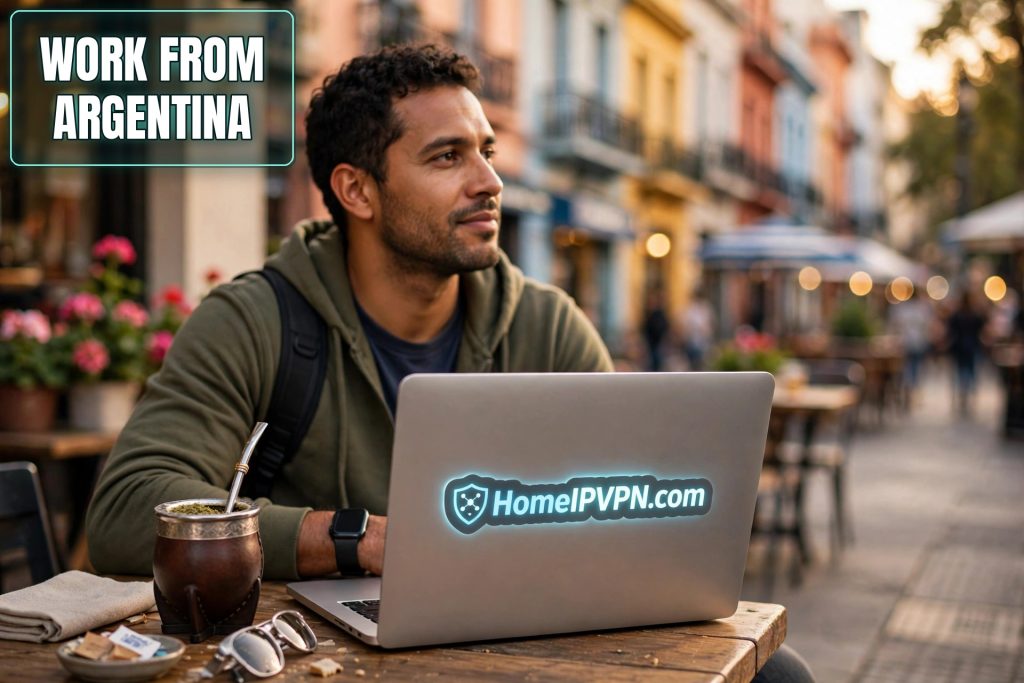
Remote Work from Argentina: The Home IP Playbook
Argentina is having a moment with remote workers: Buenos Aires cafés full of laptops, Patagonia adventures on weekends, and a cost of living that stretches foreign salaries beautifully. But there's a catch few guides mention, Argentine IP addresses trigger outsized friction with US payment systems, banks, and subscription services. If you're planning remote work Argentina home IP style, here's how to keep a clean home-country digital identity while living the Buenos Aires life.
Why Argentine IPs cause payment and banking friction
This isn't about Argentina specifically being "flagged", it's about how fraud systems treat change. But several factors make Argentina a higher-friction base than, say, Portugal:
- Economic volatility signals. Argentina's currency controls and parallel exchange rates mean fraud models have learned to scrutinize Argentine-origin transactions more closely. Legitimate users get caught in that net.
- Payment processor quirks. Some US payment platforms apply stricter verification to Argentine IPs and Argentine-issued cards alike, 3D Secure challenges, declined transactions, and "verify your identity" loops are common complaints.
- Streaming and service geo-fences. Your US/EU streaming libraries, news subscriptions, and some SaaS tools serve different catalogs or block features by region. An Argentine IP quietly downgrades your digital life.
- Employer tooling. Some companies restrict admin panels, HR systems, or client data to home-country IPs. "I'm working from Buenos Aires" can mean losing access to the tools you need.
None of this is insurmountable, it's exactly the problem a home IP VPN was designed for. When your traffic exits from your own home connection, none of these systems ever see Argentina at all.
Keeping a USD-friendly home IP while in Buenos Aires
The setup that works:
- Home VPN server, running before you fly. A small router or mini-PC at your home running WireGuard, with DDNS handling your dynamic IP. Test it thoroughly, from a neighbor's WiFi, from your phone hotspot, before departure.
- Travel router as your daily driver. A pocket GL.iNet router connects to your Buenos Aires apartment WiFi or coworking network once; your laptop and phone join the router. The router holds the tunnel, so every device is covered with zero per-device config.
- Route financial traffic through home, always. Banking, invoicing tools, payment processors, tax software, all through the tunnel, every session. Consistency is the anti-fraud signal; don't mix tunneled and direct access.
- Keep 2FA functional. Argentine SIMs are cheap and useful for local life, but your home-country number (for bank codes) needs to keep working, via WiFi calling, eSIM roaming, or an authenticator app migration done before you leave.
- Have a backup access path. A mesh VPN (Tailscale/ZeroTier) on the home server means you can still reach home if your ISP changes your IP or a DDNS hiccup strikes mid-trip.
Money movement specifics
- Receiving USD income: keep using your home-country accounts via the tunnel. Don't switch payroll or client payments to Argentine rails unless you understand the tax and exchange implications (talk to a professional, this is general info, not financial advice).
- Local spending: Argentine cards and cash (or widely used local payment apps) for daily life; home-country cards via the tunnel for online purchases that need your home billing address.
- Avoid logging into payment processors from an Argentine IP "just once", one direct login can poison the consistency your tunnel built.
Connectivity and power practicalities
Internet in Buenos Aires: genuinely good. Fiber is common in Palermo, Recoleta, Belgrano, and other nomad-favored barrios; coworking spaces are plentiful and professional. Outside the capital, Mendoza, Bariloche, Patagonia towns, expect slower, less reliable connections; plan call-heavy days for the city.
Mobile data: local SIMs are cheap and useful as backup. Coverage is solid in cities, patchy in the south. A dual-SIM setup (home eSIM + Argentine SIM) covers most scenarios.
Power: Argentina uses different plug types and 220V, bring adapters, and note that summer brownouts do happen in Buenos Aires during heat waves. A UPS for your home server back home matters more than one for your laptop; your laptop has a battery, your home VPN server doesn't.
Time zones: Argentina is UTC-3 year-round (no daylight saving). That's excellent for US East Coast overlap (1-2 hours difference) and workable for Europe (4-5 hours).
The Buenos Aires arrival checklist
- Tunnel up through the travel router before doing anything sensitive.
- IP check: confirm home location. DNS/IPv6 leak tests: confirm clean.
- One normal banking login through the tunnel to establish the pattern.
- Buy a local SIM for maps, rides, and backup data, but keep sensitive traffic on the tunnel.
- Save your bank's international fraud number and your home setup's recovery notes in your phone.
FAQ
Is the internet in Buenos Aires good enough for video calls?
Will my US bank lock me out if I log in from Argentina?
Can I get paid in USD while living in Argentina?
Do I need a VPN for coworking spaces in Buenos Aires?
What's the biggest mistake remote workers make in Argentina?
How do I handle 2FA codes sent to my home-country number?
Need help setting this up?
Landing in Buenos Aires is hectic enough without router admin on top. With our done-for-you setup, both routers arrive configured, tested, and labeled; you just plug in and work. Book at https://homeipvpn.com.

