REMOTE WORK & DIGITAL NOMAD
Remote Work from Portugal: The EU Home IP Guide
Portugal has become one of Europe's most popular bases for remote workers, great weather, affordable cities, and a thriving nomad scene from Lisbon to…
✓EU vs Non-EU Home IP Considerations✓Accessing Home-Country Services✓Practical Notes: Visas, Tax, and
Quick Answer
Run a WireGuard server at home and connect from Portugal through a travel router or device apps; every service sees your normal home connection. Inside the EU latency stays low, but a Portuguese IP is still a Portuguese IP, so the tunnel keeps work tools, banks, and streaming anchored at home. HomeIPVPN configures the Secure Home IP VPN System session remotely.
- Travel side: A portable router in repeater mode in the Airbnb, plus the WireGuard app with on-demand rules on the phone.
- EU perks: Low latency to most European home countries and roam-like-at-home mobile data as a backup.
- Policy first: Employer location rules may restrict work to your home country regardless of how easy the EU makes it.
- Streaming: EU portability rules generally follow you, but the home IP removes all doubt.
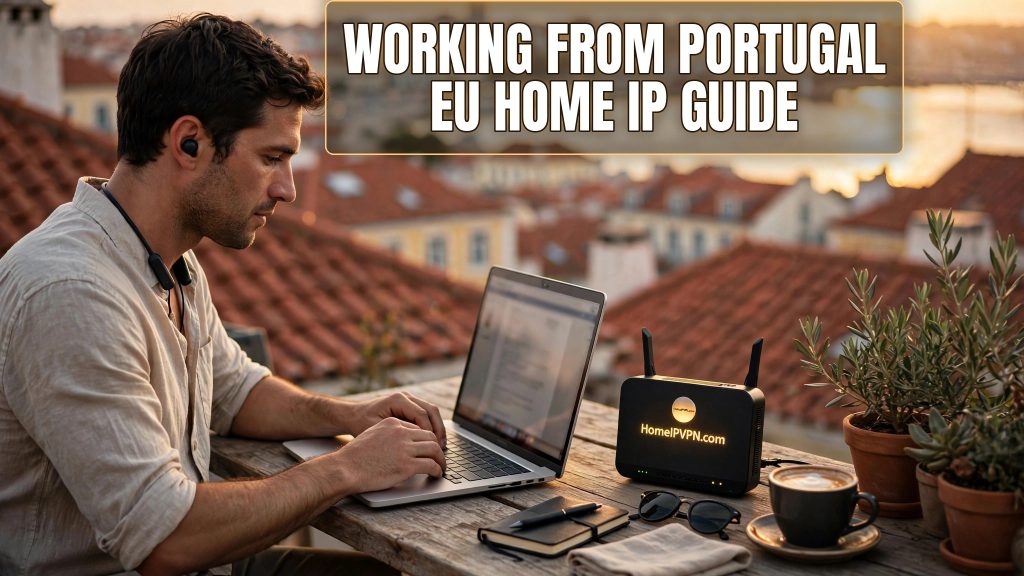
Remote Work from Portugal: The EU Home IP Guide
Portugal has become one of Europe's most popular bases for remote workers, great weather, affordable cities, and a thriving nomad scene from Lisbon to Porto to the Algarve. But working from Portugal while keeping your digital life anchored at home takes some planning. This guide covers the remote work Portugal home IP VPN setup: how to keep a consistent home-country IP, what changes inside the EU, and the practical connectivity notes worth knowing before you go.
EU vs Non-EU Home IP Considerations
Portugal's EU membership simplifies several things compared to working from outside the bloc:
What's easier in Portugal:
- Latency. If your home is elsewhere in Europe, the round trip from Portugal to your home server is short, typically tens of milliseconds. Video calls through the tunnel feel nearly local.
- Mobile roaming. EU "roam like at home" rules mean your home-country SIM works in Portugal at domestic rates (within fair-use limits), giving you a backup connection with a home-country mobile IP.
- No data-border friction. Within the EU/EEA, GDPR applies uniformly, and there's no equivalent of the data-localization worries some workers face elsewhere.
What still needs attention:
- Your IP still changes. EU or not, a Portuguese IP is a Portuguese IP. If your employer, bank, or streaming service expects your home country, you still need the tunnel.
- Streaming catalogs differ. EU portability rules mean your home streaming subscriptions generally follow you within the EU, but a home IP removes all doubt and keeps everything identical to home.
- Employer policy doesn't care about the EU. Your company's remote-work policy may restrict work to your home country regardless of how easy the EU makes it technically. Check the policy, not just the map.
Accessing Home-Country Services from Lisbon or Porto
The practical setup most remote workers in Portugal use:
- Home server: A small router (e.g., a GL.iNet device) or mini-PC at home running a WireGuard server, with a port forwarded on the home router and DDNS handling the dynamic IP.
- Travel side: A portable travel router in your Lisbon Airbnb or Porto coworking space, connected in repeater mode to the local Wi-Fi, with the WireGuard client always on and pointed home.
- Phone: The WireGuard mobile app with on-demand rules, so your phone carries the home IP on Portuguese mobile data and café Wi-Fi.
From the perspective of every service you use, you never left home. Your bank sees your home IP. Your company's systems see your home IP. Netflix shows your home catalog. The only thing that knows you're in Portugal is your GPS, so manage location permissions on work and banking apps accordingly.
Connectivity notes for Portugal specifically:
- Fiber is widespread in Lisbon and Porto, and short-term rentals usually include solid Wi-Fi, good news for tunnel performance.
- Coworking spaces are plentiful and their networks are generally VPN-friendly.
- If you're in the Algarve or more rural areas, have a mobile data backup; a travel router with a USB-tethered phone covers outages.
Practical Notes: Visas, Tax, and Staying Compliant
A quick, important disclaimer: this is practical orientation, not legal or tax advice. Portugal's rules for remote workers have evolved (including dedicated digital-nomad visa routes), and tax residency hinges on days present and personal circumstances. Before a long stay:
- Confirm your visa or entry basis allows the length of stay you plan.
- Understand when you might become tax resident, the thresholds differ by situation and treaty.
- Check your employer's policy on working from abroad, including any country restrictions for payroll, insurance, or data-handling reasons.
- Keep health insurance valid for Portugal for the duration of your stay.
None of these are solved by a VPN, the VPN solves the connectivity and IP-consistency problem. The paperwork is yours to sort, ideally with a professional if you're staying long term.
A Sample Daily Setup in Portugal
Morning in your Lisbon apartment: travel router connects to the apartment Wi-Fi in repeater mode, WireGuard tunnel to home comes up automatically, laptop joins the router's network. Your standup call routes through home, stable, low latency, home IP on every packet. Afternoon at a coworking space in Porto: same router, same tunnel, one captive-portal login handled once by the router instead of per device. Evening: phone on Portuguese mobile data still shows your home IP thanks to on-demand VPN. Your digital life never left home.
Frequently Asked Questions
Do I need a VPN to work remotely from Portugal?
Will my employer know I'm in Portugal if I use a home IP VPN?
Is it legal to work remotely from Portugal on a tourist entry?
How's the internet in Portugal for remote work?
Can I use my home-country SIM in Portugal?
What if my home internet goes down while I'm in Portugal?
Need help setting this up?
Every situation is a bit different: home country, travel plans, hardware you already own. Talk it through with us on a $79 consultation and we'll sketch the right plan together: https://homeipvpn.com/appointment. Consultations run remotely via remote desktop at your scheduled appointment, and the $79 counts toward the $379 Secure Home IP VPN System session.

