RESIDENTIAL IP SOLUTIONS
Do VPNs Slow Down Your Internet? The Real Answer
Quick Answer Yes, a VPN slows your connection a little, always, because your traffic takes a detour. With a good VPN the slowdown is usually 5 to 15 percent, which you will never notice. Big slowdowns
Quick Answer
Yes, a VPN slows your connection a little, always, because your traffic takes a detour. With a good VPN the slowdown is usually 5 to 15 percent, which you will never notice. Big slowdowns come from overloaded servers, faraway locations, or a weak starting connection, not from the VPN concept itself.
- Normal slowdown: 5 to 15 percent on a good service, invisible in daily use including video calls.
- When it gets bad: congested free servers, a server on another continent, or an already-slow hotel wifi underneath.
- Quick fixes: switch to a nearer server, try a different protocol in the app settings, or test with the VPN off to find the real culprit.
- The consistent option: a private tunnel to your own home connection, like HomeIPVPN sets up, runs at the same speed every day because no strangers share it.
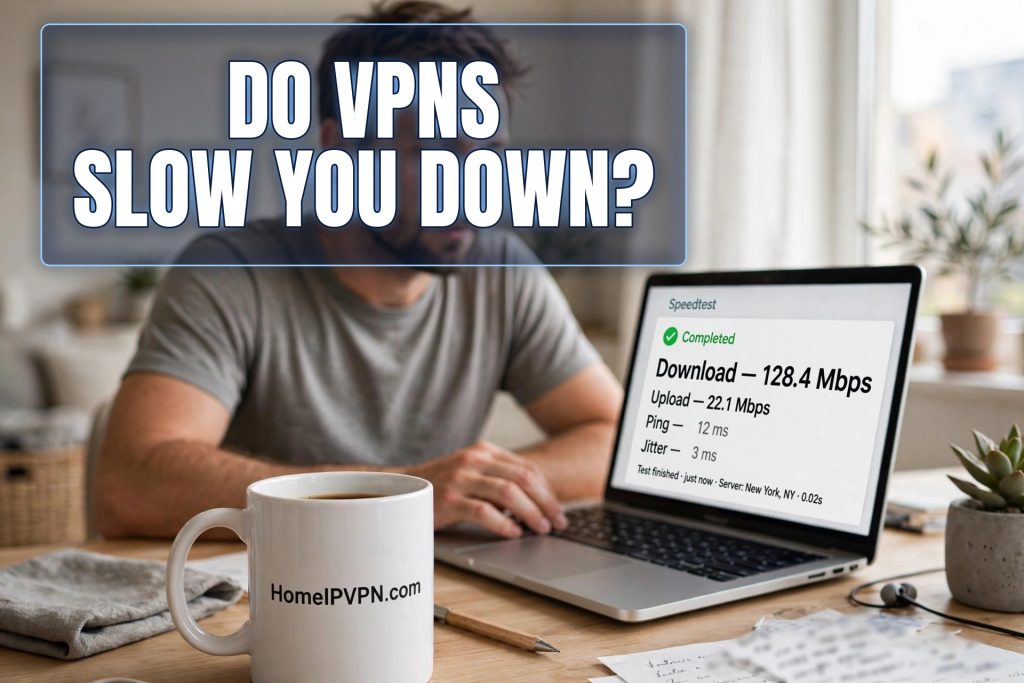
Every nomad has lived some version of this story. You connect your VPN, feeling responsible and security-conscious, and suddenly websites load like they are being delivered by bicycle. You disconnect it, and everything is fast again. Conclusion: VPNs slow down the internet. Case closed.
Except it is not closed, because last week the same VPN on a different server was perfectly fast, and your friend’s VPN never slows down at all. So what is actually going on? The real answer is more useful than the myth, because once you understand where the slowdown comes from, you can usually make it disappear.
Why some slowdown is unavoidable (and tiny)
Let us start with the physics, in plain words. A VPN adds two things to every bit of your internet traffic: a detour and a lock.
The detour is the server. Instead of your laptop talking directly to the website, your traffic goes laptop, to VPN server, to website, then back again. That extra leg adds distance, and distance adds a small delay. If the server is in your city, the delay is a few milliseconds. Your brain cannot perceive a few milliseconds. It is nothing.
The lock is encryption. Before your traffic leaves your laptop, it gets scrambled, and the server unscrambles it. Modern devices do this with dedicated hardware that handles it almost instantly. On any phone or laptop made in the last decade, the encryption cost is effectively zero for normal use.
Add them together and a good VPN costs you roughly 5 to 15 percent of your speed. On a 100 megabit connection, you get 85 to 95. You cannot feel that difference. Pages load the same, video calls sound the same, streams play the same. If your VPN is slowing you down noticeably, something specific is wrong, and it is fixable.
The real culprits behind big slowdowns
When a VPN makes everything painfully slow, it is almost always one of four things.
Culprit one is server congestion. Commercial VPNs pack thousands of users onto shared servers. At peak evening hours, the server cannot keep up and everyone slows down. This is the number one cause of “my VPN is slow,” and it has nothing to do with VPN technology. It is a crowded restaurant problem. The kitchen is fine. There are just too many tables.
Culprit two is distance. If you are in Thailand and you connect to a VPN server in New York because you want American Netflix, your traffic crosses the Pacific twice. That is a long detour, and physics charges for it. The further the server, the slower the trip. This one surprises people because the app makes connecting to another continent feel effortless. Effortless to click, not effortless for the data.
Culprit three is the connection underneath. A VPN cannot make slow internet fast. If your hotel wifi gives you 5 megabits, your VPN gives you 5 megabits minus the small detour cost. People blame the VPN because it was the last thing they turned on, but the bottleneck was already there. Always test your speed with the VPN off first, so you know what you started with.
Culprit four is a bad protocol choice. VPN apps offer different connection methods with technical names, and some are much faster than others on certain networks. The older methods can be dramatically slower. If your app has a setting for the protocol or connection type, trying the modern options can double your speed in some cases. This is a two-minute settings change that most people never discover.
How to actually test what is happening
Guessing is what makes this frustrating. Testing takes three minutes and gives you facts. Here is the routine.
First, with the VPN off, run a speed test. Write down the download number. This is your baseline. Everything else is compared to this.
Second, connect the VPN to the nearest server, ideally in your own country or a neighboring one, and run the test again. If you lost more than about 15 percent, something is off. Try a different server in the same region. Server quality varies even within one city.
Third, connect to the faraway server you actually want to use, and test again. Now you know the cost of the distance. If it is still usable for what you need, great. If it is not, you have a decision to make about whether that location is worth the speed.
Fourth, if speeds are bad everywhere, try changing the protocol in the app’s settings. Then test once more. This single change fixes a surprising number of “my VPN is unusably slow” complaints.
Do this once, and you will know more about your VPN’s performance than ninety percent of its users. Most people never test. They just suffer or quit.
What “normal” looks like for different activities
Numbers without context are useless, so here is what you actually need for the things nomads do.
Email, messaging, documents, and general browsing need almost nothing: 5 megabits is plenty. Any functioning VPN on any functioning connection handles this. If your browsing is slow through a VPN, the problem is severe congestion or a broken setup, not normal VPN overhead.
Video calls need 10 to 20 megabits for HD, plus stability. Stability matters more than the number. A steady 15 beats a jumpy 50 that drops to 3 every minute. This is where server congestion hurts most, because congestion creates exactly that jumpiness.
Streaming HD video needs about 10 to 15 megabits, 4K needs around 25. If your VPN gives you 40, you will never notice it is on while watching a movie. If it gives you 8, you will notice constantly.
Large uploads, like sending video files to a client, are where VPN overhead is most visible, because uploads are usually much slower than downloads to begin with. If your hotel gives you 10 megabits up and the VPN takes 15 percent, you feel it on a 2GB file. For heavy uploaders, server choice matters more than for anyone else.
The hotel wifi trap
There is a special case worth calling out because it confuses everyone. Sometimes turning on a VPN makes your connection faster, not slower. This sounds impossible until you know about throttling.
Some hotels and internet providers deliberately slow down certain traffic: video streaming, video calls, large downloads. They do this to keep the network usable for everyone. When your traffic is in the VPN’s encrypted tunnel, the network cannot tell what kind of traffic it is, so it cannot throttle it specifically. Your Netflix stream stops being “a Netflix stream” and becomes “unidentified encrypted data,” which gets the standard treatment instead of the slow lane.
So the honest answer to “do VPNs slow down your internet” includes a genuine “sometimes they speed it up.” It depends entirely on what the network underneath was doing to you before the VPN arrived. On a network that treats all traffic equally, the VPN costs a little. On a network that was punishing your specific traffic, the VPN saves a lot.
Free VPNs and the speed question
We should be blunt here. Free VPNs are almost always slow, and it is structural, not accidental. They have the least server capacity and the most users, because free attracts everyone. The math does not work. You are sharing a small pipe with a huge crowd, and no settings change fixes arithmetic.
This is why “VPNs are slow” is such a persistent belief. Millions of people’s only VPN experience is a free one, and free ones genuinely are slow. People generalize from that to all VPNs, the same way you might conclude all restaurants are bad after only eating at the free buffet.
A reputable paid VPN is a different product wearing a similar name. More servers, fewer users per server, modern protocols, actual engineering. The speed difference between a free VPN and a good paid one is often tenfold. If your whole opinion of VPN speed comes from a free app, you have not actually tried a VPN yet.
The consistency argument for a private tunnel
There is a deeper point hiding in all of this, and it matters most for people who work online. The problem with commercial VPN speed is not that it is slow. It is that it is unpredictable. Fast at noon, crawling at eight, fine on Tuesday, terrible on Friday. You cannot plan a workday around a connection with moods.
The unpredictability comes from sharing. Your speed depends on strangers. There is no version of a shared commercial VPN where this is not true. It is the business model.
The alternative is a tunnel nobody shares: your own home internet connection, reached through a private encrypted link. Your speed through that tunnel depends on two fixed things, your home connection’s speed and your distance from home. Both are the same every day. There are no strangers, no peak hours, no lottery. A private tunnel like the ones HomeIPVPN sets up does not win every speed test against a commercial VPN’s best moment. It wins the only test that matters for work: behaving the same every single time you connect.
For video calls, client deadlines, and anything where “usually fast” is not good enough, consistency is the feature. Speed tests measure the best case. Work happens in the average case.
Practical speed habits for travelers
A few habits that keep things fast on the road, VPN or not.
Connect to the nearest server that does your job. If you just need privacy on hotel wifi, use a server in your current country. Save the faraway servers for when you specifically need that location. Distance is the most expensive setting in the app.
Turn the VPN off when you do not need it. On your apartment’s trusted wifi, doing nothing sensitive, the VPN is pure overhead. It is a tool, not a uniform. Use it where it helps.
Keep the app updated. VPN companies constantly improve their protocols and server networks. An app from two years ago is measurably slower than the current version. Updates are free speed.
Use a cable when it matters. Hotel wifi is a shared, interference-prone medium. If the room has an ethernet port, a ten-dollar adapter gives you the full speed the hotel actually has, and your VPN runs on top of that instead of on top of flaky wifi. For important calls, this is the single biggest upgrade available.
The bottom line on speed
So, the real answer. Yes, VPNs slow you down a little, always, by a small amount you will never feel with a good service. Big slowdowns are not normal VPN behavior. They are congestion, distance, a weak underlying connection, or a free service doing free-service things. All of them are diagnosable in minutes and most are fixable just as fast.
And if what you actually need is not just speed but speed you can count on, at the same level, every day, while your bank and your clients see you safely at home, that is exactly the problem HomeIPVPN was built to solve: your own private tunnel to your own home connection, with nobody else on it. If you would rather have someone set it up and verify the speed with you on a real call, the Pre-Travel Audit & Advisory session is 1 hour, costs $79, and that fee comes straight off the $279 Secure Home IP VPN System session if you go ahead.
Stop blaming the concept for the sins of crowded servers. Test, switch, and get on with your work. The internet is fast enough. It just needs a clearer road.