RESIDENTIAL IP SOLUTIONS
Home Internet vs. Hotel Internet: Why One Gets You Flagged and the Other Does Not
Quick Answer Banks trust your home internet because it has a long, boring history attached to your name: same address, same provider, same patterns for years. Hotel and cafe wifi is shared, constantly
Quick Answer
Banks trust your home internet because it has a long, boring history attached to your name: same address, same provider, same patterns for years. Hotel and cafe wifi is shared, constantly changing, and sometimes flagged as risky, so logins from it get extra scrutiny. It is not about the wifi being hacked. It is about the connection having no reputation.
- Home internet: a stable residential address with years of your history, which fraud systems score as the safest possible login.
- Hotel wifi: shared with strangers, new address every stay, sometimes on blocklists, so banks treat it as unknown at best.
- The real difference: reputation and consistency, not security technology. A fancy hotel’s wifi is still a stranger’s network.
- Keep the trusted one: routing through your own home connection with HomeIPVPN gives banks the familiar address they trust, from anywhere in the world.
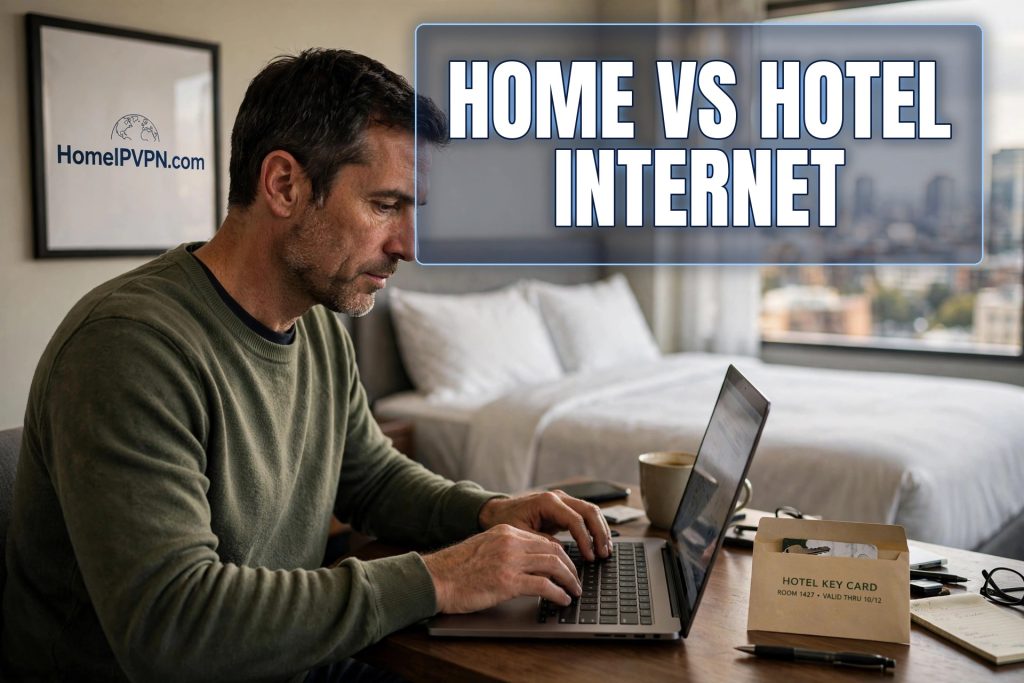
Here is a small experiment you can run the next time you travel. Log into your bank from your home wifi the day before you leave. Smooth, instant, no questions. Then log in from the hotel on your first night abroad. Verification code by text. “Unusual activity” email. Maybe a frozen transfer until you call.
Same laptop. Same password. Same you. The only thing that changed is the internet connection in between. And that, it turns out, is enough for your bank to treat you like a stranger.
This confuses people because both connections “work.” The hotel wifi loads websites fine. It might even be faster than your home internet. So why does one get a red carpet and the other get interrogated? The answer has nothing to do with speed or even security in the way most people think. It is about reputation, and your home internet has spent years building one.
Your home connection has a resume
Think of your home internet connection the way a bank does: as a file with a history. Your provider assigned your house an address years ago. Since then, you have logged into your bank from it hundreds of times. You have paid bills, received packages, filed taxes, all from that same address. Every one of those uneventful logins added a line to the file: “normal customer, normal place, nothing to see here.”
Fraud detection systems love this file. It is the strongest signal they have. When a login arrives from an address with five years of boring history attached to your name, the system barely glances at it. This is not laziness. It is statistics. Account takeovers almost never come from the victim’s own long-established home connection. The history is the proof.
There is a second layer too. Your home address is residential, meaning it belongs to a real household. Fraud systems maintain a quiet preference for residential connections because criminals prefer anonymous ones: data centers, cloud servers, commercial VPNs. Your home connection is the opposite of anonymous. It is tied to a named account, a billing address, a physical line into a building. It is, in the fraud world’s terms, the most boring and therefore most trustworthy thing imaginable.
Hotel wifi is a stranger with no references
Now look at the hotel connection through the same lens. The hotel’s internet arrives with no history attached to you. The bank has never seen you log in from this address, because you have never been here before. The file is blank.
Worse, the file is shared. Hundreds of guests use the same hotel connection. The address the bank sees belongs to the hotel, not to you. From the bank’s perspective, your login is arriving from a busy public address used by strangers who change daily. That is not suspicious on its own, plenty of legitimate customers travel, but it is the opposite of the warm familiarity of home. It gets no benefit of the doubt.
And sometimes the hotel’s address has actual baggage. Hotels buy internet from providers that recycle addresses. The address your hotel uses today might have been used by a completely different business last month, in a different city. Location databases lag behind these changes, so the bank might think you are logging in from somewhere you are not. Worse still, if a previous user of that address did something shady, the address can land on blocklists that fraud systems consult. You inherit a stranger’s bad reputation through no fault of your own.
Cafe and coworking wifi is the same story with more strangers. Airport wifi, even more. Your phone’s mobile data sits somewhere in between: it is yours, but the address changes as you move and is shared with many other mobile users, so it carries less history than home and more than a hotel.
It is not about the wifi being hacked
People hear “hotel wifi is risky” and picture hackers in the lobby stealing passwords. That risk exists, but it is not what this article is about, and it is not why banks flag you. Your bank does not know or care whether the hotel network is encrypted. It cares about whether the connection is yours.
A useful comparison: a five-star hotel with excellent, professionally managed wifi gets flagged exactly the same as a sketchy hostel with an open network. The bank cannot see the quality of the wifi. It sees an unfamiliar shared address, and unfamiliar shared addresses get scrutiny regardless of how nice the lobby is.
This also means the usual advice, “use a VPN on hotel wifi,” solves a different problem. A VPN protects your traffic from snooping on the network. It does nothing for the bank’s trust question, and as we have covered elsewhere, a commercial VPN’s shared server addresses are trusted even less than the hotel’s. If your goal is privacy from the network, the VPN is right. If your goal is the bank treating you normally, the VPN is wrong. Different problems, different tools.
The consistency principle
Underneath all of this is one principle that explains most bank behavior abroad: consistency beats everything.
Fraud systems are pattern matchers. They build a picture of your normal: your usual addresses, your usual devices, your usual times, your usual transaction sizes. Every login is compared against that picture. Small deviations get a pass. Large deviations get challenged. Impossible deviations get blocked.
Travel is a large deviation by nature. New country, new address, new network, maybe a new device if you bought a local phone. The system sees the picture change all at once and has to decide: traveling customer or account takeover? It usually decides “probably traveling” but wants proof, hence the verification codes and security questions. It is not punishing you. It is doing the job you want it to do when someone actually steals your password.
The travelers who get flagged least are the ones who keep the most things consistent. Same laptop. Same login times. And critically, the same connection address. Change the country but keep the address, and the deviation shrinks dramatically. The system sees a familiar address doing familiar things, and the fact that the human is physically elsewhere never enters the picture, because the system cannot see the human. It can only see the connection.
What “flagged” actually looks like
Since this is the practical reality, let us be concrete about what extra scrutiny means. It is a ladder, and most travelers only ever see the bottom rungs.
The bottom rung is a verification code by text or email. Mildly annoying, takes thirty seconds. This is the system saying “this is unusual enough to double-check, but probably fine.”
The next rung is security questions or an authenticator challenge: “what was your first car,” or a push notification to approve. A few minutes of friction. The system is more suspicious but still expects you to be you.
Above that are transfer holds and limits. You can log in and look, but moving money waits until you call. This is where trips get genuinely disrupted, because “call us” from abroad means international hold music at 3am.
The top rung is a frozen account pending review. Rare for simple travel, but it happens, usually when several risk factors stack: new country, new device, large transfer, and no travel notice on file. Recovery takes days, not minutes.
Notice that every rung is triggered by the connection’s unfamiliarity combined with other factors. The connection is the one factor you can fully control.
Why a travel notice only half helps
Banks offer travel notices: you tell them your dates and destinations, and they note it on your account. This helps, and you should do it. But travelers are often disappointed by how little it helps, and the reason is instructive.
A travel notice tells the bank’s customer service side that you are traveling. It does not reprogram the automated fraud system, which scores every login in real time. The automated system still sees an unfamiliar address and still scores it as risky. The notice means that when you call to complain, the human who answers understands immediately. It does not mean the algorithm gives you a free pass.
Think of it as telling the bouncer you are on the guest list. It helps if there is a dispute. It does not stop the bouncer from checking your ID at the door. The check still happens. The notice just makes the resolution faster.
This is why frequent travelers report that travel notices feel useless. They expected the flagging to stop. It does not stop, because the underlying signal, unfamiliar address, has not changed. The notice treats the symptom. The address is the cause.
The employer’s version of the same logic
Banks are not the only ones reading your connection’s reputation. If you work remotely, your company’s security systems do the same thing.
Corporate login systems check the same signals: is this a known address, a known device, a plausible location? A login from a Thai hotel at 3am local time triggers the same “is this really our employee” workflow as a bank login. Some companies go further and restrict access by country entirely: the tools simply refuse connections from outside approved regions.
For company systems, the stakes include your job, not just your money. Getting locked out of work tools on a Monday morning from a coworking space is a career problem, not just an inconvenience. And unlike banks, employers rarely offer a “travel notice” equivalent. You are expected to just work, from wherever, with systems that were designed for an office.
The same solution applies. A connection that looks like your home connection, because it is your home connection reached through a private tunnel, passes every corporate check the way it passes every bank check. The systems see the address they have always seen. The human being elsewhere is invisible to them.
Keeping your home address on the road
By now the shape of the solution is probably clear. If the problem is that hotel wifi has no reputation and your home connection has a perfect one, the fix is to bring your home connection’s reputation with you.
Technically, this means a private encrypted tunnel from your laptop to your home, with your traffic exiting to the internet from there. Your bank sees your home address with its years of boring history. Your employer sees the same. Streaming services see your hometown. Every system that ever trusted you keeps trusting you, because as far as any of them can tell, nothing changed.
This is not a trick and it is not a disguise. It is genuinely your connection, your address, your history. The tunnel just extends its reach to wherever you happen to be sitting. There is nothing for a fraud system to catch, because there is nothing false in the picture.
Setting this up yourself is a real project with real maintenance, especially the part where something breaks while you are eight time zones from the hardware. Having it set up, tested, and supported by people who do it daily is the alternative. That is what HomeIPVPN does: your home connection, reachable securely from anywhere, carrying its reputation with it.
The practical summary
Your home internet gets the red carpet because it has a long, boring, residential history with your name on it. Hotel wifi gets interrogated because it is a shared, unfamiliar, constantly changing address with no history and occasionally someone else’s bad reputation. It is not about hacking or wifi quality. It is about whether the connection is a known quantity.
Travel notices help with the humans but not the algorithms. Commercial VPNs protect your privacy on the network but make the trust problem worse. The only thing that fully preserves your home connection’s reputation abroad is actually using your home connection, extended to you through a private tunnel.
If you are tired of proving you are yourself to your own bank, that is exactly the problem HomeIPVPN was built to solve. And if you would rather have someone set it up and verify it works before your next trip, the Pre-Travel Audit & Advisory session is 1 hour, costs $79, and that fee comes straight off the $279 Secure Home IP VPN System session if you go ahead.
Your home address spent years earning that trust. Take it with you.