RESIDENTIAL IP SOLUTIONS
What Is a Home VPN Server? Everything You Need to Know
A home VPN server is the missing piece most remote workers have never heard of. You've probably used commercial VPNs that route your traffic through a…
✓Definition and the Two-Device✓Hardware Options: Router, Mini PC,✓What You Need Before You Start:
Quick Answer
A home VPN server runs on your own home internet, typically on a router, mini PC, or Raspberry Pi. Your devices connect back to it when you travel, and all traffic exits through your home IP. It is the foundation of every HomeIPVPN setup.
- The two-device model: Home side runs the WireGuard or OpenVPN server; the travel side (laptop, phone, travel router) dials home.
- Why it beats commercial VPNs: Traffic exits through a genuine residential IP: no flagged datacenter address for banks or streaming to catch.
- Hardware picks: VPN-capable router: simplest. Raspberry Pi: sips power. Mini PC: overkill for VPN alone.
- The real limit: Home upload speed caps your remote experience: all travel traffic uploads out of your house first.
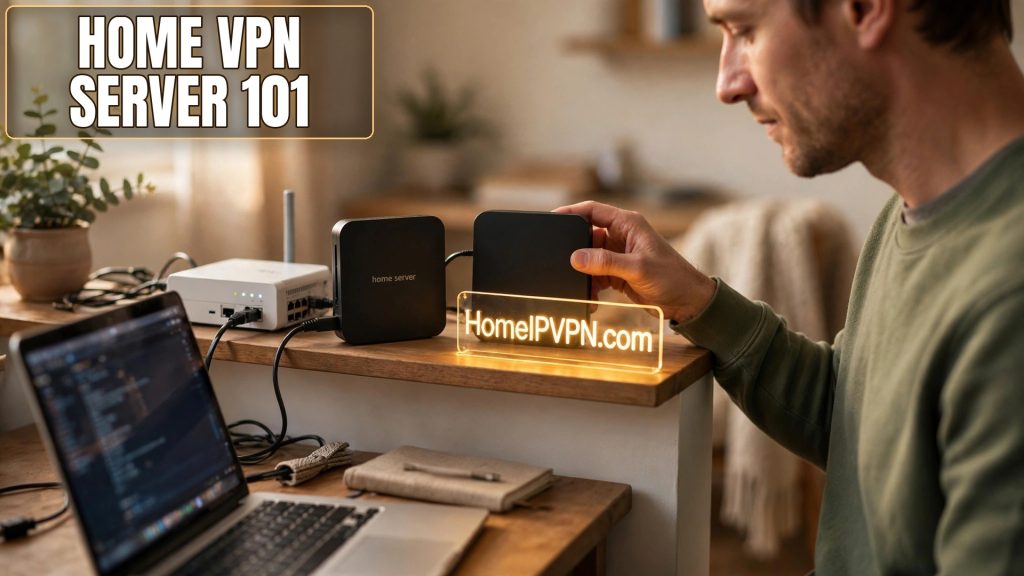
What Is a Home VPN Server? Everything You Need to Know
A home VPN server is the missing piece most remote workers have never heard of. You've probably used commercial VPNs that route your traffic through a company's datacenter. A home VPN server flips that model: instead of borrowing someone else's IP address in a datacenter, you connect back to your own home internet connection, so everything you do online appears to come from your house, even when you're on the other side of the planet.
> Quick answer: A home VPN server is a VPN server running on your own home internet connection, typically on a router, mini PC, or Raspberry Pi. When you travel, your devices connect to it (directly or via a travel router), and all your traffic exits through your home IP address. That keeps banking, work tools, and streaming services working exactly as they do at home, with no datacenter-VPN flags.
Definition and the Two-Device (Home + Travel) Model
A home VPN server is simply a VPN server hosted at your residence, on hardware you own, using your residential internet connection. The standard setup has two halves:
- The home side: a device on your home network runs the VPN server (WireGuard, OpenVPN, or similar). It sits behind your home router, reachable from the internet through port forwarding or a NAT-traversal trick.
- The travel side: your laptop, phone, or, better, a small travel router runs the VPN client. When you connect from a hotel or café, it dials home, and all your traffic flows through your house.
Why this beats a commercial VPN for travelers: your traffic exits through a genuine residential IP address. Banks, streaming services, and corporate security tools increasingly flag datacenter IPs (the ones commercial VPNs use) as suspicious or block them outright. Your home IP raises none of those flags, because it's the same address you've always used.
The two-device model matters because the travel router is the elegant version: instead of installing VPN apps on every laptop, phone, and tablet, one pocket-sized router connects to your home server and shares that connection over WiFi to everything you own. One tunnel, every device covered.
Hardware Options: Router, Mini PC, or Raspberry Pi
You have three realistic hardware paths for the home server, each with trade-offs:
| Option | Best for | Considerations |
|---|---|---|
| VPN-capable router (e.g., GL.iNet, Asus, or OpenWrt-flashed router) | Simplicity: server runs on the box already routing your network | Easiest to maintain; encryption speed depends on the router's CPU |
| Mini PC (small x86 box) | Performance and flexibility: runs any OS and multiple services | More power draw and cost; overkill if you only need a VPN server |
| Raspberry Pi (or similar single-board computer) | Low cost and low power, always-on friendly | Modest CPU; fine for WireGuard at typical home upload speeds |
For most people, a router-based server is the sweet spot. GL.iNet routers and many Asus models have WireGuard server functionality built into their stock firmware, no command line required. OpenWrt can turn almost any supported router into a capable server. A Raspberry Pi is the classic DIY choice and sips power, making it ideal for always-on duty.
The key performance number is your home connection's upload speed, not download. Your travel traffic has to upload out of your house, so a home plan with 20 Mbps upload caps your remote experience at 20 Mbps no matter how fast the hotel WiFi is. Check your plan, fiber connections with symmetric speeds are ideal.
What You Need Before You Start: Public IP or CGNAT Workaround
The one technical prerequisite that trips people up: for your travel device to reach your home server, it needs a reachable address. Two scenarios:
You have a public IP address. Check your router's WAN IP against a "what is my IP" search. If they match, you're golden: forward the VPN port (e.g., UDP 51820 for WireGuard) from your router to the server device, set up dynamic DNS (DDNS) since residential IPs change, and you're reachable from anywhere.
You're behind CGNAT. If your router's WAN IP is in the 100.64.0.0/10 range, your ISP shares one public IP among many customers, and inbound port forwarding at your router won't work. Your workarounds:
- Ask your ISP for a public IP, some provide one on request.
- Enable IPv6 if your ISP supports it (usually no CGNAT on IPv6).
- Use a NAT-traversal overlay like Tailscale, which connects devices without any port forwarding.
- Rent a tiny VPS as a relay hop (more moving parts, but always works).
DDNS deserves emphasis regardless: residential IPs change periodically, and a DDNS hostname (many routers include a free one) means your travel config keeps working after every change.
WireGuard vs OpenVPN vs Tailscale for a Home Server
Most home servers run one of these three:
- WireGuard, the modern default. Fast, simple configuration, excellent battery life on mobile clients, and built into many router firmwares. The first choice for most home setups.
- OpenVPN, the veteran. Slower than WireGuard but extremely compatible; useful when you're on a network that blocks WireGuard's UDP traffic, since OpenVPN can run over TCP port 443 (indistinguishable from HTTPS).
- Tailscale, a managed mesh built on WireGuard. Easiest setup by far (no port forwarding, no DDNS), with a generous free tier for personal use. The trade-off is dependence on Tailscale's coordination servers.
Many travelers run WireGuard as the primary tunnel and keep OpenVPN-over-TCP as a backup profile for hostile networks.
Keeping It Running While You're Away
A home server only helps if it's up when you need it. The unglamorous reliability checklist:
- Power resilience: a small UPS keeps the server and modem alive through short outages; enable auto-power-on in the BIOS/router settings so everything recovers after a long blackout.
- Auto-reboot: schedule a weekly reboot during the night to clear memory leaks and apply the "turn it off and on again" fix preemptively.
- Remote monitoring: something as simple as a free uptime monitor pinging your DDNS hostname tells you the moment the server goes dark, so you can call a neighbor instead of discovering it from a hotel.
- A fallback admin path: keep SSH or remote router admin access working (secured, key-only) so you can fix things without being home.
FAQ
What is a home VPN server in simple terms?
How is a home VPN server different from NordVPN or ExpressVPN?
Do I need a static IP address from my ISP?
Can I run a home VPN server on a Raspberry Pi?
Is it safe to expose a VPN server to the internet?
How fast will my connection be through a home VPN server?
Need help setting this up?
Rather skip the DIY entirely? We configure your home server and travel router end to end, test everything, and hand you a setup that just works: https://homeipvpn.com.

