TROUBLESHOOTING
Double NAT Issues with Home VPN: How to Fix Them
Your VPN server at home seems fine. The travel router connects from the café. But port forwards silently do nothing, some peer-to-peer apps misbehave, and the…
✓Detecting It: The Two-Minute Check✓Three Fixes, Best First✓When It's Actually CGNAT in
Quick Answer
Compare your router’s WAN IP with your public IP. A private WAN with a different public IP means double NAT, and port forwards die at the ISP’s box. The real fix is bridge (passthrough) mode on the ISP modem/router. HomeIPVPN diagnoses this during setup.
- Detect: WAN matching the public IP means single NAT. A private WAN (10.x, 172.16-31.x, 192.168.x) means double NAT.
- Corroborate: Traceroute from home: hop two being a private IP that is not your router means the ISP gateway is doing NAT.
- Symptoms: Port forwards silently do nothing and the home server is unreachable from outside, while outbound clients connect fine.
- Key nuance: Double NAT never breaks a travel router dialing out as a client. It only bites the side receiving inbound connections.
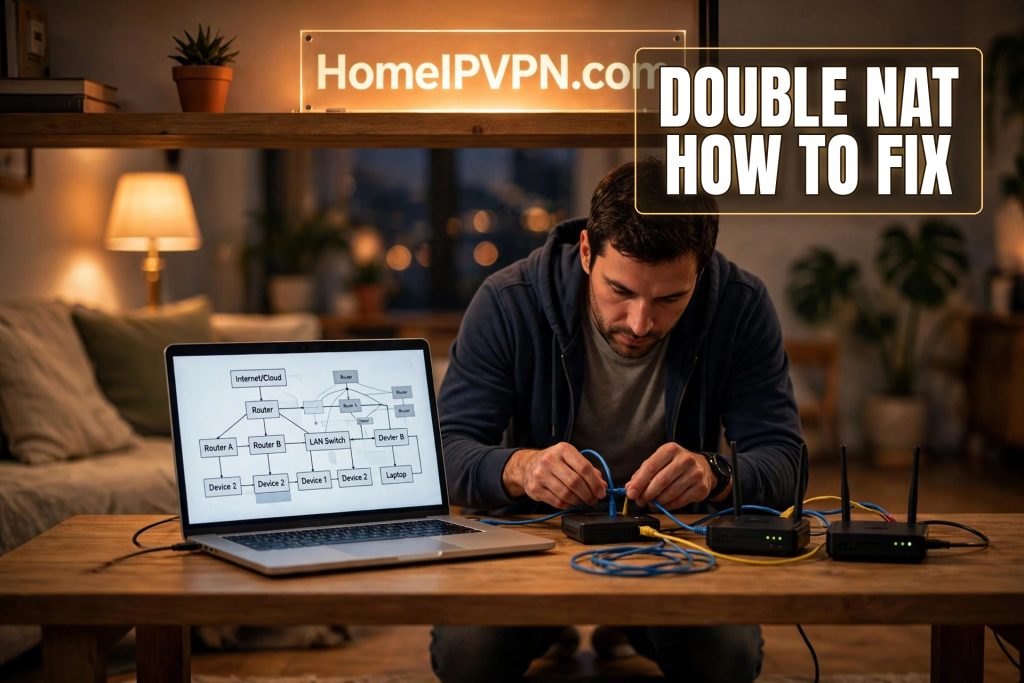
Double NAT Issues with Home VPN: How to Fix Them
Your VPN server at home seems fine. The travel router connects from the café. But port forwards silently do nothing, some peer-to-peer apps misbehave, and the server is unreachable from outside despite everything looking right. Nine times out of ten, that's double NAT: two layers of address translation stacked between your server and the internet, each unaware of the other. Here's the practical double NAT VPN fix: how to detect it, fix it, and recognize when it's actually CGNAT in disguise.
Detecting It: The Two-Minute Check
NAT lets many devices share one public IP; your router does it. Double NAT is when two boxes do it in series: usually the ISP's modem/router combo, plus your own router behind it. For a VPN server, the breakage is specific: your port-forward rules live on your router, but the ISP's box in front never got the memo, so inbound connections die at the first layer.
The definitive test: compare your router's WAN IP with your public IP.
- Log into your home router's admin panel and find its WAN/internet address.
- From any device on the home network, check your public IP on an IP-checking site.
- Match: single NAT layer (or none). Double NAT isn't your problem; look elsewhere.
- Different, and the router's WAN is private (10.x.x.x, 172.16.x.x to 172.31.x.x, 192.168.x.x): double NAT confirmed. Your router's "internet" is just the ISP box's LAN.
Corroborate with a traceroute. From the home network, traceroute anywhere external. Hop one is your router. If hop two is another private IP that isn't your router, that's the ISP's gateway doing NAT. If hop two is already public, you're single-layer.
Know the symptoms. Port forwards that should work but don't. UPnP failing to open ports. Consoles or VoIP complaining about "strict NAT." And the VPN-specific one: clients dialing out work fine (outbound traverses NAT layers without complaint) while the server at home is unreachable from outside.
One nuance worth keeping straight: if your travel router is the VPN client connecting out to home, double NAT at home doesn't break the tunnel at all. It only bites the side receiving inbound connections. Many people chase this ghost on the wrong end.
Three Fixes, Best First
1. Bridge mode on the ISP box (the real fix)
Put the ISP's modem/router into bridge mode (sometimes "passthrough"). This disables its routing and NAT, demoting it to a dumb modem that hands your public IP straight to your router. One NAT layer, one device needing port rules.
Find the setting in the ISP device's admin panel (address usually on its label), enable it, reboot both boxes, then verify: your router's WAN IP should now equal your public IP. You lose the ISP box's WiFi and any bundled features; most people running their own router won't miss them. Photo the current settings before you touch anything, and don't do this ten minutes before a work call.
2. DMZ or double port-forwarding (the pragmatic fix)
When bridge mode isn't offered or you need the ISP box's other features:
- DMZ host: on the ISP device, set your router's IP as DMZ. All unsolicited inbound traffic passes to your router, punching through the first NAT layer in one move.
- Or forward twice: forward the VPN port (your WireGuard UDP port, say) on the ISP device to your router's WAN IP, and on your router to the VPN server. Two rules, one per layer.
- Either way, give your router a static IP on the ISP box's LAN via DHCP reservation, so the rules don't rot when leases renew.
DMZ is simpler and survives port changes; double-forwarding is more surgical. Both work fine.
3. Move the server (the sidestep)
If the ISP box is truly uncooperative: run the VPN server on the ISP device itself if it supports it, place the server in the ISP device's DMZ directly, or switch to a mesh approach (Tailscale/Headscale style) where both sides dial out and NAT traversal handles the rest. No inbound ports needed, problem evaporates.
When It's Actually CGNAT in Disguise
Plot twist: sometimes the extra NAT layer isn't yours at all. CGNAT (carrier-grade NAT) means your ISP NATs you behind a shared public IP with many other customers. Same symptoms (dead port forwards, unreachable server), but bridge mode and DMZ do nothing, because the outer layer lives in the ISP's network.
Telling them apart:
| Double NAT (your gear) | CGNAT (ISP's network) | |
|---|---|---|
| Router WAN IP | Private: 192.168.x.x, 10.x.x.x | Often 100.64.x.x to 100.127.x.x |
| Bridge mode fixes it | Yes | No |
| Who controls the outer layer | You | The ISP |
The 100.64.0.0/10 range is the smoking gun: reserved specifically for carrier-grade NAT. See your WAN IP in there and you're behind CGNAT.
CGNAT options: ask the ISP for a public IP (some give it free, some charge monthly, some refuse; varies wildly), relay through a VPS with a public IP as a bounce host, or use a mesh/NAT-traversal setup where both endpoints dial out. For a home IP VPN, the VPS-relay or mesh route keeps your residential exit IP intact while sidestepping inbound entirely.
FAQ
Does double NAT slow down my VPN?
Can I run a WireGuard server behind double NAT?
Will double NAT break my travel router's VPN client?
How do I know if my ISP uses CGNAT?
Is bridge mode risky?
Port forward works locally but not from outside. Double NAT?
Need Help Setting This Up?
Double NAT and CGNAT are exactly the kind of unglamorous plumbing that eats a weekend and still might not work. Our $79 consultation will diagnose which one you're actually dealing with and lay out the fix for your specific ISP and hardware: https://homeipvpn.com/appointment. The $79 is credited toward the $379 Secure Home IP VPN System session, and the session happens remotely over screen share at your scheduled time.

