VPN SETUP GUIDES
WireGuard vs Tailscale for Travel VPN: Which Is Better for a Home IP?
Compare WireGuard vs Tailscale for travel VPN use. Which is better for accessing your home IP while traveling abroad? Learn about WireGuard travel routers, Tailscale exit nodes, CGNAT, and full-tunnel
Quick Answer
For a travel home IP VPN, WireGuard is the better pick when you want maximum control over routing, ports, DNS, and configuration; Tailscale wins when you want the easiest setup with no port forwarding. HomeIPVPN builds most client travel setups on WireGuard.
- Control: WireGuard offers very high control and customization; Tailscale trades some of that for simplicity.
- NAT traversal: Tailscale handles NAT traversal out of the box; WireGuard often needs port forwarding for direct inbound connections.
- Both work: Both give an excellent direct home VPN, full-tunnel mode, travel router support, and access to home LAN devices.
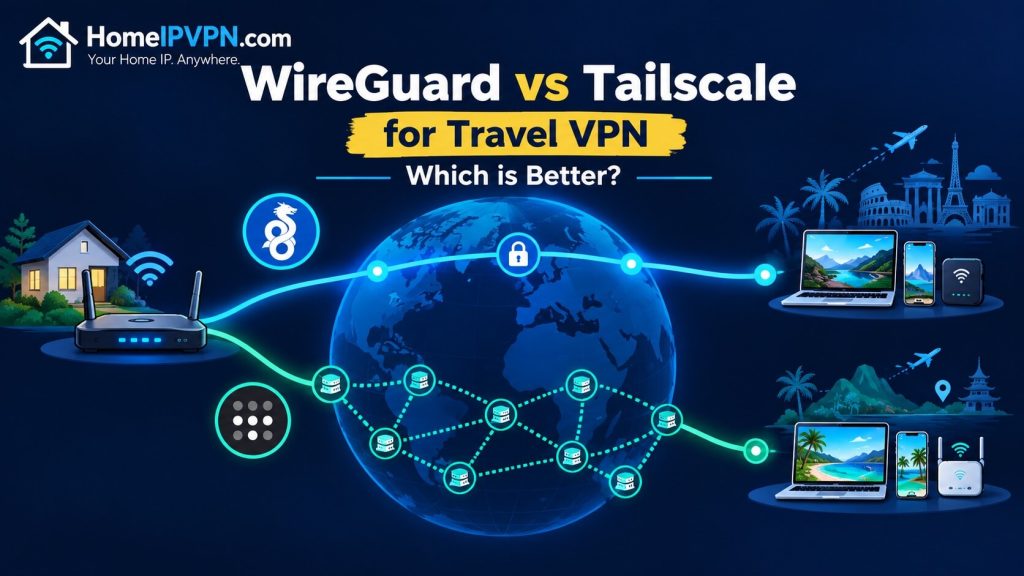
WireGuard vs Tailscale for Travel VPN: Which Is Better for a Home IP?
If you work remotely while traveling, one of the biggest challenges is keeping a
consistent internet identity. Hotels, airports, coworking spaces, cafés, and mobile
networks can give you a different public IP address every time you connect.
A personal home VPN solves this by allowing you to connect back to your home internet
connection while abroad. Websites, work platforms, and other services can then see your
home internet IP address instead of the IP address of the country you
are visiting.
Two popular technologies for building this type of setup are
WireGuard and Tailscale.
Both can work extremely well, but they solve the problem in different ways.
In this guide, we compare WireGuard vs Tailscale specifically for
travel VPN and personal home IP use, including remote work,
accessing your home network, connecting travel routers, and using your home internet
connection while abroad.
Quick Answer: WireGuard vs Tailscale for Travel
If your primary goal is to use your home internet IP while traveling abroad,
both WireGuard and Tailscale can be excellent choices.
WireGuard is usually the better choice when you want a traditional,
direct VPN connection with maximum control over routing, ports, DNS, and network
configuration.
Tailscale is usually easier when you want to connect your laptop,
phone, tablet, or travel router to your home network without dealing with complicated
port forwarding and NAT configuration.
| Feature | WireGuard | Tailscale |
|---|---|---|
| Uses WireGuard technology | Yes | Yes |
| Setup difficulty | Moderate | Easy |
| Direct home VPN | Excellent | Excellent |
| NAT traversal | Requires configuration in many setups | Built in |
| Port forwarding | Often required for direct inbound connections | Usually not required |
| Travel router support | Excellent | Excellent on supported routers |
| Full-tunnel VPN | Yes | Yes, using an exit node |
| Access home LAN devices | Yes | Yes |
| Control and customization | Very high | High |
| Best for beginners | Good | Excellent |
What Is a Personal Home IP VPN?
A personal home IP VPN is a VPN connection that sends your internet traffic through
your own home internet connection.
For example, imagine that you normally live in the United States but spend several
months working from Europe, Asia, or another country.
Without a home VPN, websites may see an IP address belonging to the country you are
currently visiting.
With a properly configured home VPN, your device can connect back to your home network
and send internet traffic through your home ISP.
Without a Home VPN
Laptop → Hotel Wi-Fi → Local ISP → Website
Website sees your hotel/travel location’s public IP.
With a Home IP VPN
Laptop → Hotel Wi-Fi → VPN → Home Router → Home ISP → Website
Website sees your home internet connection’s public IP.
This can be useful for digital nomads, remote workers, business travelers, and people
who regularly work from different countries but want their internet traffic to appear
to originate from their home connection.
What Is WireGuard?
WireGuard is a modern VPN protocol designed to create secure, encrypted network
tunnels between devices.
Unlike a VPN service where you connect to a company’s VPN server, you can run your own
WireGuard server at home.
Your home router, firewall, or another device on your home network can act as the
WireGuard server. Your laptop, smartphone, or travel router then connects to it as a
WireGuard client.
Once the tunnel is established, you can configure it to either access resources on
your home network or route your internet traffic through your home connection.
Typical WireGuard Home VPN Setup
Travel Laptop / Phone
        |
        | Encrypted WireGuard Tunnel
        |
        v
Home Router / VPN Server
        |
        v
Home Internet Connection
        |
        v
Internet
The important distinction is that WireGuard itself is a VPN protocol.
You are responsible for configuring the server, clients, routing, firewall rules,
DNS, and other network components required by your particular setup.
What Is Tailscale?
Tailscale is a networking service built around WireGuard. It makes it much easier to
connect your devices into a private network without manually configuring many of the
networking components normally associated with WireGuard.
Instead of manually exchanging WireGuard configuration files and managing every peer,
you install Tailscale on your devices and authenticate them to your network.
Tailscale can also use an exit node to route internet traffic through
another device.
For a personal home IP VPN, this means you can configure a computer, server, Raspberry
Pi, NAS, or compatible network device at home as an exit node and connect to it while
traveling.
Travel Laptop / Phone
        |
        | Tailscale / WireGuard
        |
        v
Home Tailscale Exit Node
        |
        v
Home Router
        |
        v
Home Internet Connection
        |
        v
Internet
WireGuard vs Tailscale: The Biggest Difference
The easiest way to understand the difference is this:
WireGuard gives you the VPN building blocks.
Tailscale makes those building blocks easier to deploy and manage.
WireGuard can provide an extremely clean and efficient point-to-point VPN, but you
typically need to understand things such as private keys, peer configuration,
allowed IPs, routing, firewall rules, endpoint addresses, and NAT.
Tailscale handles much of the coordination automatically, which can make it
considerably easier to connect devices located behind different routers and networks.
Which Is Better for Digital Nomads?
For digital nomads, the answer depends on how much control you want and what devices
you need to connect.
Tailscale Is Often Easier for Individual Devices
If you travel with a laptop and smartphone, Tailscale can be particularly convenient.
Install the client on your devices, connect them to your private network, and use your
home machine as an exit node when required.
This can be an attractive option for people who do not want to configure their home
router as a traditional VPN server.
WireGuard Is Often Better for Dedicated Travel Routers
A travel router changes the equation.
Instead of installing a VPN application separately on every device, you can configure
the travel router to establish the VPN tunnel.
Your laptop, phone, smart TV, or other devices then connect to the travel router
normally.
                    ┌── Laptop
                    |
Travel Wi-Fi Router ├── Phone
        |
        | VPN Tunnel
        |
        v
   Home Network
        |
        v
 Home Internet IP
WireGuard is widely supported by modern travel VPN routers and can be an excellent
choice when you want a dedicated, always-on VPN connection.
WireGuard vs Tailscale for Home IP Address
If the main requirement is:
“I am traveling abroad and want websites to see my home internet IP.”
both technologies can accomplish this.
However, the actual result depends on how the VPN is configured.
Simply connecting to your home network does not automatically mean that all of your
internet traffic will use your home public IP.
You need a full-tunnel configuration.
Split Tunnel
With split tunneling, only selected traffic travels through the home VPN. Other
internet traffic continues directly through the hotel, mobile, or local ISP connection.
This is useful when you only need access to devices such as:
- Home NAS
- Home servers
- Security cameras
- Printers
- Home automation systems
- Private applications
Full Tunnel
With a full-tunnel configuration, internet traffic is routed through your home
connection.
This is generally what you want when the goal is to use your
home internet IP while traveling.
Travel Device
      |
      | All Internet Traffic
      v
 Home VPN
      |
      v
Home ISP Public IP
      |
      v
Internet
Does Tailscale Use WireGuard?
Yes. Tailscale uses WireGuard as the underlying VPN technology.
This is an important reason why comparing “WireGuard vs Tailscale” can sometimes be
confusing.
They are not really two completely unrelated VPN protocols.
WireGuard provides the encrypted networking technology, while Tailscale provides an
additional management and networking layer around it.
In practical terms, you can think of it as:
- WireGuard: build and manage the VPN yourself.
- Tailscale: use WireGuard-based networking with simpler device management and connectivity.
Port Forwarding: WireGuard vs Tailscale
This is one of the biggest practical differences for home VPN setups.
WireGuard
A traditional WireGuard server normally needs to be reachable from the internet.
Depending on your network, this can mean configuring port forwarding on your home
router and making sure your home connection is reachable.
Dynamic public IP addresses can also require a dynamic DNS service.
Carrier-grade NAT (CGNAT) can make traditional inbound VPN connections considerably
more difficult because the home router may not have a directly reachable public IPv4
address.
Tailscale
Tailscale is designed to make connections between devices easier even when those
devices are behind NAT or restrictive networks.
This can be particularly useful for travelers because hotel Wi-Fi, mobile networks,
airport networks, and foreign ISPs can have unpredictable network configurations.
In many cases, you can avoid manually opening a VPN port on the home router.
What About CGNAT?
CGNAT is an important consideration when building a personal home IP VPN.
Some ISPs do not give customers a directly reachable public IPv4 address. Instead,
multiple customers share a public address through carrier-grade NAT.
This can prevent a traditional WireGuard server from receiving direct inbound
connections from the internet.
Tailscale can be attractive in this situation because its networking model is designed
to establish connectivity between devices behind NAT when possible.
However, Tailscale does not magically change your ISP connection into a public IP.
If your goal is to make your home ISP public IP the exit IP, the
exit-node device still needs to send internet traffic out through the home internet
connection.
Which Is Faster: WireGuard or Tailscale?
There is no universal speed winner.
Both can use WireGuard for encrypted traffic, so real-world performance is usually
influenced more by the network path, home upload speed, device hardware, routing,
NAT traversal, and the specific VPN configuration than simply choosing one name over
the other.
For a home IP VPN, remember that your home internet upload speed can
become an important bottleneck.
For example, if you are traveling internationally and your home connection has limited
upload bandwidth, the VPN connection cannot provide more usable throughput than the
home connection can send.
Latency also matters. If you are in another continent, your traffic may need to travel
from your current location back to your home country before reaching the destination
website.
WireGuard vs Tailscale for Remote Work
A home IP VPN can be useful for remote workers who frequently change locations.
Instead of appearing to connect from a different country every few days, your work
device can consistently use the internet connection at home.
This can be useful for accessing:
- Company systems
- Private web applications
- Home-office services
- Self-hosted applications
- Remote desktops
- NAS and file servers
- Home network resources
For individual laptops and phones, Tailscale can be easier to deploy.
For an entire travel setup, a WireGuard-compatible travel router can provide a more
centralized solution.
Keep in mind that a VPN does not guarantee that a particular website, employer,
financial institution, or service will accept the connection. Some services use
additional signals beyond IP address to determine location or detect unusual access.
Using a Travel Router With Your Home VPN
A travel VPN router can be one of the most convenient solutions for frequent travelers.
Instead of configuring a VPN individually on every device, the router maintains the
connection to your home network.
Your devices simply connect to the travel router’s Wi-Fi.
A typical setup looks like this:
                  HOTEL / AIRBNB / COWORKING
                             |
                             v
                    Travel VPN Router
                             |
                     WireGuard/Tailscale
                             |
                             v
                       Home Network
                             |
                             v
                       Home Router
                             |
                             v
                      Home ISP / IP
                             |
                             v
                         Internet
This approach is particularly useful when you want multiple devices to use the same
home internet connection without installing VPN software on each device.
WireGuard vs Tailscale for Multiple Devices
If you travel with several devices, management becomes more important.
A digital nomad might carry:
- Work laptop
- Personal laptop
- Smartphone
- Tablet
- Streaming device
- Travel router
With traditional WireGuard, each peer generally needs its own configuration and key
management.
Tailscale can simplify this by providing centralized device management and identity
based access to the private network.
For someone who wants a simple personal network connecting several devices, this can
be a major advantage.
Security: Is WireGuard or Tailscale More Secure?
Both can provide strong security when configured correctly.
The biggest security difference is often not the underlying encryption but the way the
overall network is configured and managed.
With WireGuard, you have significant control over the VPN configuration. This is
excellent for technically experienced users but also means that incorrect routing,
firewall rules, key management, or access rules can create security problems.
Tailscale adds authentication and centralized device management, which can make it
easier to control which devices are allowed onto your private network.
Regardless of the technology you choose, use strong device authentication, keep your
router and VPN software updated, and only expose services that are actually required.
When WireGuard Is the Better Choice
Choose a direct WireGuard setup if you want:
- Maximum control over the VPN
- A lightweight VPN server
- Custom routing configurations
- Control over DNS and network paths
- Integration directly into a supported home router or firewall
- A dedicated travel-router VPN connection
- No dependency on a separate VPN management platform
- A highly customized network architecture
WireGuard is particularly attractive for people comfortable managing their own routers,
firewalls, VPS systems, and networking infrastructure.
When Tailscale Is the Better Choice
Tailscale may be the better choice if you want:
- Simple installation on laptops and phones
- Easy connections between devices
- Less manual NAT configuration
- Simple remote access to your home network
- Exit-node functionality
- Centralized device management
- An easier solution for users who are not networking experts
It is especially attractive when the home network is behind CGNAT or when manually
configuring inbound VPN access is inconvenient.
WireGuard vs Tailscale: Which Should You Choose?
There is no single answer for everyone.
| Your Situation | Recommended Approach |
|---|---|
| I want the simplest setup for my laptop | Tailscale |
| I want to connect my phone to my home network | Tailscale or WireGuard |
| I want a dedicated travel VPN router | WireGuard is an excellent option |
| I want maximum networking control | WireGuard |
| My home ISP uses CGNAT | Tailscale may be easier |
| I want all travel traffic to use my home IP | Full-tunnel WireGuard or Tailscale exit node |
| I want to access devices on my home LAN | Either |
| I want to manage many personal devices easily | Tailscale |
| I want a router/firewall-based VPN | WireGuard |
Can You Use Both WireGuard and Tailscale?
Yes.
You do not necessarily have to choose one technology for everything.
For example, a home network could use a traditional WireGuard server for a dedicated
travel router while Tailscale is installed on selected laptops and phones for simple
remote access.
The right design depends on your home router, ISP, public IP situation, travel router,
devices, and whether you need full-tunnel internet access or only access to your home
network.
What About Using a Commercial VPN Instead?
A commercial VPN and a personal home IP VPN solve different problems.
With a commercial VPN, you connect to a VPN provider’s server. Your public IP becomes
the IP address assigned to that VPN server.
With a personal home IP VPN, you connect to your own home network and use your
home ISP’s public IP.
| Commercial VPN | Personal Home IP VPN | |
|---|---|---|
| Exit IP | VPN provider’s IP | Your home ISP IP |
| Control | Provider controlled | You control the setup |
| Access home network | Usually no | Yes |
| Home devices accessible | Usually no | Yes |
| Travel use | Yes | Yes |
If your objective is specifically to maintain access to your
own home internet IP while abroad, a personal home VPN is the more
appropriate architecture.
Important: Your Home Internet Connection Matters
A personal home IP VPN depends on your home internet connection.
Before setting up the VPN, check:
- Whether your ISP provides a public IPv4 address
- Whether you are behind CGNAT
- Your home upload speed
- Whether your public IP changes
- Whether your router supports WireGuard or Tailscale
- Whether your ISP blocks or restricts inbound connections
- Whether IPv6 is available and properly configured
If your ISP uses CGNAT, a conventional inbound WireGuard server may require additional
architecture. Tailscale can sometimes make the connectivity problem considerably
simpler.
Is a Home IP VPN the Same as a Residential Proxy?
Not exactly.
A home IP VPN gives you an encrypted connection back to your own network and routes
traffic through your home internet connection.
A residential proxy is generally a proxy service that provides access through
residential IP addresses controlled or supplied by a provider.
With a personal home VPN, you are using your own home connection
rather than renting an IP from a residential proxy pool.
Best Home IP VPN Setup for Digital Nomads
For many travelers, the ideal setup is not simply installing a VPN application on a
laptop.
A more flexible solution is to have a small VPN-capable device at home and a travel
router that connects back to it.
This creates a simple model:
HOME

Home Router
     |
VPN Server / VPN Gateway
     |
Home Internet
     |
Home Public IP


TRAVEL

Hotel / Airbnb Wi-Fi
          |
          v
     Travel Router
          |
          | VPN
          |
          v
      Home VPN
          |
          v
      Home ISP IP
          |
          v
       Internet
Your travel devices can then connect to the travel router as if they were using a
normal local Wi-Fi network.
This can be particularly useful for people who travel with several devices and do not
want to configure each one separately.
Why We Recommend Choosing Based on Your Network, Not Just the VPN Name
The most important question is not simply “WireGuard or Tailscale?”
The better question is:
“What is the best way to connect my travel devices to my home internet connection?”
Your answer depends on your ISP, router, public IP, CGNAT status, travel router,
devices, required speed, and whether you need full-tunnel internet access.
Someone with a public IPv4 address and a powerful home router may benefit from a
straightforward WireGuard configuration.
Someone behind CGNAT who wants an easy connection from a laptop may find Tailscale
much simpler.
A frequent traveler who wants every device connected through one travel router may
prefer a dedicated WireGuard-based travel router setup.
Want Your Home Internet IP While Traveling?
You do not need to become a VPN networking expert to build a personal home IP VPN.
HomeIPVPN.com helps digital nomads and remote workers set up a
personal VPN that connects their travel devices back to their own home internet
connection.
We can help configure the home-side VPN, travel router, WireGuard or Tailscale setup,
routing, DNS, and full-tunnel configuration based on your existing equipment and ISP.
The goal is simple: connect from abroad while using your own home internet
connection as your VPN exit.
Frequently Asked Questions
Is WireGuard better than Tailscale?
Neither is universally better. WireGuard provides more direct control over the VPN,
while Tailscale simplifies device connectivity and management. For a personal home
IP VPN, either can be an excellent choice depending on your network.
Does Tailscale use WireGuard?
Yes. Tailscale uses WireGuard technology for its encrypted networking.
Can WireGuard give me my home IP while traveling?
Yes. If your WireGuard server is located on your home network and configured as a
full-tunnel VPN, your internet traffic can exit through your home internet
connection.
Can Tailscale give me my home IP while traveling?
Yes. A Tailscale device at home can be configured as an exit node so that supported
traffic from your travel device is routed through your home internet connection.
Which is easier for digital nomads?
Tailscale is often easier for individual devices because it reduces the amount of
manual networking configuration required. A dedicated WireGuard travel-router setup
can be better when you want several devices to use the home VPN automatically.
Can I use a travel router with WireGuard?
Yes. Many modern travel routers support WireGuard client connections. The router can
connect back to your home VPN while your laptop, phone, tablet, and other devices
connect to the travel router.
Can I use a travel router with Tailscale?
Yes, provided the router or its underlying operating system supports Tailscale.
Another option is to run Tailscale on a compatible device that acts as the home
exit node.
Will a home VPN work if my ISP uses CGNAT?
A traditional inbound WireGuard configuration can be difficult under CGNAT.
Tailscale may simplify connectivity because it is designed to work across many NAT
environments. The exact solution depends on the ISP and network architecture.
Does a home VPN make my internet completely anonymous?
No. A home VPN is primarily a way to securely connect to your home network and use
your home internet connection remotely. It does not provide complete anonymity.
Websites can still use cookies, browser fingerprints, accounts, and other
information to identify or track activity.
Does a home VPN always make websites think I am at home?
Your public IP can be the same as your home internet connection when the VPN is
correctly configured as a full tunnel. However, websites may use other signals,
including account information, device settings, GPS, cookies, or other location
indicators.
WireGuard vs Tailscale for Travel VPN: Final Verdict
WireGuard and Tailscale are both excellent technologies for building a
personal home VPN.
WireGuard is the better fit when you want maximum control, a dedicated router-based
setup, and a highly customizable VPN architecture.
Tailscale is the better fit when simplicity, NAT traversal, device management, and
easy connections between personal devices are the priority.
For digital nomads, the most important thing is making sure the VPN is configured
correctly for the actual goal: securely connecting your travel device or
travel router back to your home network and, when required, routing internet traffic
through your home ISP.
If you want to use your own home internet IP while working or traveling abroad,
HomeIPVPN.com can help you design and configure the setup around
the equipment and internet connection you already have.

