HARDWARE REVIEWS & GUIDES
Router Placement Tips for the Best Hotel WiFi Signal
Here's an uncomfortable truth about travel networking: in a hotel, where you put your travel router matters more than which model you bought. A $200…
✓Why Placement Matters More Than✓Repeater Positioning: Halfway,✓When to Switch to Phone Tethering
Quick Answer
In a hotel, router placement matters more than the model: put your travel router halfway between you and the hotel access point, elevated at desk height, away from metal and microwaves. Get the position right and a modest router beats an expensive one wedged behind a TV, a placement routine HomeIPVPN recommends in every new room.
- Golden rule: halfway to the hotel AP, biased toward the source; a repeater can only repeat what it hears.
- Elevation: WiFi propagates better slightly downward, so desk or shelf height, never the floor.
- Interference: keep clear of microwaves, mirrors, metal, and crowded 2.4 GHz neighbors.
- Failsafe: when the hotel signal is fundamentally unusable, tether to your phone instead of fighting it.
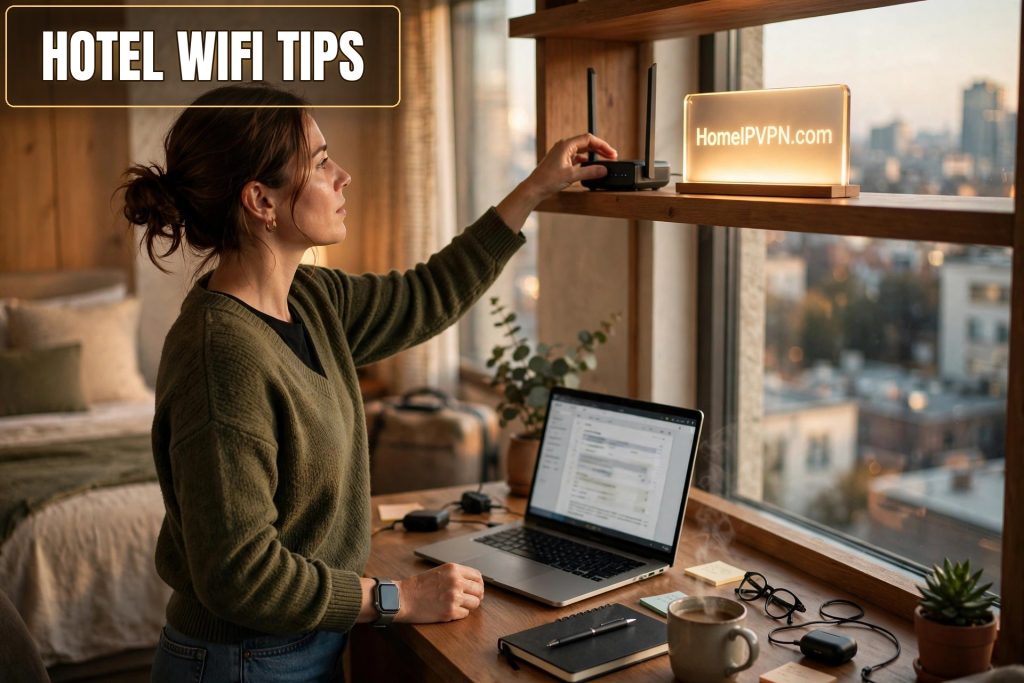
Router Placement Tips for the Best Hotel WiFi Signal
Here's an uncomfortable truth about travel networking: in a hotel, where you put your travel router matters more than which model you bought. A $200 router wedged behind a TV will lose to a $40 one sitting in the right spot. If you're chasing better travel router hotel WiFi signal tips, placement is the free upgrade you're probably ignoring.
> Quick answer: For the best hotel WiFi signal, place your travel router halfway between you and the hotel access point, elevated (desk or shelf height, never the floor), away from metal, mirrors, and microwaves. In repeater mode, position is everything: too close to the hotel AP wastes the router's range, too far starves its backhaul. When the hotel signal is fundamentally unusable, tether to your phone instead of fighting it.
Why Placement Matters More Than Specs in Hotels
Hotels are hostile RF environments: concrete and steel construction, dozens of competing networks, access points hidden above ceiling tiles, and your room's signal arriving as a faint echo down a corridor. Your travel router's job in repeater mode is twofold: hear the hotel AP clearly (backhaul) and shout clearly to your devices (fronthaul). Both links share the same radio, so a bad position degrades everything twice.
The physics that matter:
- Distance and obstacles. Every wall between your router and the hotel AP costs signal. Corridors are usually the clearest path, hotel APs are typically mounted in hallways, not rooms.
- Elevation. WiFi propagates better slightly downward and outward from an elevated position. Floor placement is the worst: you're putting furniture, luggage, and the bed between the router and everything.
- Interference. Microwaves, Bluetooth devices, baby monitors, and neighboring 2.4 GHz networks all compete. The 5 GHz band is usually cleaner in hotels but penetrates walls worse, a real trade-off.
- Antenna orientation. On routers with external antennas, vertical orientation radiates horizontally (good for same-floor coverage); the classic "one vertical, one horizontal" split covers multi-floor situations.
No spec sheet survives contact with a concrete stairwell. Placement is the variable you actually control.
Repeater Positioning: Halfway, Elevated, Away from Interference
The golden rule of repeater placement: halfway between the signal source and where you need coverage, biased toward the source. Your router needs a strong backhaul to the hotel AP more than your laptop needs a strong signal from the router, a repeater can only repeat what it can hear.
Practical placement walkthrough for a hotel room:
- Find the signal source. Walk the corridor with your phone's WiFi analyzer (or just watch signal bars) to find where the hotel signal is strongest, usually near the room door or in the hallway.
- Start near the door. Place the router elevated near the room entrance, on top of the wardrobe, a shelf, or a stack of books. This is typically the closest point to the hallway AP.
- Elevate everything. Desk height minimum; top-of-wardrobe is better. Never the floor, never behind the TV (a big metal shield), never inside a drawer.
- Face the antennas sensibly. External antennas vertical for same-floor propagation. If the router has internal antennas, orient the box so its broad faces point toward the door and toward your desk.
- Check both links. In the router admin panel, look at the backhaul signal strength to the hotel AP. Anything above -65 dBm is workable; below -75 dBm, move the router closer to the source even if that means further from your desk.
The interference audit, keep the router away from:
- The mini-fridge and microwave (2.4 GHz killers)
- Mirrors and large metal objects (reflect and scatter signal)
- Your laptop's own Bluetooth and other USB 3.0 devices (surprisingly noisy)
- Other guests' hotspots, if the air is saturated, switching your router's fronthaul to a less congested channel helps
The 2.4 vs 5 GHz decision: If the router lets you choose the backhaul band, 5 GHz gives more speed when the signal is strong; 2.4 GHz reaches further through walls. In a big hotel with a distant AP, 2.4 GHz backhaul often wins on stability even though it's slower on paper.
When to Switch to Phone Tethering Instead
Placement optimizes a usable signal; it can't create one. Know when to stop rearranging furniture:
- The hotel AP is simply too far or overloaded. If your phone shows one bar in the room and speeds collapse every evening, no position will fix contention on the hotel's side.
- Captive portal + repeater weirdness. Some hotel portals fight repeater-mode routers (MAC mismatch issues). If you've spent 20 minutes on the portal dance, tethering sidesteps it entirely.
- You need low latency for calls. Hotel WiFi latency spikes under load. A decent 4G/5G tether is often steadier for video calls even at lower headline speeds.
Tethering through your travel router (USB tether or WiFi tether to the router, router still running your home IP VPN) keeps all your router benefits (private network, VPN tunnel, all devices covered) with the phone as the uplink. It's the setup's built-in escape hatch; use it without guilt.
The Two-Minute Hotel Setup Routine
- Plug the router in near the room door, elevated.
- Join the hotel WiFi in repeater mode; complete the captive portal on a laptop.
- Check backhaul signal in the admin panel; nudge position if it's weak.
- Enable your home IP VPN tunnel; verify your IP.
- Run a VPN internet speed test. If it's bad after reasonable positioning, switch to phone tethering and move on with your day.
The goal isn't laboratory-perfect signal, it's "good enough for today's calls" achieved in minutes, not an hour of RF archaeology.
FAQ
Where should I place my travel router in a hotel room?
Is it better to put the router close to me or close to the hotel WiFi?
Should I use 2.4 GHz or 5 GHz for hotel WiFi repeating?
Why is hotel WiFi so slow in the evenings?
Do external antennas make a real difference on travel routers?
Can I just leave the travel router plugged in by the door all trip?
Need help setting this up?
Good placement only goes so far without the right gear and config behind it. Get a personalized home IP VPN plan on a $79 consultation: https://homeipvpn.com/appointment. Consultations run remotely via remote desktop at your scheduled appointment, and the $79 counts toward the $379 Secure Home IP VPN System session.

