HARDWARE REVIEWS & GUIDES
Travel Router Buying Guide for Digital Nomads
Ask a room full of digital nomads what travel router they use and you'll start a debate that outlasts dinner. The market is crowded, the spec sheets are…
✓The nomad checklist: size, power,✓Common buying mistakes to avoid✓Recommended kit pairings for home
Quick Answer
Buy a travel router for VPN throughput, portability, and maintained firmware, not WiFi generation: real WireGuard speeds, pocket size, USB-C power, and native WireGuard and OpenVPN client support with a kill switch. Pair it with a VPN server at home. This is the checklist HomeIPVPN hands every digital nomad choosing gear.
- VPN throughput: published WireGuard figures from real reviews, not the WiFi number printed on the box.
- Size: pocket-sized and forgettable in your bag; anything needing its own power brick is not a travel router.
- Modes: repeater, USB tethering, and ethernet uplinks, plus captive portal handling for hotel login pages.
- Buying mistakes: no-name routers with vague VPN claims, oversized units, and abandoned firmware with known vulnerabilities.
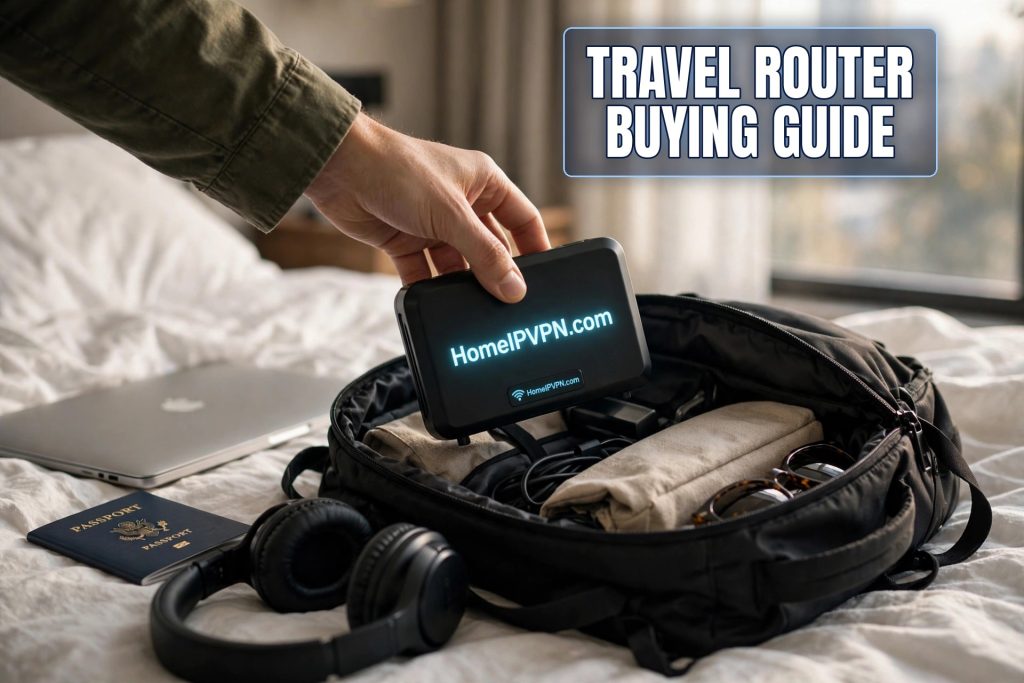
Ask a room full of digital nomads what travel router they use and you'll start a debate that outlasts dinner. The market is crowded, the spec sheets are confusing, and the wrong choice means months of flaky hotel connections. This travel router buying guide for digital nomads cuts through the noise: the checklist that actually matters, the buying mistakes I see people make, and how to pair your router with a home IP VPN setup that just works.
The nomad checklist: size, power, VPN speed, repeater mode
VPN throughput, not Wi-Fi speed. Spec sheets love advertising big Wi-Fi numbers, but your bottleneck is VPN encryption speed: how fast the router can encrypt and decrypt tunnel traffic. Look for published WireGuard throughput figures from real reviews, not just the Wi-Fi standard. For most nomads, anything comfortably above typical hotel speeds (tens of Mbps) is plenty. If your home connection is fast and you move big files, aim higher.
Size and weight. This thing lives in your bag every single day. True travel routers are pocket-sized and light enough that you forget them. If it's bigger than a paperback or needs its own power brick, it's not a travel router, it's a portable router, and you'll resent carrying it by month three.
Power over USB-C. Non-negotiable in 2026. USB-C means one fewer proprietary charger, and you can run the router from your laptop, a power bank, or any phone charger. Check that it runs on standard 5V USB power, some routers want higher-voltage USB-C PD that cheap power banks can't deliver.
Repeater, tethering, and ethernet modes. Your router should handle every uplink a location throws at you: repeating a weak hotel Wi-Fi signal, tethering to your phone's hotspot over USB, and plugging into wired ethernet when it's available. Wired is always the best option when offered; make sure the router has an ethernet port.
Real VPN client support. You want native WireGuard and OpenVPN client support in the stock firmware, with config import via file or QR, plus a kill switch (often called "block non-VPN traffic"). If the router's VPN support is a half-baked app or requires third-party firmware day one, keep shopping.
Captive portal handling. Hotel login pages are a fact of nomad life. Good travel firmware walks you through the portal once and remembers it. Test this before you depend on it abroad.
Firmware that's actually maintained. A router is a network security device. Buy from a vendor that ships firmware updates regularly and has an active user community. An abandoned router with known vulnerabilities is worse than no router.
Common buying mistakes to avoid
Buying on Wi-Fi numbers alone. Wi-Fi 7 on the box means nothing if the VPN throughput is weak or the firmware is abandoned. VPN speed first, Wi-Fi generation second.
Going too cheap on no-name hardware. The bargain-bin travel router with impressive specs and no reviews is a gamble on firmware quality, security updates, and whether the VPN client actually works. Stick with vendors that nomads actually use and review.
Ignoring the kill switch. A travel router without a "block traffic when VPN drops" feature is missing the single most important safety net for public Wi-Fi work. Verify it exists and test it before you travel.
Buying two before testing one. If you're planning the classic two-router home IP setup, buy the travel unit first, get comfortable with it, then buy the home unit. You'll make a better second purchase with experience.
Forgetting the home side. A travel router is only half the system. The magic, your home IP on the road, needs a VPN server at home too. Budget for both halves, or start with the travel router plus phone/laptop VPN apps and add the home server later.
Recommended kit pairings for home IP VPN
The starter kit: one capable travel router plus WireGuard apps on your phone and laptop, connecting to a VPN server on a Raspberry Pi or existing home hardware. Minimal spend, covers the essentials, and teaches you the whole system.
The classic pair: a travel router for the road and a second router (or Pi/mini PC) at home as the always-on VPN server. This is the setup most full-time nomads settle on: one tunnel, all devices protected, kill switch everywhere.
The power kit: a flagship travel router (Wi-Fi 7, touchscreen, maximum VPN throughput) paired with a beefy home server. For nomads who push serious bandwidth, run multiple simultaneous tunnels for family, or just want headroom for years.
| Priority | What to check | Red flag |
|---|---|---|
| VPN speed | Real WireGuard throughput reviews | Only Wi-Fi speeds advertised |
| Portability | Pocket-sized, USB-C powered | Proprietary charger, bulky |
| Safety | Hardware kill switch | No leak protection |
| Flexibility | Repeater, tether, ethernet modes | Wi-Fi only, no ports |
| Longevity | Regular firmware updates | Abandoned product line |
FAQ
How much should a digital nomad spend on a travel router?
Do I need Wi-Fi 7 in a travel router?
Can a travel router replace my phone hotspot?
What's the difference between a travel router and a portable router?
Should the home and travel routers match?
How long do travel routers last?
Need help setting this up?
Buying the right router is half the battle; configuring the whole home IP system is the other half. We do both: hardware guidance for how you travel, plus done-for-you configuration of the home server, travel router, and every client. Start with a $79 consultation at https://homeipvpn.com/appointment. Consultations run remotely via remote desktop at your scheduled appointment, and the $79 counts toward the $379 Secure Home IP VPN System session.

