PRIVACY & SECURITY
Is a Home IP VPN Safe? Security Explained Honestly
"Is home IP VPN safe?" Good. Ask it before you route your banking and your livelihood through a box in your living room. The honest answer…
✓"Safe" is three✓The trade-offs, honestly tabulated✓The risks, each with its fix
Quick Answer
A home IP VPN is safe where it counts: strong WireGuard or OpenVPN encryption keeps hotel snoopers in the dark, with no provider in the middle who could log your traffic. The risks are operational, so every HomeIPVPN setup starts with updates, key-based auth, and a firewall.
- Encryption: it uses the same well-reviewed cryptography as commercial VPNs, so the tunnel itself is solid.
- Trust: no company sees your traffic; you trust your own config, better when sound, worse when sloppy.
- The real risk: an unpatched server is a door into your LAN, so run automatic updates on a minimal device.
- Travel side: put a kill switch on the travel end; your home ISP still sees your traffic like you never left.
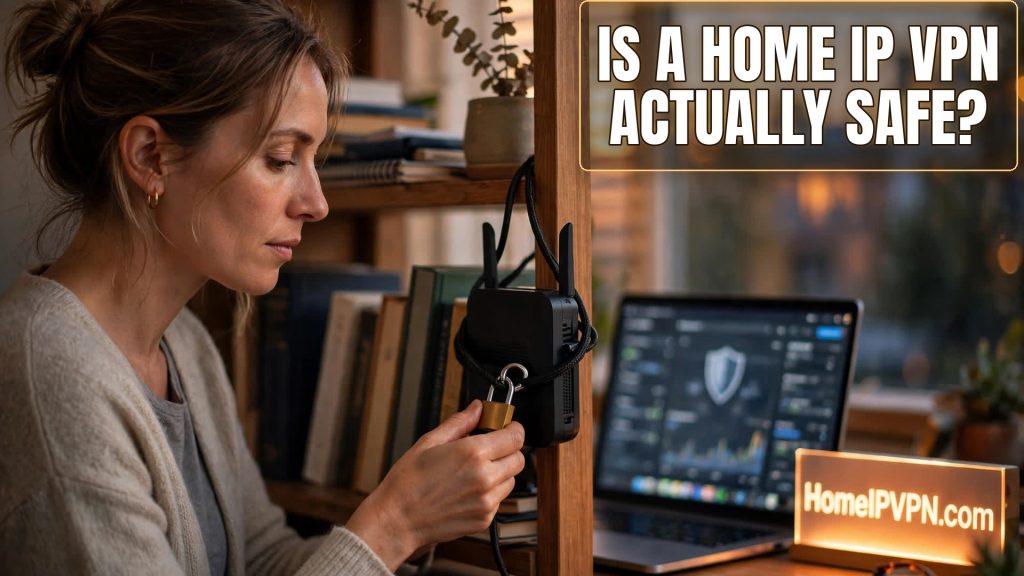
"Is home IP VPN safe?" Good. Ask it before you route your banking and your livelihood through a box in your living room. The honest answer doesn't fit on a bumper sticker: the encryption is excellent, no company can spy on you, and the real risks are operational. Things you can manage, if you know what they are. Let's go through them plainly.
"Safe" is three different questions
People mash them together, so let's separate them:
Is the tunnel itself secure? Yes. WireGuard and OpenVPN use well-reviewed modern cryptography. Hotel WiFi snoopers, local ISPs at your location, and casual network attackers see nothing but noise. This part is as solid as any commercial VPN, because in WireGuard's case it literally is the same protocol.
Who do I have to trust? With a commercial VPN, you trust a company's marketing about their logging. With a home IP VPN, there's no company. You trust your own configuration, which is strictly better if the config is sound and strictly worse if it's sloppy. The trust question becomes a competence question.
What did I expose? Here's the real trade-off. A commercial VPN exposes their hardened infrastructure to attackers. A home IP VPN exposes your home network. A misconfigured or forgotten server is a door into the LAN where your computers and NAS live. This is the risk to take seriously, and it's entirely manageable.
The trade-offs, honestly tabulated
| Threat | Home IP VPN | Commercial VPN |
|---|---|---|
| Hotel WiFi snooping | Protected | Protected |
| Provider logging you | Impossible, no provider | Possible, trust their claims |
| Home ISP visibility | Sees everything (like you're home) | Sees only encrypted tunnel |
| Attackers probing a server | Your box is the target: harden it | Their infrastructure is the target |
| IP reputation with banks | Excellent, real residential IP | Poor, datacenter ranges flagged |
See the shape of it? Better on trust and location credibility, more demanding operationally. It's a small piece of infrastructure you own, not an app you install and forget.
The risks, each with its fix
An unpatched server gets owned. This is the big one. Fix: automatic security updates on, firmware checked quarterly, and run the VPN on a minimal device (a travel router or Pi doing only VPN duty), not a general-purpose computer full of other software.
The server becomes a pivot into your LAN. Fix: if your router supports VLANs, isolate the VPN box on its own segment. At minimum, firewall it so it can only do its VPN job and talk to nothing else on the LAN.
No kill switch while traveling. Tunnel drops, devices quietly fall back to hotel WiFi, your real location leaks mid-session. Fix: enable "block non-VPN traffic" on the travel router and prove it by killing the server during a test. Non-negotiable.
Weak admin credentials. Fix: WireGuard uses keys, so there's nothing to brute-force on the VPN port itself. For admin panels: strong unique passwords, and remote admin only through the tunnel, never from the open internet.
Physical reality. Someone who can touch the box owns the box. Fix: don't store anything sensitive on the VPN device. It's a tunnel endpoint, not a file server. Full-disk encryption where practical.
Attribution. Your home IP is the exit for everything you do abroad. That's the entire point of the product, but go in clear-eyed: travel browsing should be stuff you'd do at home anyway.
Should I stack a commercial VPN on top of my home IP VPN?
You can chain them, but think about what each layer buys you. Routing home first and then out through a commercial VPN gives you the commercial VPN's IP (defeating the whole residential-IP advantage) while adding latency. Routing through the commercial VPN first and then home is unusual and fragile. For the location-credibility job, one clean tunnel home is the right design. Save the commercial VPN for the privacy-from-local-network job on networks you don't trust, used instead of the home tunnel for that session, not stacked on it.
Quick questions
Can my home ISP see my activity through the VPN?
Is WireGuard's crypto actually trustworthy?
Should the admin panel face the internet?
What if my travel router gets stolen?
Want it checked properly?
Our VPN audit goes over server hardening, firewall rules, key hygiene, and the travel-side kill switch, then hands you a plain-English report of what to fix. https://homeipvpn.com.

