REMOTE WORK & DIGITAL NOMAD
Digital Nomad in the Philippines: VPN and Internet Guide
The Philippines draws remote workers with island life, low costs, and a huge English-speaking coworking scene, from Manila's business districts to…
✓Philippines internet: speeds,✓The home IP VPN kit for island✓Coworking hubs: Manila, Cebu, and
Quick Answer
Manila and Cebu have solid fiber, but island internet is uneven and weather-sensitive, so travel with a travel router running a home IP VPN tunnel: your devices see one private network while banks and work tools see your home address. HomeIPVPN‘s recommended island kit: router, home server, two SIMs, power bank.
- City vs islands: Manila and Cebu coworking handles video calls; islands rely on 4G/5G that slows at peak hours.
- Two SIMs: Carry two carriers: dead zones differ by provider and the better one flips island to island.
- The kit: A pocket travel router handling captive portals, a WireGuard tunnel home, and a power bank for brownouts.
- Before flying: Test the tunnel over a phone hotspot and confirm the bank loads without fraud warnings.
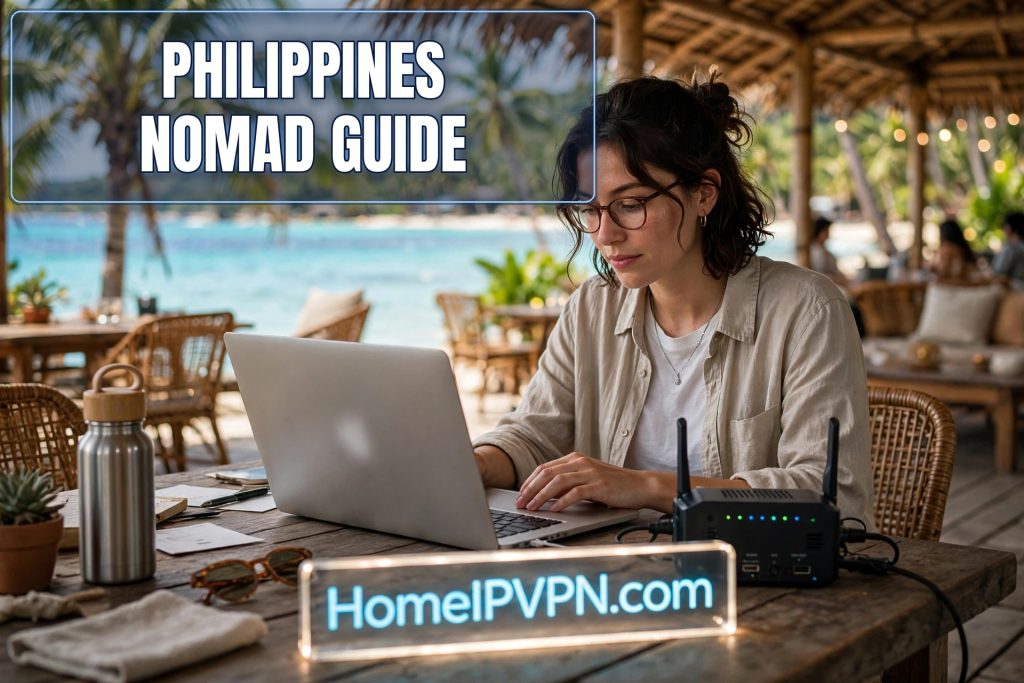
Digital Nomad in the Philippines: VPN and Internet Guide
The Philippines draws remote workers with island life, low costs, and a huge English-speaking coworking scene, from Manila's business districts to surf-town Siargao. But the archipelago's internet is famously uneven, and working from a beach town on shaky WiFi while your bank watches your login location is a recipe for stress. This digital nomad Philippines VPN internet guide covers what the connection is really like, the home IP kit that keeps your digital life stable, and where to base yourself.
Philippines internet: speeds, outages, and mobile data
Set expectations honestly. The Philippines has improved enormously, but it's still an archipelago of 7,000+ islands, and infrastructure follows population density.
In the cities (Manila, Cebu, Davao): Fiber connections in condos and coworking spaces are genuinely good, fast enough for video calls and large uploads. Coworking spaces in BGC, Makati, and Cebu IT Park are built for remote workers, with backup connections.
On the islands (Siargao, Palawan, Bohol): You're on mobile data or small local ISPs. 4G is widespread and 5G exists in tourist areas, but speeds drop during peak evening hours, storms knock out towers, and brownouts are a real thing in some provinces. Plan around it rather than fighting it.
Practical connectivity rules:
- Carry two SIMs from different carriers. Coverage dead zones differ by provider; when one carrier's tower goes down or congests, the other often still works. A dual-SIM phone or a pocket MiFi with a second SIM is cheap insurance.
- Buy data generously. Prepaid data is inexpensive, don't ration it. Load up both SIMs so a failover never means "no internet."
- Treat café WiFi as untrusted and unreliable. It's fine for casual browsing; route anything important through your VPN tunnel.
- Know your storm season. Typhoon season (roughly mid-year through late year) brings the outages. If you're island-based then, keep offline-capable workflows and downloaded materials.
The home IP VPN kit for island travel
Island-hopping with a laptop alone is fragile. A small kit makes your connection consistent no matter which network you're on:
- A pocket travel router (e.g., GL.iNet). It connects to hotel WiFi, café hotspots, or a tethered phone once, then all your devices join the router's private network. It handles captive portals, keeps your devices isolated from snooping neighbors on public WiFi, and, most importantly, runs your home IP VPN tunnel automatically for everything connected to it.
- Your home VPN server, left running at home. A small router or mini-PC at your house running WireGuard gives you a residential home IP from abroad. Your bank sees your home address, your streaming sees your home country, your employer's tools see consistency.
- A power bank and a universal adapter. Brownouts and long travel days between islands will find you. Keep the router and phone charged.
The magic of this combination: you can switch from Siargao café WiFi to a Cebu coworking space to a Manila hotel without reconfiguring anything. Your devices see one network (your travel router), and the internet sees one location (home). Captive portals get handled once on the router instead of per device.
Before you fly: the 10-minute tunnel test
- Connect your travel router to your phone's hotspot (simulating foreign WiFi).
- Verify the WireGuard tunnel to home connects automatically.
- Run an IP check, DNS leak test, and IPv6 leak test.
- Confirm your bank's website loads without a fraud warning.
- Note your home setup's DDNS hostname and a recovery contact, in case your home IP changes mid-trip.
Coworking hubs: Manila, Cebu, and Siargao
Manila (BGC & Makati): The most infrastructure-reliable base. Dozens of coworking spaces with redundant internet, and fiber condos everywhere. Best for video-heavy work weeks, client calls across time zones (the Philippines is UTC+8, friendly to APAC, workable for US evenings), and anything deadline-critical.
Cebu (IT Park & Cebu City): A strong middle ground, good coworking, lower costs than Manila, and easy weekend access to beaches and diving. Internet is solid in the business districts; spottier as you head out.
Siargao: The dream and the risk. Incredible lifestyle, a real nomad community, and coworking options, but you're on island infrastructure. Many nomads do a split: heavy work weeks in Cebu or Manila, lighter async weeks in Siargao. If you must take calls from the island, have both SIMs loaded, know which café has the generator, and keep your tunnel tested.
Honorable mentions: Bohol and Palawan (El Nido/Coron) follow the Siargao pattern, beautiful, workable for async work, risky for call-heavy days. Davao is an underrated city base with decent infrastructure.
Staying secure on Philippine public networks
Tourist-area WiFi is a mixed bag: convenient, often slow, and sometimes outright hostile (captive portals that inject ads, or networks run with minimal security). Your travel router's tunnel is your shield, with everything routed home, the local network sees only encrypted WireGuard traffic. Add these habits:
- Never do banking outside the tunnel, even on "trusted" hotel WiFi.
- Keep your devices' auto-join for open networks turned off; let the travel router be the only thing that joins them.
- Use your phone's hotspot instead of café WiFi for anything sensitive when the café network feels sketchy.
FAQ
Is the internet in the Philippines good enough for Zoom calls?
Which is better for nomads: Globe or Smart?
Will my US/EU streaming services work in the Philippines?
Do I need a VPN for coworking spaces, or just cafés?
Can I work from Siargao full-time?
What's the biggest mistake nomads make with internet in the Philippines?
Need help setting this up?
Rather spend your first week in the Philippines island-hopping than debugging router settings? Our done-for-you setup means your home and travel routers are configured and tested before you fly, so your home IP works from the first cafe you sit down in. Book at https://homeipvpn.com.

