REMOTE WORK & DIGITAL NOMAD
Flying With Two Laptops: What Customs Actually Cares About
The line at customs in Mexico City was not moving. It was one of those afternoons where the air conditioning in the terminal had given up, and everyone in the…
✓What customs officers are actually✓The personal-versus-work✓Countries where the rules get
Quick Answer
You can fly with two laptops. Most countries treat one personal laptop plus one work laptop as duty-free personal effects, as long as both are used and clearly not for resale. Customs cares far more about brand-new, still-sealed electronics than about a remote worker carrying a second machine.
- Personal, not commercial: one personal laptop and one work laptop is a normal setup; keep your employer asset tag or IT contact handy in case an officer asks who owns the machine.
- Write down serial numbers: keep both serials in a phone note; some countries let you register devices on arrival so re-entering later is faster.
- Charged and separated: at security, each laptop usually needs its own tray; keep both batteries charged in case an officer wants to see them power on.
- Work machines have their own rules: many employers require company laptops to connect from a home IP address, and HomeIPVPN sets that up so your work laptop behaves as if it never left your house.
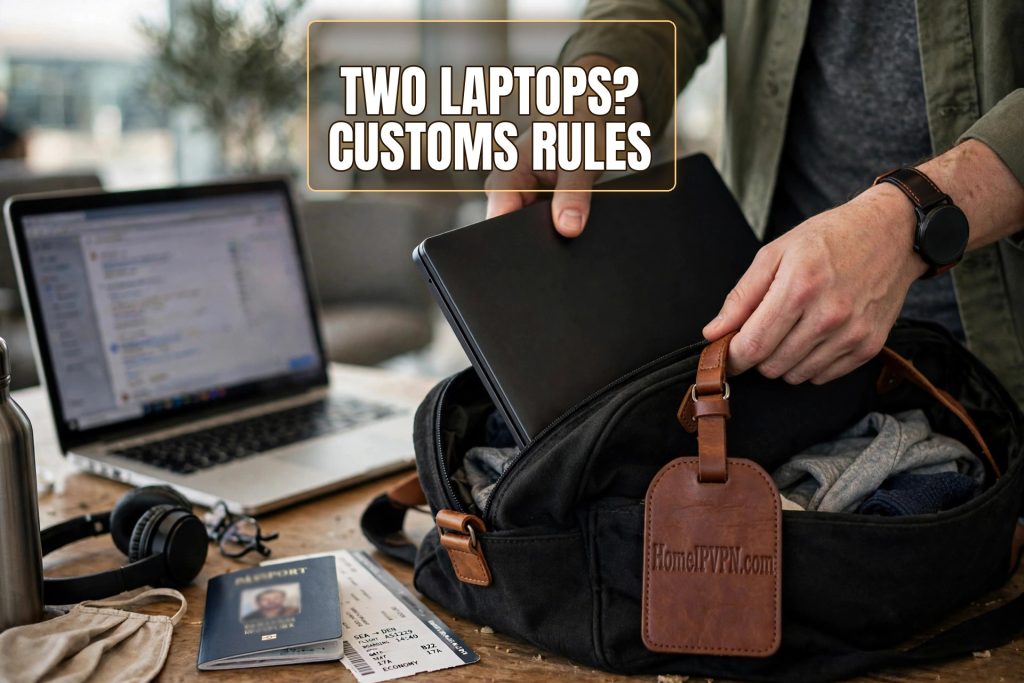
The line at customs in Mexico City was not moving. It was one of those afternoons where the air conditioning in the terminal had given up, and everyone in the line was sweating through their travel clothes. My backpack was heavy in a very specific way. One laptop was mine, the battered MacBook I used for everything personal. The other was my work laptop, a Dell with a corporate asset tag sticker on the lid that I was not allowed to remove. I kept doing mental math about whether two laptops would look suspicious, and rehearsing what I would say if an officer opened the bag and started asking questions.
Nothing happened. The officer glanced at my passport, stamped it, and waved me through. Ten seconds, no questions, no bag search. And that is honestly the most common outcome for people traveling with two laptops. I have since asked dozens of nomads about their border experiences, and the pattern is remarkably consistent: officers care about new-in-box electronics that look like they are being imported for resale. A used personal laptop next to a used work laptop reads as “this person works on the road,” which is exactly what you are.
Still, there are countries, situations, and officers that make the whole thing less casual. So let us walk through what actually happens at the border, what the rules say, and how to cross with two laptops without the sweaty-palm routine.
What customs officers are actually looking for
Most customs officers are not tech people, and they are not counting your devices. They are scanning for signs of commercial import: multiple identical items, factory-sealed packaging, quantities that no single person would plausibly use. One laptop for Netflix and one laptop for work does not fit that profile. The person who gets pulled aside is the one with four new iPhones in shrink wrap and a story about “gifts for family.”
That said, a second laptop can attract a raised eyebrow simply because it is a second expensive thing. The officer’s job is to protect the local market from untaxed imports, and two machines is enough for a polite question. The question is almost always the same: “Is that yours?” Answering honestly and quickly is the entire strategy. Yes, one is personal and one is for work. Said calmly, that ends the conversation in the vast majority of cases.
The thing that actually slows people down is not the second laptop. It is fumbling. Digging through your bag to remember which machine is which, stammering about your employer, or saying something vague like “I think it is fine” signals that you are hiding something, even when you are not. Know your story before you land. One personal, one work. Both used. Both coming back out with you.
The personal-versus-work distinction that matters
Here is the part that trips people up. If your work laptop technically belongs to your employer, then strictly speaking it is company equipment, not your personal property. In practice, almost every country on earth still treats it as your personal effects as long as you carry it in your bag and use it yourself. Nobody expects a remote employee to declare a work laptop like a shipment of goods.
But it helps enormously to look the part of “employee carrying the tools of the trade.” If your company puts asset tags on devices, leave the sticker on. It is basically proof of the story you are telling. If you can keep a copy of an IT policy or an email showing the laptop was assigned to you, even better. I keep a screenshot of my employer’s equipment page on my phone. I have shown it exactly once in four years, and the officer nodded and handed me back my passport.
Contractors should be a little more careful. If you own your “work” laptop yourself and invoice through your own company, it is yours, full stop. If a client provided it, treat it like employee equipment above. The grayest case is carrying a third device: two personal machines plus a work one, or two work laptops from two different clients. Three laptops start to look like a shipment, and that is where you want documentation ready.
Countries where the rules get stricter
A handful of countries are known for caring more about electronics at the border. Argentina, India, and parts of Southeast Asia have historically been the ones nomads mention most, though rules shift year to year. In some of these places, the law technically allows only one laptop duty free, and the second one exists in a gray zone where enforcement depends on the officer in front of you.
India deserves a special mention because its customs form explicitly asks about electronics. Most travelers with two used laptops still pass through the green channel without a glance, but if you want to be thorough, you can declare both devices and be waved on. Declaring honestly costs you two minutes and removes all risk. The people who get in trouble in India are the ones carrying sealed boxes of gadgets for a “business trip.”
Argentina has a reputation for high import duties on electronics, which is exactly why officers look harder. The practical advice from long-term expats there is simple: never bring a laptop in a box, keep chargers and cables in the bag with the machines, and look like you use the devices. A laptop with a sticker-covered lid and a worn keyboard does not read as imported merchandise.
One more note on leaving and returning. Some countries care more about what you bring back than what you bring in. Turkey, for example, is famous for asking about phones, but laptops get less attention. If you are re-entering a country where you previously registered devices, carry that registration. Which brings us to the paperwork that actually helps.
Paperwork worth having before you fly
The single most useful thing you can do is keep serial numbers for both laptops in a phone note. If a device is ever held, questioned, or stolen, the serial number is how you identify it. It takes ninety seconds per laptop. Flip the machine over or check the About page, type the number into your notes, done.
Some countries run voluntary or mandatory device registration. The Philippines has asked travelers about laptop registration at times, and several African countries have forms for registering electronics on arrival so you can prove you brought them in when you leave. If the arrival form mentions registering valuables, do it. It costs a few minutes at the desk and it makes your departure completely uneventful.
Keep purchase receipts in your email or cloud storage. This is not about proving the laptops are yours to customs. It is about the nightmare scenario: a laptop is stolen in transit and you need to file an insurance claim or a police report. The receipt is the one piece of paper that turns a disaster into an inconvenience.
Getting through security, not just customs
Customs and security are different beasts, and honestly, security is where two laptops cause more friction. In most airports, each laptop needs its own tray at the X-ray. That means unzipping two bags or two sleeves, laying everything out, and repacking while tired people queue behind you. Give yourself the extra five minutes and do not try to sneak both into one tray.
Keep both laptops charged. This is the old rule that still applies. If an officer asks you to power on a device, a dead battery turns a thirty-second check into a twenty-minute problem. I charge everything the night before a flight and top up at the gate if I can.
There is also the question of what is on the devices. Some countries reserve the right to inspect electronics, and a few actually do it occasionally. The United States and the United Kingdom both allow border searches of devices in theory. In practice, routine travelers with two ordinary laptops are almost never asked to unlock anything. Keep your machines locked with a passcode anyway. A locked device is the default in any border interaction, and “I can unlock it for you if needed” is a fine answer if it ever comes up.
If they stop you: what to actually say
Secondary screening sounds dramatic, but it is usually just a room with chairs and a longer wait. If you get pulled in, stay boring. Answer exactly what is asked, volunteer nothing extra, and do not lecture anyone about customs law. The officer has total discretion at the border, and arguing with them is the one move that cannot help you.
The conversation, in the rare cases it happens, goes like this: they ask about the two laptops, you say one is personal and one belongs to your employer, they may ask what you do, you tell them, they may ask to see them boot up, you do it, and you leave. The whole thing takes fifteen minutes. The people who write horror stories online are almost always describing a third or fourth device, or a sealed box, or a conflict with something else in their bag.
One thing to never do: lie. Saying a laptop is yours when it has another company’s asset tag and someone else’s login screen is how a small question becomes a big problem. The truth is completely adequate here. Remote work is legal. Carrying the tools to do it is normal. Two laptops is the standard kit of half the people in the priority line.
Packing tips from people who do this weekly
After a few years of it, you develop a system. Mine is this: each laptop lives in its own sleeve, the sleeves go in different parts of the backpack, and the chargers are labeled with tape so I am not guessing at security. The work laptop stays in a bright sleeve so I can grab it without pulling both out at the X-ray. It sounds obsessive until the first time you glide through a 6 a.m. security line half asleep and realize the system paid for itself.
Back everything up before you fly. Not because of customs, but because airports are where laptops get dropped, left in seatback pockets, and stolen from overhead bins. A full backup to a cloud drive or an external SSD that travels separately is the difference between a ruined week and a shrug. Two laptops is actually great for this: keep a copy of your most important files on the second machine.
And a final packing rule that comes up in every nomad group chat: never check a laptop. Cargo holds get cold, bags get lost, and handlers do not care. Both machines go in your carry-on, always, even if it means the bag is heavy. Your shoulders will forgive you. The airline will not forgive a lost laptop.
The remote-work angle nobody mentions
Two laptops solve one border problem but they do not solve the other one that hits remote workers: the work laptop that refuses to behave from abroad. Plenty of employers run security that expects company machines to connect from a home country IP address. Your employee logs in from Bangkok, the system flags an impossible login, and suddenly you are on a call with IT explaining your life choices at midnight.
The practical answer is to make the work laptop look like it never left home. HomeIPVPN routes your traffic through your own home internet connection, so every login, bank session, and company tool sees the familiar home IP they expect.
That is exactly the problem HomeIPVPN was built to solve. Instead of your work laptop screaming “I am in a different country,” it connects through your own home internet connection, so your employer’s systems see the same home IP they always see. It is the boring, invisible infrastructure that lets the two-laptop life work without the 2 a.m. IT conversations.
If you would rather have someone set that up and verify it actually works, the Pre-Travel Audit & Advisory session is 1 hour, costs $79, and that fee comes straight off the $279 Secure Home IP VPN System session if you go ahead. It is the kind of thing that is worth doing once, properly, before you build a life around two laptops and a boarding pass.
Safe travels. Pack the chargers, charge the batteries, and walk through that customs line like someone with nothing to hide, because you have nothing to hide.