REMOTE WORK & DIGITAL NOMAD
Freelance Platforms and VPNs: Why Logging In Through One Can Get You Flagged
You did everything right. You read the security advice, you bought a reputable VPN subscription, and you turn it on every time you work from a cafe in a new…
✓What the platform actually sees✓Why fraud filters hate VPN logins✓The specific ways VPN use gets
Quick Answer
Freelance platforms like Upwork and Fiverr can flag accounts that log in through commercial VPNs because those IP addresses are shared, publicly listed as VPN servers, and often previously used for fraud. To a fraud filter, a VPN login looks like someone hiding their location, which is exactly what scammers do. Travelers avoid the problem by using a home ip vpn instead, a connection from their real home address that looks like ordinary residential internet, which is where HomeIPVPN comes in.
- Why it happens: VPN IP addresses are publicly known, shared by thousands of users, and carry a fraud history the platform can see.
- What it looks like: Verification prompts, location reviews, or warnings about suspicious login activity.
- The irony: The VPN you bought for privacy is the thing making your account look risky.
- The fix: A residential home connection via HomeIPVPN gives you privacy without the red flags.
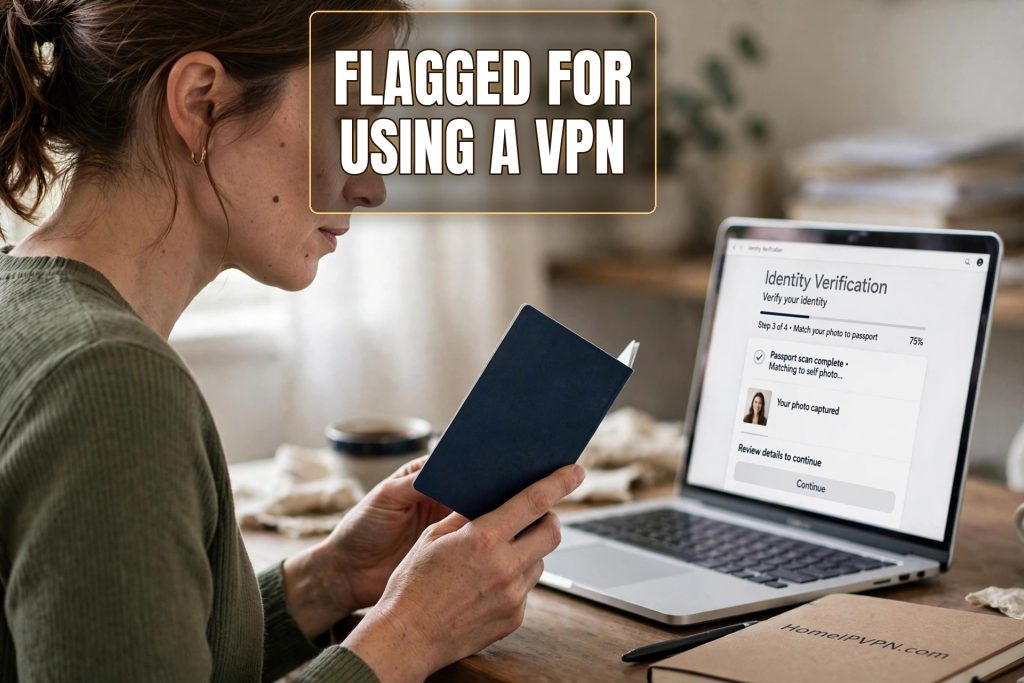
You did everything right. You read the security advice, you bought a reputable VPN subscription, and you turn it on every time you work from a cafe in a new country. You are a careful freelancer protecting your data on untrusted networks. Then one morning Upwork sends you a warning about suspicious login activity, and you realize the thing you bought to stay safe is the thing that got you flagged.
It feels backwards, and a lot of freelancers go through a small identity crisis over it. Am I being punished for protecting myself? The honest answer is no, you are being caught by a system that cannot tell your caution apart from a scammer’s camouflage. This post explains why, in plain English, and what to use instead.
What the platform actually sees when you log in through a VPN
Every time you connect to the internet, your connection carries a return address called an IP address. It is how websites know where to send the page you asked for. When you use a commercial VPN, your traffic gets routed through one of the VPN company’s servers, so the website sees the server’s address instead of yours.
Here is the part most VPN marketing never mentions: those server addresses are public knowledge. VPN companies publish server lists, security firms catalog their IP ranges, and fraud databases maintain running lists of which addresses belong to which VPN provider. When you log into Upwork through a VPN, the platform does not see “a privacy-conscious freelancer.” It sees an IP address that is literally labeled, in databases it checks automatically, as belonging to a commercial VPN service.
Worse, that address is shared. The same VPN server you are using right now is also being used by hundreds or thousands of other people, and some of them are not freelancers. Some are spammers, credential-stuffers, and fraud rings, the exact people freelance platforms spend millions trying to keep out. Their abuse gets attached to the shared address, and the address earns a reputation score. When you log in from it, you inherit that reputation.
Why fraud filters hate VPN logins (and always will)
To understand the platform’s reaction, think about what a VPN login looks like from the fraud team’s side of the screen.
A scammer who bought a stolen freelancer account does not log in from their real location. They log in through a VPN, often set to the victim’s country, to hide the fact that the account changed hands. A fraud ring running fifty fake accounts routes them all through VPNs so they do not all trace back to one place. Location-spoofing is not an occasional fraud tactic. It is close to the default.
So when a fraud filter sees a login from a known VPN address, it does not think “privacy.” It thinks “concealment,” because concealment is what the address is most often used for. Your innocent use and the scammer’s guilty use produce identical signals, and the system is tuned to catch scammers, not to give travelers the benefit of the doubt.
This is also why the pattern matters more than any single login. One VPN login during a trip might pass unnoticed. Months of logins from rotating VPN servers in different countries builds a profile that looks, to an automated system, like someone who never wants their real location known. Freelancers report that this slow accumulation is what eventually produces the upwork vpn account warning: not one bad login, but a history of hidden ones.
The specific ways VPN use gets freelancers flagged
Freelancers report a consistent set of experiences, and they map neatly onto how fraud detection works.
The shared-address problem
You connect to a popular VPN server in your home country, hoping your logins will “match” your profile. But so do a thousand other users, including some the platform has already flagged for abuse. Your login arrives from an address with a rap sheet. Some freelancers report getting verification prompts within days of starting to route their work logins through a commercial VPN.
The country-hopping problem
VPN apps make it trivially easy to switch countries: London this morning, Singapore this afternoon. Each switch is a location jump on your account history. Do it often enough and your login pattern looks like the textbook signature of a compromised account being passed around. The feature that feels like freedom to you reads as instability to the system.
The mismatch problem
Your profile says Canada. Your VPN says the Netherlands. Your phone number says Australia. Your payment method says the United States. None of these are lies, but a fraud filter does not grade on a curve. It counts mismatches, and VPN use adds one more.
The verification trap
Here is the cruelest part: once you are under review, logging in through a VPN to “look consistent” is one of the worst things you can do. Being caught actively masking your location during an identity review turns a routine check into a trust violation. Multiple freelancers report that this escalation, review to suspension, started with a well-meaning VPN login.
But wait, is not a VPN good security? (Yes, just not this kind)
None of this means VPNs are useless or that the security advice was wrong. A VPN does genuinely protect you on untrusted networks: it encrypts your traffic so the cafe owner, the hotel network, or a snooper on public WiFi cannot read it. That protection is real and worth having.
The problem is not encryption. The problem is the address you present to the world while encrypted. A commercial VPN gives you privacy at the cost of a suspicious-looking return address. What traveling freelancers actually need is both: the encrypted tunnel and a return address that looks completely ordinary.
That is the difference between a commercial VPN and a home ip vpn. A commercial VPN routes you through a data center server shared with strangers. A home IP setup routes you through your own home internet connection, the same residential address your bank, your platforms, and your clients have always associated with you. Same encryption, same privacy on the cafe WiFi, but the address on the other end is a normal home, not a flagged server farm.
What a home connection looks like to a fraud filter
Fraud systems love residential addresses for the same reason they hate VPN addresses: history. A home internet connection has a boring, consistent record. It belongs to one household, it has been in the same place for years, and it is not shared with thousands of strangers. There is nothing to flag because there is nothing unusual.
When your work traffic goes through your real home connection, the platform sees the same story it has always seen: you, at home, doing your work. The fact that your laptop is physically in a coworking space in Da Nang is invisible and irrelevant, because the connection itself genuinely comes from your home. This is not spoofing. Your traffic really does travel through your home router. You are not pretending to be somewhere you are not. You are simply working through your own front door instead of the cafe’s.
A HomeIPVPN setup is built around exactly this idea: a small device at your real home that your laptop connects to from anywhere, so every platform you use sees one stable, residential, utterly boring connection. Boring is the goal. Boring never gets flagged.
Practical rules for VPN use as a traveling freelancer
Until your setup is sorted, a few rules keep you out of trouble. First, separate your uses: it is fine to use a commercial VPN for general browsing privacy, but do not log into Upwork, Fiverr, your bank, or payment platforms through it. Those are the accounts with fraud filters, and they are the ones that react badly.
Second, if you must log into a platform while traveling, use your plain connection, the hotel or cafe WiFi directly, rather than routing through a VPN server. A foreign residential or hotel address is a smaller red flag than a known VPN address. It still shows travel, but it does not show concealment.
Third, never switch VPN countries rapidly around platform logins. If your account history shows five countries in a week, you are manufacturing the exact pattern fraud systems are tuned to catch.
Fourth, during any verification or review, log in normally from your most consistent connection and do not touch the VPN at all until the review is resolved. Stability is the signal the reviewers want to see.
The setup that ends the dilemma
The underlying dilemma is that travelers need two things that seem to conflict: real privacy on untrusted networks, and a login history that looks calm and consistent. Commercial VPNs give you the first and wreck the second. Logging in bare gives you the second and sacrifices the first.
A home IP setup resolves it by giving you both at once: your traffic is encrypted on the untrusted network, and it emerges from your real home address. The privacy advice was right. It just pointed at the wrong tool for platform logins.
That combination, private tunnel plus ordinary home address, is the problem HomeIPVPN was built to solve for traveling freelancers. If you would rather have someone set it up and verify it works with the platforms you earn on, a Pre-Travel Audit & Advisory session is 1 hour, costs $79, and that fee comes straight off the $279 Secure Home IP VPN System session if you go ahead.
Stay private out there. Just let home be the address the world sees.