REMOTE WORK & DIGITAL NOMAD
Keep Your Home IP Everywhere, Every Traveler’s Story
Meet Kira. She is sitting in a bamboo hut in Bali, palm trees swaying outside, a laptop open in front of her. Meet Leo, nursing an iced coffee at a beach cafe…
✓1. The Problem✓2. The Idea That Fixes It✓3. The Fix
Meet Kira. She is sitting in a bamboo hut in Bali, palm trees swaying outside, a laptop open in front of her. Meet Leo, nursing an iced coffee at a beach cafe with his whole office one video call away. Meet Amila, camped in an airport lounge with six hours to kill and a live stream she refuses to miss.
Three travelers, three postcard locations, one shared dream: work and live online from anywhere, with everything simply working. Then the dream hits the same wall for all three of them.
1. The Problem
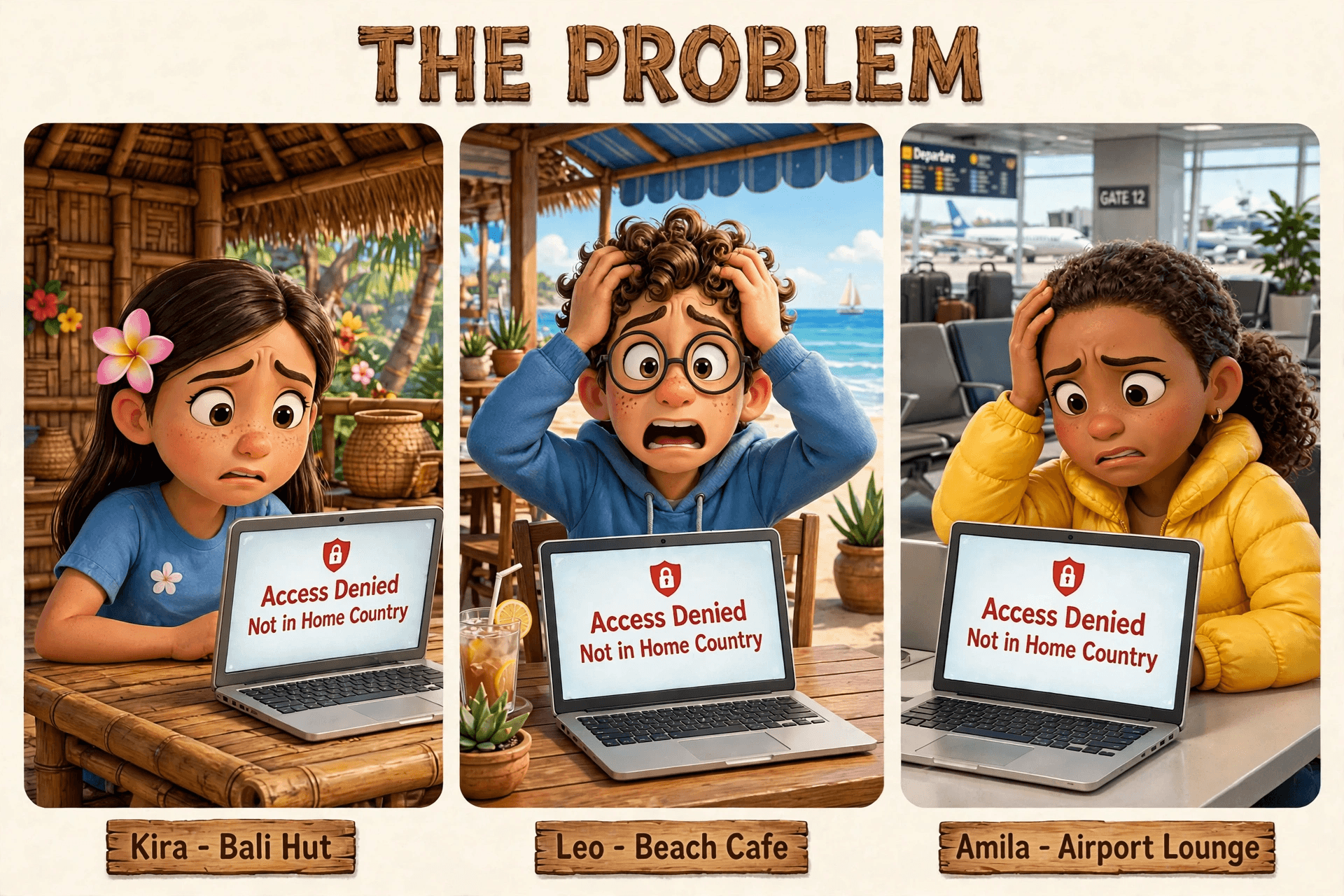
Kira tries to pay her rent through her banking app. Blocked. Leo opens the team's project dashboard. Access denied. Amila presses play on the match. "This content is not available in your region." The screen says it plainly: Access Denied, Not in Home Country.
Here is what is happening, in plain words. Every time you go online, websites see your IP address, a number that quietly says where in the world you are connecting from. Fly to Bali and your IP address changes with you. Your bank sees a login from Indonesia at 3am. Your streaming service sees a viewer outside its licensed region. Your company's tools see a stranger. So they do the safe thing and shut the door.
It is not one app misbehaving. It is the whole internet treating you like a foreigner: frozen cards, dead streams, work logins that refuse you, and a pile of "suspicious activity" emails before breakfast.
2. The Idea That Fixes It
Now imagine a private tunnel running from your laptop all the way back to your living room. You click connect in Bali, and your internet traffic pops out at home, wearing your home IP address like a name tag. As far as your bank, your streaming service, and your office are concerned, you never left the couch.
That is what a travel VPN with a home internet IP does. And it is different from a regular VPN in one important way. A regular VPN hands you an IP address from a giant data center, shared with thousands of strangers. Websites have learned to spot those addresses from a mile away, which is why regular VPNs get blocked so often. A home IP is the address your own internet provider gave your house. It looks ordinary, residential, and human. Nothing about it says VPN.
Prefer to watch it? This short video walks through the whole idea:
3. The Fix

That is the moment everything changes. Leo taps one button. The little travel router on his table hums, and the laptop screen flips from red warnings to a calm blue glow: Connected. Home IP Active. A sparkling thread runs from his beach cafe, across the ocean, straight to the little house on his home street.
Kira's banking app opens like nothing ever happened. Amila's stream buffers once, then plays. Nobody at the office notices a thing.
4. The Freedom: The Long List of Benefits

This is where the story gets good. One home IP, carried anywhere on Earth, quietly fixes a long list of traveler headaches:
1. Your bank stops panicking. Log in from a beach in Bali and the bank sees your home IP, so no frozen cards, no fraud alerts, and no 40-minute hold music with support.
2. Home streaming follows you. The shows, sports, and live channels licensed for your home country keep playing wherever you land.
3. Video calls just connect. No more "not available in your region" on Teams, Zoom, or Meet five minutes before the big meeting.
4. Work tools let you in. Company dashboards, admin panels, and client systems with country restrictions open normally, because you look like you are sitting at your desk.
5. Fewer "suspicious login" emails. Google, Apple, and Microsoft see the same familiar IP they have seen for years, so the security alerts quiet down.
6. Your smart home stays in reach. Check the cameras, nudge the thermostat, grab a file from the home network drive, all as if you were on the living room couch.
7. Government and tax sites work. Many official portals only open their doors to home-country addresses. With your home IP, yours is back.
8. Logins and verification codes behave. Apps that tie sessions to your location stop logging you out or demanding extra verification every single day.
9. One setup covers every device. Put the tunnel on a pocket travel router and your phone, laptop, and tablet all ride your home IP automatically. No app juggling on each device.
10. Family back home notices nothing. The tunnel is yours alone. Everyone else at home keeps their normal, full-speed internet.
11. Safer on cafe and hotel Wi-Fi. Everything you do travels encrypted back home first, so the sketchy airport hotspot only ever sees scrambled noise.
12. Your home storefront, everywhere. Some shops and airlines quietly show different prices by country. Your home IP keeps you on the prices you know.
13. Subscriptions stay alive. Music, news, and services tied to your home region keep working instead of greeting you with a cancellation scare.
14. Fewer CAPTCHAs and bot checks. A stable residential IP looks like a real person. Shared data-center VPN addresses are the ones that get the endless "prove you are human" puzzles.
15. Remote-work rules stay satisfied. If your employer or client requires you to appear from your home country, you simply do. No awkward explanations.
16. Peace of mind, packed. The biggest benefit is invisible: one less thing fighting you while you travel. The internet just feels like home.
Take Your Home Internet With You
Kira pays her rent from the hammock. Leo presents from the beach cafe. Amila watches her stream as the plane boards. Same laptops, same apps, same accounts. The only thing that changed is where the internet thinks they are: home.
If you want this running before your next trip, HomeIPVPN sets it up with you on a one-on-one $79 consultation call. The setup happens on your own equipment, remotely, while you watch. Book at homeipvpn.com/appointment and take your home internet with you.

