REMOTE WORK & DIGITAL NOMAD
My Bank Locked My Account Because I Was Abroad: What to Do in the First Hour
You land in a new country, everything is exciting, and then you try to pay for your taxi and your card gets declined. You open your banking app and there it…
✓Why this happened (the 30 second✓Step 1: Stop trying to log in✓Step 2: Find the international
Quick Answer
If your bank locked your account while you are abroad, it is almost always an automated fraud freeze triggered by a login from an unfamiliar country, not a human decision. Your money is still there. Call the bank’s international collect line, verify your identity, and confirm you are the one traveling. Most locks clear within minutes once you do.
- First move: Stop hammering the login. Repeated failed attempts make the freeze last longer.
- Call, don’t chat: Phone verification clears travel locks far faster than in-app messaging.
- Have ready: Your account number, the phone number on file, and the answer to your security questions.
- Long-term fix: Appearing at your home IP address stops most travel locks before they start, which is exactly what HomeIPVPN sets up for travelers.
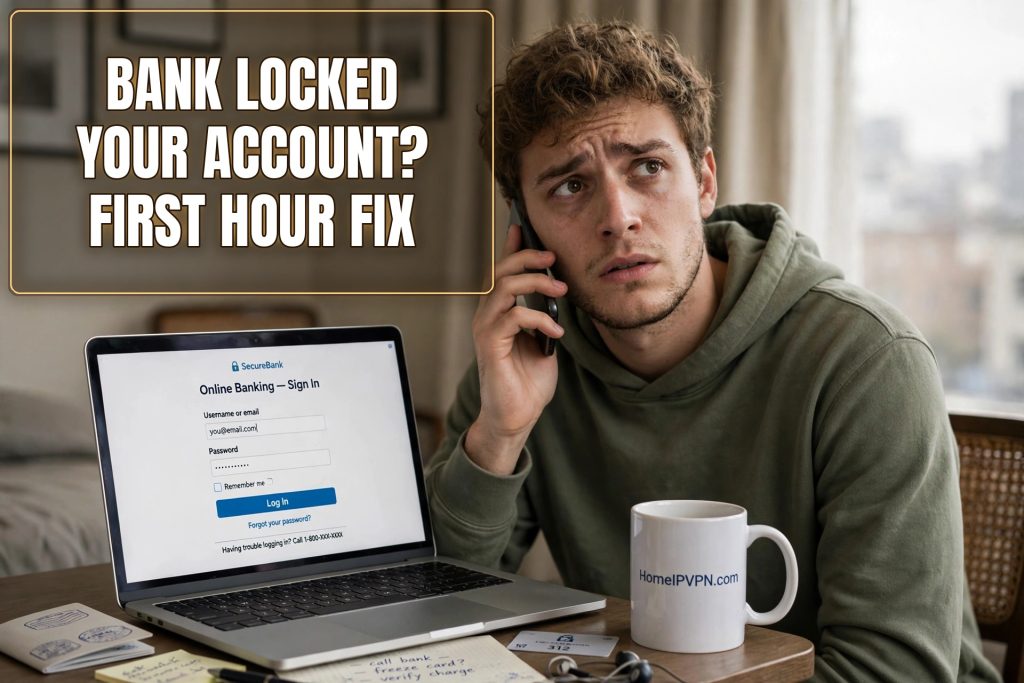
You land in a new country, everything is exciting, and then you try to pay for your taxi and your card gets declined. You open your banking app and there it is: your account is locked. Your stomach drops. You need that money. It is your rent back home, your bills, your whole trip budget.
Take a breath. This happens to travelers constantly, and it is almost never as bad as it looks. Here is exactly what to do in the first hour.
Why this happened (the 30 second version)
Banks run automated systems that watch for logins from unusual places. When you log in from Bangkok and your account normally lives in Ohio, the system cannot tell the difference between you on vacation and a thief with your password. So it freezes first and asks questions later. It is annoying, but it is the same system that would protect you if someone actually stole your login.
Important: this is not a person judging you. No banker looked at your account and decided you look suspicious. A computer program flipped a switch, and a different computer program (plus a phone call) can flip it back.
Step 1: Stop trying to log in (seriously)
Your first instinct will be to try again. And again. Maybe with a slightly different password. Maybe on your laptop instead of your phone.
Do not. Every failed login attempt is another red flag for the fraud system. Three quick failed tries can turn a soft temporary hold into a hard lock that takes days to clear. Put the phone down for a minute.
Step 2: Find the international number
Your bank’s regular customer service number probably does not work from abroad, or it will charge you a fortune. What you want is the international collect call number. This is a special number, usually printed on the back of your debit or credit card, that lets you call the bank from anywhere in the world.
Flip your card over and look. It is usually tiny print under the magnetic stripe. Common patterns: banks like Chase, Bank of America, and Wells Fargo all publish international numbers on their websites too, so if you can borrow a connection, search “[your bank name] international collect call number.”
No WiFi calling? Most modern phones can call over WiFi if you enable it in settings. Hotel and cafe WiFi is fine for this. The call is about verifying who you are, not about secrecy.
Step 3: What to say when you get through
You will probably talk to a fraud department specialist. They are used to this call. Be calm and direct:
- “Hi, I am traveling in [country] and my account appears to be locked. I believe it was flagged because of my location.”
- They will ask you to verify your identity: full name, date of birth, the phone number on file, maybe the last few transactions you remember, and your security questions.
- Confirm your travel: tell them which country you are in and roughly how long you will be there.
In most cases the representative unlocks the account while you are still on the phone. The whole call usually takes ten to fifteen minutes. Ask them to note your travel on the account so it does not lock again tomorrow.
Step 4: If you cannot reach them right away
Time zones are cruel. If it is 3 a.m. back home, the fraud line might have a long wait or limited hours. While you wait:
- Check your email (including spam) for a message from the bank. Sometimes there is a “was this you?” link that resolves simple flags without a call.
- Check your texts. Many banks send a verification code to the phone number on file. If you still have your home SIM or roaming enabled, reply to it.
- Do not ask a friend back home to log in for you. A login from your home IP by a different device looks like account sharing and can deepen the freeze.
What not to do
A quick list of things that feel helpful but make it worse: firing up a random free VPN to “look American” (banks distrust commercial VPN addresses even more than foreign ones, since scammers use them constantly), opening a brand new account in a panic (that triggers its own identity checks), or wiring money through a stranger’s account to “get it moving.” Slow down and work the phone call.
What the bank representative sees (and why it helps to know)
When you finally get a fraud specialist on the phone, it helps to understand what is on their screen. They see your account, a timeline of recent logins with locations attached, and a flag that says something like “impossible travel” or “high risk login.” They do not see your plane ticket, your hotel booking, or your Instagram story from the beach. All they know is what the system recorded.
This is actually good news. It means you are not trying to talk your way out of a judgment. You are just filling in the missing context the computer did not have. The representative’s job in that moment is to verify you are really you, note the travel on your account, and clear the flag. They do this dozens of times a day. You are routine to them, even though it feels like an emergency to you.
Make their job easy and they will make your day easy. Have your account number ready before you call (it is on your card or in your email statements). Know the phone number you have on file with the bank, because they will ask you to confirm it. And if they ask about recent transactions, the more specific you are, the faster it goes. “Yes, that $47 charge at the Lisbon airport cafe was me” clears you faster than “uh, probably.”
If your phone is dead or you have no signal
Sometimes the lockout happens at the worst possible moment: your phone is at 2 percent, or you just landed and have no local SIM yet. You still have options.
Hotel front desks will almost always let you make an international call from their phone in an emergency, especially if you explain a bank lockout. It is a routine request for them. Coworking spaces often have landlines or quiet phone booths for members. As a last resort, apps like Skype and WhatsApp can call real phone numbers over WiFi, and many banks’ international numbers accept these calls just fine.
Do the time zone math before you call. If it is midnight back home, the general customer service line might be closed, but fraud departments at major banks typically run 24 hours precisely because fraud does not sleep. The number on the back of your card usually routes to the right place at any hour.
The 24 hours after you are unlocked
Getting unlocked feels like the end of the story, but spend twenty minutes on follow-through and you will prevent the sequel.
First, make a small test transaction while you are still calm and connected: buy a coffee, check that the card works, confirm the app opens. You do not want to discover a partial unlock at the next critical moment.
Second, set or extend that travel notice right now, while you are thinking about it, with the correct countries and generous date buffers.
Third, move a buffer of money somewhere reachable. If your main account locks again, you want a second card, a digital wallet balance, or even cash in hand that does not depend on that one account. Travelers who keep a few hundred dollars of backup across two different banks basically never get stranded, even when one account has a bad day.
Fourth, save the fraud department’s direct number in your phone contacts under something obvious like “Bank Fraud Line.” Next time, and there may be a next time, you skip the whole phone tree.
How to make sure this never happens again
Once you are unlocked, do two things before your next trip. First, set a travel notice in your banking app (most banks let you do this in under a minute). Second, think about the root cause: your bank trusts logins that come from your home internet connection. When you are abroad, everything about your connection screams “foreign.”
That is the problem HomeIPVPN was built to solve. We set up a private connection that makes your laptop and phone appear to be on your own home internet, wherever you actually are. Your bank sees the same home connection it has always trusted. If you would rather have someone set the whole thing up for you and verify it works before your next flight, our Pre-Travel Audit & Advisory session is 1 hour, costs $79, and that fee comes straight off the Secure Home IP VPN System session if you go ahead.
For now: make the call, verify who you are, and get back to your trip. This is fixable, and you are going to be fine.

