REMOTE WORK & DIGITAL NOMAD
Working from Japan: Keep Your Home-Country IP Address
Japan is a bucket-list destination for remote workers, incredible cities, flawless infrastructure, and a culture that rewards the prepared traveler. But its…
✓Why Japanese IPs Trigger Blocks on✓Home IP VPN Setup Tuned for✓Hotel and Pocket-WiFi Tips for
Quick Answer
To keep your home-country IP from Japan, run a WireGuard server on your home internet and connect through a travel router or device app. Expect 150-250ms of extra latency: fine for most work, noticeable on calls. Hotel and pocket WiFi work in repeater mode; clear the captive portal through the router.
- Why it matters: A first-ever Tokyo login looks like account takeover; a home IP sidesteps verification loops and geo-blocks.
- Latency tuning: WireGuard for lower overhead, PersistentKeepalive at 25 seconds for hotel NAT; confirm home upload before you fly.
- Connectivity: Airport pocket WiFi and local eSIMs feed the travel router; wired hotel Ethernet is gold.
- Backup: Carry a fallback profile in case home internet drops while you are 14 time zones away; HomeIPVPN includes it, leak-tested.
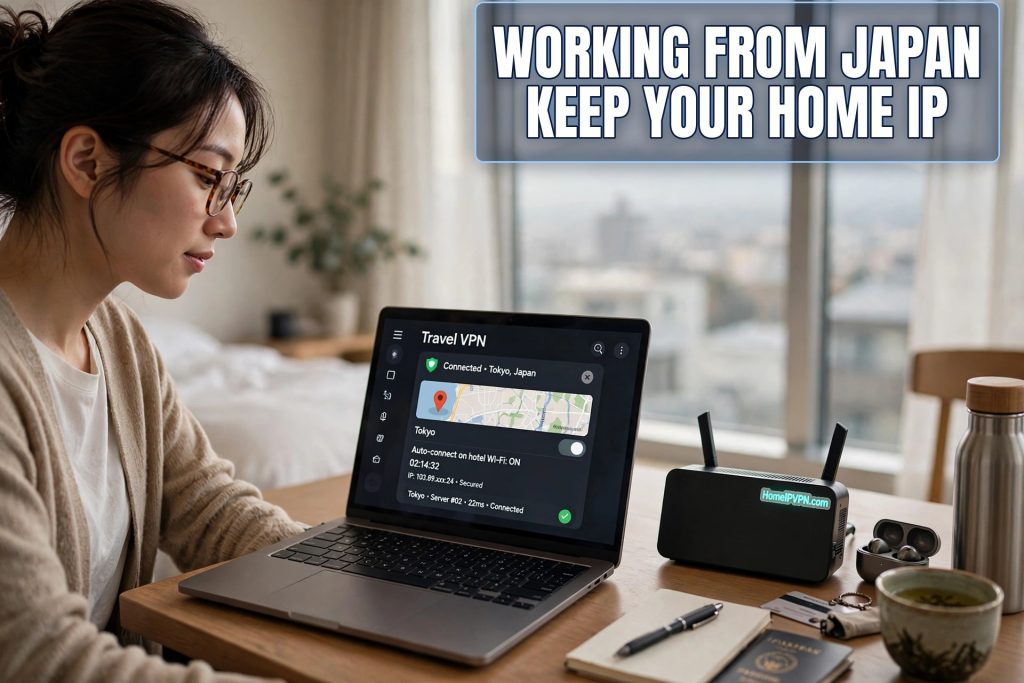
Working from Japan: Keep Your Home-Country IP Address
Japan is a bucket-list destination for remote workers, incredible cities, flawless infrastructure, and a culture that rewards the prepared traveler. But its internet has quirks that catch visitors off guard. If you plan to work from Japan keep home IP consistency for your employer, bank, and streaming services, here's how to set up your home IP VPN for the long haul across the Pacific (or across Eurasia), plus the hotel and pocket-WiFi tips that make business travel in Japan smooth.
Why Japanese IPs Trigger Blocks on Western Banks and Services
It's not that Japan's internet is untrustworthy, it's that your accounts have never seen you there:
- Fraud models are geography-sensitive. Your bank learned your pattern: home-country IP, home-country device, home-country hours. A first-ever login from Tokyo looks exactly like account takeover, because statistically, that's what it usually is. Expect verification challenges, temporary locks, or blocked transactions.
- Streaming catalogs switch. Your home subscriptions show the Japanese catalog, different shows, and some of your home content simply unavailable.
- Work security tools notice. A login from an ASN and country with no history on your account can trigger step-up authentication or a security review, especially in finance, healthcare, and government-adjacent work.
- Some services geo-block outright. Certain government portals, ticketing sites, and media services refuse non-domestic IPs entirely.
A home IP VPN sidesteps all of this at once: every service sees the same home IP it has always seen. No new-country signals, no verification loops, no missing shows.
Home IP VPN Setup Tuned for Long-Haul Latency
Japan is far from almost everywhere, so tune for distance:
- WireGuard, not OpenVPN. On long-haul links, WireGuard's lower overhead and faster handshakes make a real difference. Every millisecond counts when the speed of light is already costing you ~100ms+ each way across the Pacific.
- Accept the latency budget. Realistically: Japan to US West Coast adds roughly 100–150ms round-trip; to Europe, 200–280ms. Through your home tunnel, a video call will feel slightly delayed, people notice it as a "satellite interview" rhythm. It's workable, not broken. Plan for it: mute when not speaking, avoid talking over people.
- Home upload speed matters more than ever. Your effective speed in Japan is capped by home upload. If you'll be there for weeks, it's worth confirming your home plan's upload before you fly.
- Enable PersistentKeepalive (25s). Hotel NAT in Japan can be aggressive about timing out idle UDP mappings. Keepalive packets hold the tunnel open.
- Carry a fallback profile. If your home internet has an outage while you're 14 time zones away, you want a second WireGuard peer (a VPS or a trusted contact's connection) already configured on the travel router, not a 2 a.m. debugging session.
Time zones deserve a mention: Japan is UTC+9. If your team is in the US, you'll be working evenings; in Europe, early mornings. Keep your laptop on your home timezone to avoid confusing calendar and security tooling, and communicate your working hours clearly.
Hotel and Pocket-WiFi Tips for Business Travelers
Japan's connectivity landscape has its own character:
- Hotel Wi-Fi is generally good and VPN-friendly. Use your travel router in repeater mode: one captive-portal login on the router, then all your devices ride the tunnel. Some business hotels have per-device limits or MAC filtering, the router sidesteps both by presenting a single device.
- Pocket Wi-Fi (portable hotspots) rented at the airport are the classic Japan traveler tool. They work fine as the travel router's upstream: connect the travel router to the pocket Wi-Fi via repeater mode (or USB-tether a phone), and the tunnel runs on top. Battery-wise, plug both in at the hotel overnight.
- eSIMs / local SIMs with generous data are increasingly popular. Your phone's WireGuard app with always-on mode handles these directly, no router needed for the phone itself.
- Wired hotel Ethernet still exists in many Japanese business hotels, and it's gold. Plug the travel router in via cable for the most stable tunnel you'll get on the trip.
- Café and coworking Wi-Fi in Tokyo and Osaka is plentiful; the same repeater-mode approach applies everywhere.
Captive portals in Japan are usually simple (a terms-accept page), but they're often in Japanese. Your browser's translate feature, or handling the portal once through the travel router's admin page, gets you through with minimal fuss.
A Practical Packing Checklist for Japan
- Travel router with WireGuard client configured and tested before departure
- Home server verified reachable (test the tunnel from a neighbor's Wi-Fi or mobile hotspot before you fly)
- Phone with WireGuard app + always-on VPN configured
- DDNS confirmed updating on the home server
- Fallback VPN profile (VPS or commercial) stored on the travel router
- A short Ethernet cable (for those wired hotel ports)
- Power adapters for Japan's Type A/B outlets (same as North America, but verify voltage for your chargers)
Frequently Asked Questions
Will my VPN work on Japanese hotel Wi-Fi?
How bad is the latency really for video calls?
Should I rent pocket Wi-Fi or buy a local eSIM?
Will my bank definitely block logins from Japan?
Is it legal to use a VPN in Japan?
What if there's an earthquake or outage while I'm relying on the tunnel?
Need help setting this up?
Long-haul setups have more ways to go wrong, and debugging from fourteen time zones away is miserable. Let us build and test your kit before you fly: https://homeipvpn.com.

