REMOTE WORK & DIGITAL NOMAD
Your IP Address Shows Up in Client Tools: What Freelancers Should Know
Picture this. You are three weeks into a great contract. The client loves your work, the milestones are landing early, and then a message pops up: “Quick
✓First, what an IP address actually✓Where clients can see it: time✓Email headers and shared documents
Quick Answer
Yes, your IP address is visible to clients in more places than most freelancers realize. Time-tracking tools, project dashboards, shared documents, and even email headers can quietly record where you connected from. Here is where those location signals show up, what clients actually do with them, and how traveling freelancers keep one consistent address.
- Time trackers log connection details: hourly-contract tools on freelance platforms typically record session information alongside your screenshots, and location data can be part of what the client sees.
- Emails and shared files carry traces: message headers and some document collaboration tools record the network you sent from, which can reveal a country you never mentioned.
- Most clients never look: in practice, clients check this data only when something already feels off, like missed deadlines or strange reply hours.
- Consistency beats secrecy: freelancers who work through HomeIPVPN show the same home IP address every day, so there is simply nothing surprising for anyone to find.
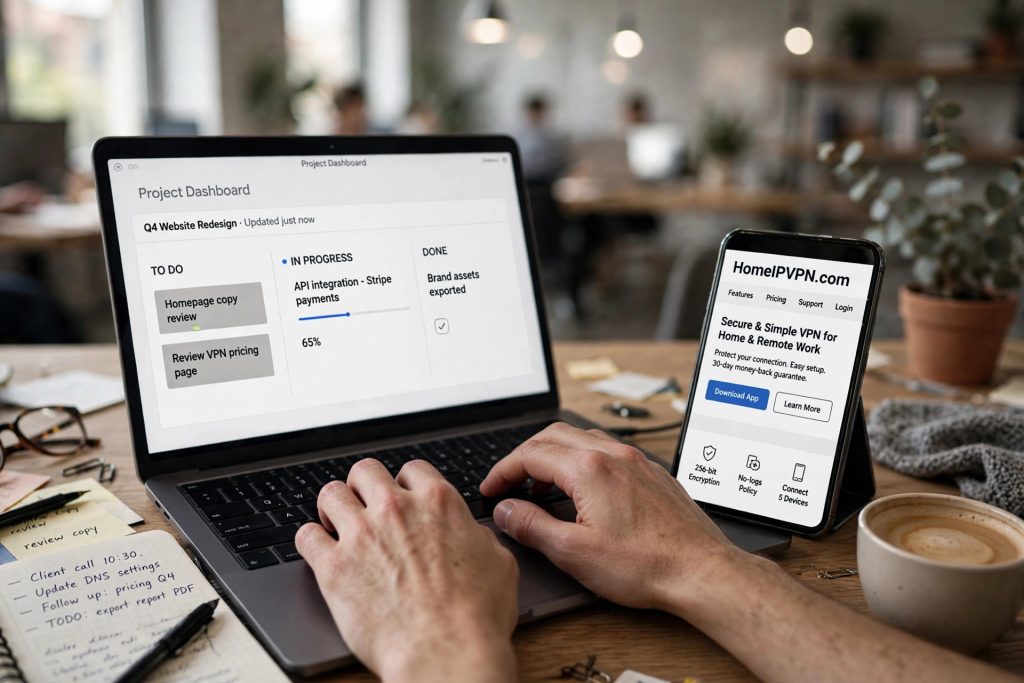
Picture this. You are three weeks into a great contract. The client loves your work, the milestones are landing early, and then a message pops up: “Quick question, are you traveling right now? Your time tracker showed a different location this week.” Your stomach drops. You never told them you were in Lisbon. You never thought you had to.
Nothing you did was wrong. But something on the client’s screen told a story you did not plan to tell, and now you are explaining yourself instead of doing the work you were hired to do. Freelancers write about this moment in forums all the time, and it almost always starts the same way: they had no idea their location was visible at all.
So let us fix that. This is a plain-English tour of where your location shows up in the tools you and your clients share every day, what clients actually do with that information, and the simple habit that makes the whole question go away.
First, what an IP address actually is
Forget the technical definition. An IP address is the internet’s version of a return address. Every time your laptop talks to a website or an app, it stamps the conversation with the address of the internet connection you are using. That address belongs to a network in a specific place, so anyone reading the stamp can usually tell which city and country it came from.
When you work from home, your stamp says home. When you work from a cafe in Lisbon, your stamp says Lisbon. When you move to Chiang Mai next month, your stamp changes again. You do not see any of this happening. It is invisible to you and completely visible to the other side.
This is not spying. It is just how the internet routes replies back to you. But once you understand that every tool you use is quietly reading that return address, the rest of this post will make perfect sense.
Where clients can see it: time trackers
The most common surprise comes from time-tracking tools. If you bill hourly through a freelance platform, you probably use the platform’s tracker, the one that takes periodic screenshots and logs your activity levels. Freelancers report that these tools record session details along with the screenshots, and that clients on hourly contracts can see information about where sessions originated.
Here is why this catches people off guard. You think of the tracker as a camera pointed at your screen. But from the client’s side, it is more like a timesheet with metadata attached: when you worked, what you worked on, and the connection details of each session. A client scrolling through a week’s worth of sessions can notice that Monday’s sessions came from one country and Thursday’s from another.
Does every client check this? In practice, almost none do, until something prompts them. A missed deadline, a message sent at an odd hour, a casual mention of a beach in a status update. Then curiosity does the rest, and the tracker is right there with answers. The lesson is not that trackers are dangerous. It is that they are honest, and you should assume everything they record could be seen.
Email headers and shared documents
The second place location leaks is the humble email. Every email carries hidden headers, lines of technical routing information that most people never see. Those headers record which servers handled the message, and they can reveal the network and country you sent from. Clients do not usually dig into headers, but anyone mildly curious, or anyone with an IT department, can.
Shared documents are the sneakier one. Collaboration tools record edit histories with timestamps, and some record the network information behind each edit too. A client reviewing who changed what in a shared proposal might see more than names and times. Cloud storage services similarly log access locations for shared folders, and those logs are sometimes visible to the folder owner.
Then there are the video calls. Nobody needs to inspect metadata to notice your location on a call. The background, the lighting at an odd hour, the ambient noise, the WiFi stuttering because the whole hostel is streaming at once. Freelancers consistently say that calls, not trackers, are where location gets noticed first. Your connection quality is a location signal all by itself.
What clients actually do with this information
Let us be honest about the typical case, because the forums can make this sound scarier than it is. Most clients never look at any of this. They hired you for output, they are busy, and they have no reason to audit your connection details as long as the work arrives on time and the communication feels normal.
The clients who do look usually fall into two groups. The first group is simply curious or confused: something did not add up, so they checked. These situations are almost always fixable with a calm, honest explanation. The second group is clients with strict policies about where contractors work, often for legal or security reasons. For them, discovering an undisclosed location can genuinely end the contract, not because they dislike you but because their rules leave them no choice.
There is also a subtler effect worth knowing about. Even when nobody checks, inconsistency creates a background feeling of unreliability. A freelancer whose sessions bounce between countries, whose emails arrive at strange hours, whose calls keep dropping, gives the client a vague sense that things are unstable. The client may never articulate it. They just quietly decide not to renew. Location signals feed that feeling even when no single signal is the cause.
The freelancer’s real options
So what do you actually do about all this? Traveling freelancers generally land on one of three approaches, and it is worth knowing all three so you can pick deliberately instead of drifting.
The first approach is full disclosure. You tell clients up front that you travel, you show them your overlap hours, and you make your reliability so obvious that the location data becomes boring. This works well for freelancers with strong track records, because confidence is persuasive. The location signals are still there, but they confirm a story the client already knows instead of revealing a secret.
The second approach is careful compartmentalization. You keep client work on one consistent setup and personal browsing on another, you schedule calls during overlap hours, and you avoid volunteering location details that are not relevant. This is not deception; it is professionalism. You would not discuss your home address with a client either. Some information is simply not part of the working relationship.
The third approach is the technical one, and it is the one that makes the other two effortless: keep a single, stable connection for all client work. Many freelancers do this with HomeIPVPN, which gives them one home IP address that stays the same no matter which country they wake up in. When every session, every email, every shared document, and every call goes through the same home IP address, there is no trail of changing locations to notice. The tracker shows one place. The headers show one place. Everything matches the professional story you are telling, because it is true: from the internet’s point of view, you never left home.
Why a stable home address changes the whole picture
Think about what changes when your connection is consistent. The time tracker shows the same location every week, which reads as stability. Your emails carry the same routing information as always. Shared documents show one steady origin. Video calls run over a connection you control instead of whatever the hostel WiFi is doing today, so the quality is consistent too.
This is the quiet power of a home ip vpn. It is not about hiding. It is about removing noise. Every location signal we have talked about in this post exists because your address keeps changing as you move. Hold the address still, and the signals go quiet on their own. There is nothing to explain, nothing to reconcile, nothing for a curious client to stumble over at the worst possible moment.
Freelancers who work this way describe it as one less thing to think about. They stop worrying about which network they are on before opening the tracker. They stop doing mental math about what their headers might reveal. They just work, from anywhere, with the same digital footprint they would have at their kitchen table.
Making it real
If the idea of one stable address for all your client work sounds like relief, that feeling is telling you something. The root cause of every awkward “where are you really?” moment is the same: your connection keeps announcing a new location, and eventually someone notices. That is the problem HomeIPVPN was built to solve, giving you a single home IP address that follows you anywhere with an internet connection. If you would rather have someone set it up and verify it works, the Pre-Travel Audit & Advisory session is 1 hour, costs $79, and that fee comes straight off the $279 Secure Home IP VPN System session if you go ahead.
You got into freelancing for the freedom, not for a second job managing what your tools reveal about you. Set it up once, and get back to the work that actually pays. Here is to many more contracts where the only thing the client ever notices is how good the work is.