RESIDENTIAL IP SOLUTIONS
Do I Need a VPN for Online Banking?
I was in Bali, trying to do the most boring thing imaginable: check whether a client payment had landed. My bank’s website loaded, I typed my password,…
✓Why banks are so jumpy about✓What a VPN changes about banking✓Why regular VPNs often fail at
Quick Answer
A VPN helps with online banking abroad in two ways: it encrypts your connection on untrusted WiFi, and it can make your login appear from your home country instead of wherever you are traveling. Banks care deeply about login location, so appearing from home reduces freezes and verification loops. A home IP address works far better than a regular VPN for banking, because banks distrust data-center VPN addresses.
- Banks watch location closely: a login from an unexpected country is one of the top triggers for frozen access and extra verification.
- Regular VPNs often fail here: banks recognize data-center VPN addresses and may block or challenge them anyway.
- Home IP is the fix: appearing from your actual home internet connection looks completely normal to every bank system.
- Encryption is the bonus: on hotel or cafe WiFi, a VPN also keeps your banking traffic unreadable to the network, and HomeIPVPN gives you both benefits through your own home connection.
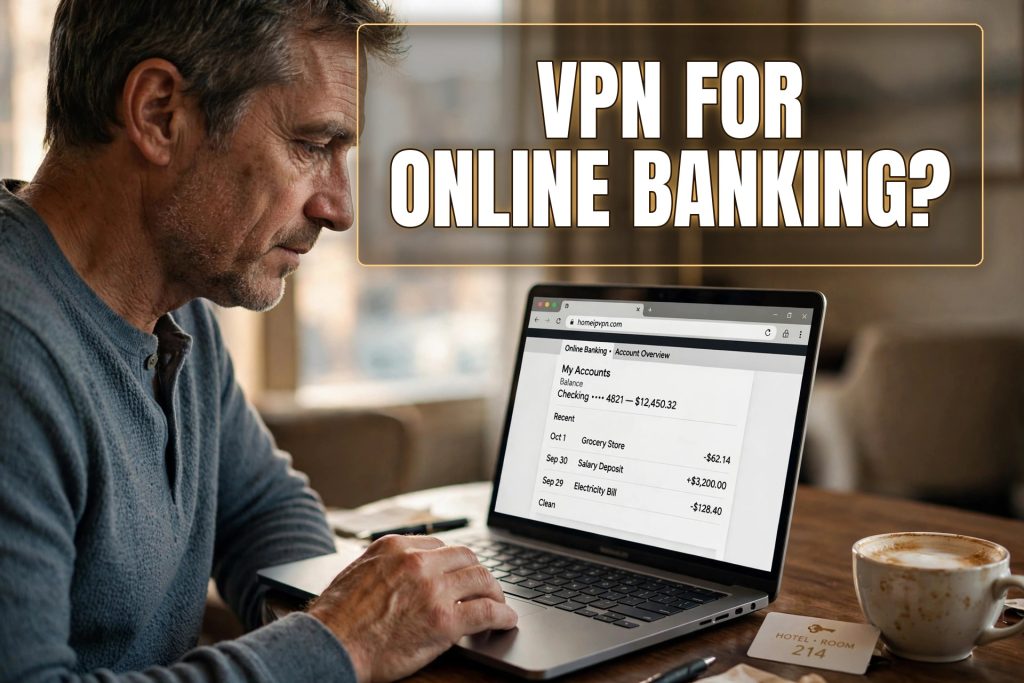
I was in Bali, trying to do the most boring thing imaginable: check whether a client payment had landed. My bank’s website loaded, I typed my password, and instead of my balance I got a full-page security challenge. Then a text message with a code. Then a message saying the code had expired. Then a suggestion to call a phone number that was only staffed during US business hours, which in Bali meant the middle of the night.
All I wanted was to see my own money. The bank, doing its job, saw a login from Indonesia on an account that usually logs in from Ohio, and treated me like a probable criminal. This is the exact moment when travelers start asking whether a VPN would help with banking. The answer is yes, but with an important twist most people miss.
Why banks are so jumpy about location
Banks lose staggering amounts to fraud, and one of their cheapest defenses is geography. They build a quiet profile of where you normally log in from. When a login arrives from far outside that profile, especially from a country associated with fraud, their systems react: extra verification, temporary locks, or a frozen account pending review.
This is not the bank being difficult for fun. From their perspective, a sudden overseas login is genuinely one of the strongest signals of a stolen password. They cannot see you sitting in a Bali coworking space; they see an access pattern that matches account takeover. So they protect the money first and sort it out later.
The problem for travelers is that “protect first” lands on you as a frozen account at the worst moment. And it compounds: every new country is a new anomaly. The bank never learns that travel is your normal, because each location looks like a fresh deviation.
What a VPN changes about banking
A VPN changes the location the bank sees. Instead of your login arriving from a Bali IP address, it arrives from wherever your VPN server sits. If that server is in your home country, the bank sees a domestic login, which matches your profile, and the whole interaction proceeds normally. No challenge, no frozen account, no midnight phone call.
The VPN also encrypts your traffic between your device and the VPN server. On hotel or cafe WiFi, this means the network operator cannot observe your banking session. Banking sites already encrypt their own traffic, so this is a second layer rather than the only layer, but on networks you do not trust, layers are good.
So far, so straightforward. Here is the twist: this only works well if the bank trusts the address your VPN gives you. And increasingly, banks do not trust regular VPN addresses.
Why regular VPNs often fail at banking
Commercial VPN services route thousands of users through the same servers in data centers. Banks know these addresses. They maintain lists of data-center IP ranges, and many treat logins from those ranges as higher risk, not lower. The logic is sound: fraudsters use the same cheap VPNs to hide their location, so “hiding behind a VPN” is itself a mild risk signal.
In practice, this means a traveler who turns on a well-known VPN to check their bank often gets… another security challenge. Or a message that the bank does not support VPN connections. Or a demand for phone verification that fails because the phone number on file cannot receive texts abroad. The VPN solved the Bali problem and replaced it with a data-center problem.
This is the number one misunderstanding about VPNs and banking. People assume any VPN will do, discover it does not, and conclude the whole idea is broken. The idea is fine. The type of address is what matters.
The home IP difference
There is a kind of connection that banks never question: your own home internet. When you log into your bank from your house, nothing happens. No challenge, no freeze, no drama. The bank has seen that address for years, associated with your normal behavior, and it is the definition of trusted.
A home IP setup gives you that same trusted address while you travel. Your traffic goes from your laptop, securely, to your home internet connection, and out to the bank from there. As far as the bank’s systems can tell, you never left home. There is no data-center address to flag, no new country to explain, no anomaly at all.
This is what HomeIPVPN sets up: your connection genuinely originates from your own home internet, not from a shared server farm. Banks, payment platforms, and government portals all see the address they have always trusted. It is the difference between wearing a disguise and simply being yourself somewhere else.
What a VPN cannot fix about banking
Honesty requires the other side too. A VPN, even a home IP one, does not solve every banking friction travelers face. If your bank requires SMS codes to a home-country phone number and you cannot receive them abroad, the location fix does not help; you need a way to receive those texts, like keeping your home SIM active in a spare phone or using a forwarding service.
It also does not change which country’s services you can open. A home IP lets you use the accounts you already have as if you were home; it does not let you open new accounts that require physical presence or local documentation. And it does not protect you from phishing: if you type your banking password into a fake site, the VPN secures the connection to the thief perfectly.
One more gap worth naming: two-factor authentication. Many banks send login codes by text message, and if your home SIM is sitting in a drawer back home, those codes never reach you. Before you travel, switch every important account to an authenticator app where possible, and keep your home number reachable through a spare phone or a forwarding service as a backup. Travelers get locked out by the code step far more often than by anything a VPN touches, so sort this out while you are still home and can test it.
Finally, some banks explicitly prohibit VPN usage in their terms, though in practice this is aimed at data-center VPNs used to obscure location for fraud. A home IP that matches your profile is the opposite of suspicious. Still, the practical advice stands: the goal is to look like your normal self, not to look like you are hiding.
Setting it up before you need it
The worst time to arrange banking access is during a banking emergency. Set up your solution while you are still home, when you can test it calmly: log into your bank through the home IP setup, confirm everything works, confirm no extra verification appears. Then travel with confidence.
While you are at it, do the other boring preparations. Tell your bank your travel dates if they still take travel notices. Make sure your phone can receive verification texts abroad, or set up an authenticator app as a backup. Save your bank’s international collect-call number somewhere you can find it without logging in. None of this is exciting. All of it pays off at midnight in a foreign timezone.
Keep a second way to access your money, too. A VPN protects your login; it does not help if the bank’s own systems go down or your card is lost. Two cards from two banks, plus a payment app with a balance, is the baseline for traveling with money.
The short version for your next trip
Do you need a VPN for online banking? You need your bank to see a familiar, trusted location, and to keep your session private on untrusted WiFi. A regular VPN does the second job and fumbles the first. A home IP setup does both, because your bank sees the same home address it has always trusted.
That location trust is the root cause of nearly every “bank vs. traveler” story: frozen logins, verification loops, midnight phone calls. It is the exact problem HomeIPVPN was built to solve. If you would rather have someone set it up and verify it works with your bank before you fly, the Pre-Travel Audit & Advisory session is 1 hour, costs $79, and that fee comes straight off the $279 Secure Home IP VPN System session if you go ahead.
Check your balance from the beach if you want. Just make sure the bank thinks you are on your couch. Safe travels.