RESIDENTIAL IP SOLUTIONS
Do I Need a VPN for Remote Work?
Quick Answer Your company’s VPN and your own VPN do different jobs. The company VPN secures your connection to work systems; it does not protect your personal browsing, and your employer can see
Quick Answer
Your company’s VPN and your own VPN do different jobs. The company VPN secures your connection to work systems; it does not protect your personal browsing, and your employer can see activity through it. For your own traffic, banking, personal accounts, and appearing from a consistent location, a separate personal setup matters. A home IP keeps your personal logins stable no matter where you work from.
- Company VPN: encrypts work traffic to company systems; your employer administers it and can monitor through it.
- Personal VPN: protects your own browsing on untrusted networks; separate from anything work-related.
- Do not mix them: running personal activity through the company VPN gives your employer visibility you probably do not want.
- Keep personal logins stable: many remote workers route personal traffic through their home connection with HomeIPVPN so banks and accounts always see home.
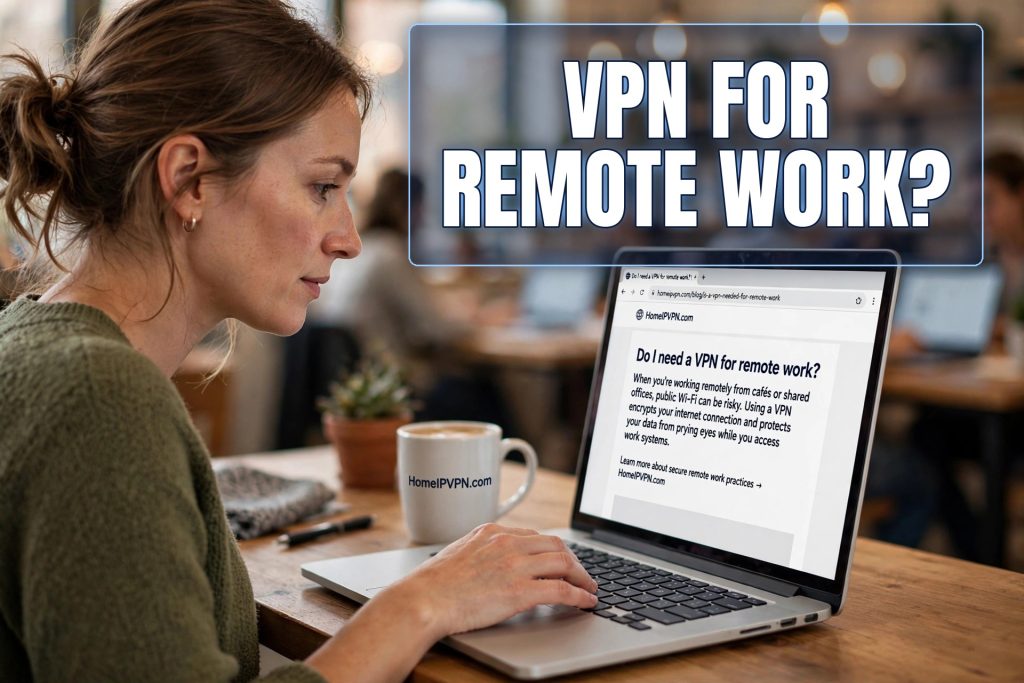
My first remote job handed me a laptop with a VPN already installed. “Connect this whenever you work,” IT said. So I did. For months I assumed I was covered, that the little VPN icon meant my entire online life was protected. Then a colleague mentioned, casually, that IT could see every site visited through the company VPN, and I felt my stomach drop thinking about the personal tabs I had open during work hours.
That confusion is incredibly common. “VPN” is one word for two completely different tools with different owners, different purposes, and different implications. If you work remotely, you need to understand both, and keep them separate.
What your company’s VPN actually does
When a company gives you VPN access, its purpose is specific: to create a secure tunnel between your laptop and the company’s internal systems. Company files, internal tools, databases, the stuff that should never travel over the open internet. The VPN encrypts that path so your work data is protected between your laptop and the office network.
Here is the part people miss: the company administers that VPN. They chose the provider, they hold the keys, and depending on how it is configured, they can see the traffic passing through it. Many corporate VPNs are set to route all your traffic through the company network, not just work traffic. In that setup, your personal browsing, your banking, your messages, all flow through infrastructure your employer controls and can log.
This is not sinister; it is how corporate security works. But it means the company VPN is a work tool, not a privacy tool. It protects company data. Your personal privacy is not its job, and in some configurations it actively reduces it.
What it does not do for you
The company VPN does not protect your personal accounts from location flags. In fact, it can cause them: if the company’s VPN server sits in a different state or country from your home, your bank sees logins from that location. Remote workers get mysterious verification challenges and blame travel, when the actual cause is the corporate VPN exit point.
It does not protect you when you are not working, unless you leave it connected all day, which brings us back to the visibility problem. And it does nothing for your personal devices: your phone, your tablet, the laptop you actually own. The company VPN lives on the company laptop and stays there.
Most importantly, it does not separate your identities. Work you and personal you travel through the same tunnel, past the same administrators. The clean approach is separation: work traffic through the work VPN, personal traffic through your own setup, never the twain shall meet.
Your own VPN: the other half
Your personal VPN, or better, your home IP setup, handles everything the company one should not touch. Your banking, your personal email, your streaming, your freelance clients if you have them, all the logins that should appear from your consistent home location rather than from a corporate server or a foreign cafe.
The practical arrangement most remote workers land on: company laptop connects to the company VPN for work hours, and personal devices run their own protection. If you must do personal tasks on the work laptop, disconnect the company VPN first, do the task through your own connection, and reconnect. It is slightly fiddly, but the alternative is your employer holding logs of your personal life.
Check your company’s acceptable use policy while you are at it. Some employers prohibit installing personal VPN software on company devices. If that is the rule, respect it, and keep personal activity on personal devices entirely. The separation is cleaner that way anyway.
The location problem for remote workers
Remote workers face a specific version of the location issue. Your company may not care where you work from, or it may care a great deal; some employers have tax and legal reasons to restrict work locations. That is a conversation to have with your employer honestly, not something to sneak around, because the consequences of getting caught working from an unapproved country can be serious.
But separate from your employer’s policies, your personal accounts have their own location sensitivity. Your bank does not know or care about your work arrangement; it just sees logins from new places and reacts. A home IP setup keeps your personal digital life anchored: banks, payment platforms, government services, all see the same home location regardless of where your work takes you.
This is the setup HomeIPVPN provides: your personal traffic appears from your own home internet connection. Your work laptop does its corporate VPN thing for work; your personal devices and personal logins stay consistently, boringly, at home. Two separate systems, each doing its proper job.
Talking to IT without fear
A lot of remote workers are nervous about asking IT questions, as if curiosity looks suspicious. It does not. IT departments would much rather answer “what does the company VPN log?” than clean up after a misunderstanding. Ask directly: does the VPN route all traffic or only work traffic? What is logged? Am I allowed to disconnect it when not working?
Similarly, if you travel internationally for work, tell IT before you go. They can note it on your account, which prevents the automated security systems from locking you out at the worst moment. IT’s nightmare is the employee who says nothing and then triggers three fraud alerts from three countries. A two-line email before your flight makes everyone’s life easier.
And if your company has opinions about personal VPNs on company hardware, ask rather than assume. The answer is often more relaxed than people fear, but you want it in writing, not as a guess.
Security habits for the remote worker
Beyond the VPN question, remote work has its own security basics. Keep work and personal browsers separate, ideally separate browser profiles or entirely separate browsers, so cookies and logins do not mingle. Do not store personal passwords in the work laptop’s password manager or vice versa. If you leave the company, you want a clean break, not a tangle.
Encrypt your personal devices, back them up, and use two-factor authentication everywhere, with an authenticator app rather than SMS where possible. These are the unglamorous fundamentals that prevent the vast majority of real-world account compromises. No VPN, corporate or personal, substitutes for them.
Finally, be thoughtful about what “remote” means for each account. Your work accounts live in your employer’s world with its rules. Your personal accounts live in yours. The healthiest setup gives each world its own clean, consistent, appropriate connection, and never confuses the two.
A practical detail that saves real headaches: keep separate password managers, or at minimum separate vaults, for work and personal credentials. When you eventually leave a job, IT will wipe the company laptop, and anything personal stored on it goes with the wipe. I have watched a colleague lose years of personal logins this way. Your personal passwords should live on your personal devices, in a vault your employer can never touch. The separation takes ten minutes to set up and protects you on the day the job ends, which is exactly when you will have enough stress already.
The clean separation
Do you need a VPN for remote work? You already have half of one: the company’s, for company business. What you need is the other half: your own setup for your own life, keeping your personal traffic private and your personal logins appearing from home. Two tools, two jobs, no mixing.
The root cause is familiar by now: every new work location makes your personal accounts nervous, and routing work traffic through corporate systems was never meant to protect your private life. That is the problem HomeIPVPN was built to solve: your personal logins always appear from home, no matter where work takes you. If you would rather have someone set it up and verify it works, the Pre-Travel Audit & Advisory session is 1 hour, costs $79, and that fee comes straight off the $279 Secure Home IP VPN System session if you go ahead.
Work through the work tunnel, live through your own. Keep them separate, and both sides stay simple.