TROUBLESHOOTING
Why Netflix Blocks VPNs (and Why Some Connections Still Work)
It was a Friday night in a hotel in Bangkok, and I had a plan. A long week of client calls, a convenience store haul of questionable snacks, and the new season
✓The error message is about your✓Why Netflix cares so much about✓How Netflix actually spots a VPN
Quick Answer
Netflix blocks VPNs because its contracts with studios require it to show different catalogs in different countries, and VPNs make your location hard to pin down. It spots most VPNs by recognizing their server addresses, which is why the fix is not a better VPN app but a connection that looks exactly like your home internet. That is what a home IP setup gives you.
- The error: the “you seem to be using a VPN or proxy” message means Netflix recognized the internet address you are connecting from, not anything on your device.
- Why some servers work: a VPN server whose address has not been flagged yet can slip through, but it usually stops working within days or weeks.
- What holds up: connections that come from a real residential internet address, like your own home connection, are almost never flagged because they look like an ordinary viewer.
- The lasting fix: instead of hopping between VPN servers, travelers route their traffic through their own home internet with HomeIPVPN, so Netflix simply sees you at home.
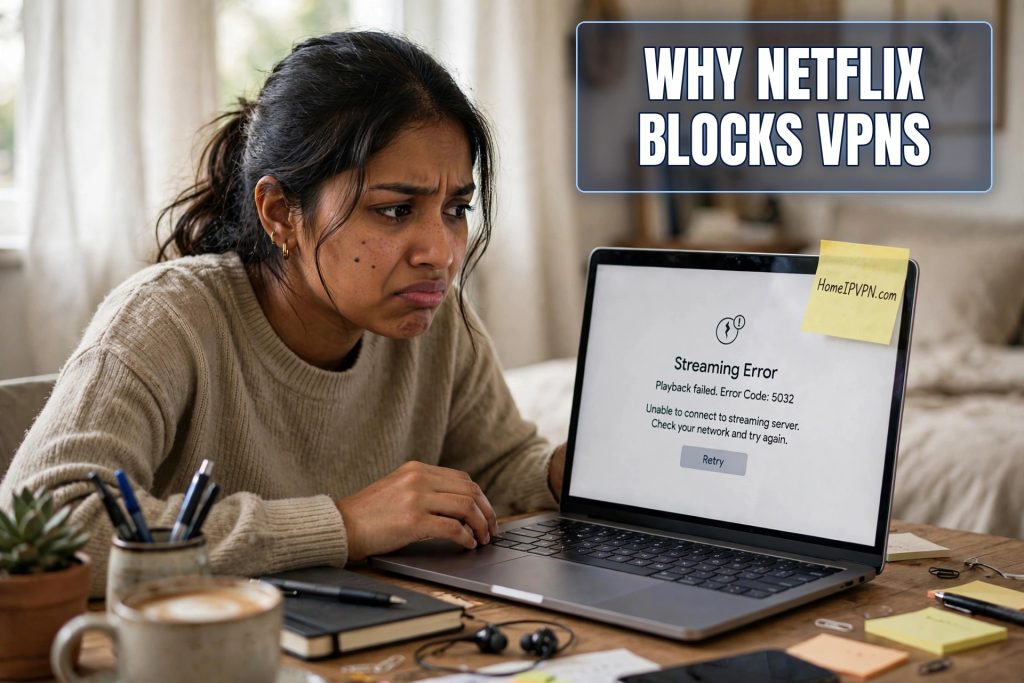
It was a Friday night in a hotel in Bangkok, and I had a plan. A long week of client calls, a convenience store haul of questionable snacks, and the new season of the show everyone back home was talking about. I opened Netflix on my laptop, clicked play, and instead of the opening credits I got a message I had never seen before: “You seem to be using a VPN or proxy. Please turn off any of these services and try again.”
I was using a VPN. Of course I was using a VPN. I use one every time I leave my apartment, because hotel wifi and I have an understanding: I do not trust it. But Netflix had never cared before. So I did what anyone would do. I disconnected, reconnected to a different server, refreshed, and got the same message. I tried three more servers. Same message. My Friday night plans were officially ruined by a streaming service that had decided my internet connection was suspicious.
If this has happened to you, you are not doing anything wrong, and your VPN is not broken. You have just walked into one of the longest-running cat and mouse games on the internet. Here is what is actually going on, in plain English, and what reliably gets you back to your shows.
The error message is about your internet address, not your device
That message, the one that mentions VPNs and proxies, has a code attached to it if you look closely. Netflix has used a few versions over the years. The details do not matter much. What matters is what triggers it: Netflix looked at the internet address your connection is coming from and decided it belongs to a VPN company rather than a regular person.
Every device on the internet has an address, called an IP address. Think of it like the return address on a letter. When you are at home, your return address is the one your home internet provider gave you, and it is associated with a regular household. When you turn on a typical VPN, your return address changes to one owned by the VPN company, at one of their big server locations. Netflix keeps enormous lists of these VPN-owned addresses. If your return address is on the list, you get the error.
This is why the problem follows you across devices. It is not your laptop or your phone that Netflix objects to. It is the address. Switch from your laptop to your tablet on the same VPN server and you will get the same message, because the address is the same.
Why Netflix cares so much about where you are
It is tempting to think Netflix is just being difficult, but from their side it is about contracts. Netflix does not own most of what it streams. It licenses shows and movies from studios, and those licenses are sold country by country. A studio might sell the rights to a show to Netflix in the United States, to a different company in Germany, and to nobody at all in Thailand.
When you watch from Bangkok, Netflix is supposed to show you the Thai catalog, because that is what the contracts allow. A VPN scrambles that whole system, because suddenly someone in Bangkok can look like they are in Chicago. The studios noticed this years ago and leaned on Netflix hard. So Netflix built one of the most aggressive VPN detection systems of any streaming service, and it keeps getting better at it.
This is also why the experience is so inconsistent. Your friend’s VPN might work fine with Netflix while yours gets blocked, or yours works on Tuesday and fails on Friday. It all comes down to whether the specific address you landed on has been flagged yet.
How Netflix actually spots a VPN
Netflix uses a few tricks, and none of them require them to look inside your encrypted connection. They do not need to. The giveaways are all on the outside.
The biggest one is the shared address problem. A VPN company might have ten thousand customers connecting through a single server, which means ten thousand people all showing the same return address. No normal household looks like that. When Netflix sees thousands of simultaneous streams coming from one address, and that address is registered to a data center instead of a home internet provider, it is not a mystery. That is a VPN server, and onto the blocklist it goes.
The second trick is simpler: the lists. There are companies whose entire business is tracking which internet addresses belong to VPNs, and Netflix buys that data. When a VPN company rents a new batch of addresses, it can take weeks or months, but eventually those addresses get identified and flagged too.
The third is behavioral. If one account logs in from an address in New York at noon and an address in Singapore an hour later, something is off. Netflix does not always act on this alone, but it feeds into the picture.
Why some VPN connections still work (for now)
Here is the part that confuses everyone. If Netflix is so good at blocking VPNs, why did your VPN work fine last month? Why does your travel buddy’s VPN still work?
The answer is timing. When a VPN company brings a new server online with fresh addresses, those addresses are not on any blocklist yet. For a while, sometimes weeks, sometimes months, connections through that server sail through Netflix without a problem. Users in forums excitedly report that this or that server “works with Netflix.” Then Netflix catches up, the addresses get flagged, and the same users come back to report it stopped working.
This is the cycle. It never ends. VPN companies keep adding servers, Netflix keeps flagging them. Some VPN providers have gotten clever about it, rotating addresses faster or buying addresses that look more residential. Those tend to last a bit longer. But it is still a treadmill, and you are the one running on it, reconnecting and server-hopping every time your Friday night plans get interrupted.
There is also a quieter reason some connections work: not all VPN addresses look like VPN addresses. A small number of services route traffic through addresses that belong to real internet providers, the same kind your home uses. Netflix has a much harder time flagging those, because blocking them would risk blocking real customers. This distinction, between addresses that look like a data center and addresses that look like a home, is the whole ballgame.
What reliably works: look like you never left home
Think about who Netflix never blocks: you, sitting on your couch at home, no VPN at all. Your home internet address is registered to a residential provider, it is used by one household, and nothing about it says VPN. Netflix sees it and waves you through without a second thought.
The reliable fix, the one that does not break every few weeks, is to make your connection look exactly like that, even when you are in Bangkok or Lisbon or Mexico City. Instead of connecting through a VPN company’s server that thousands of strangers share, you connect through your own home internet. Your shows, your catalog, your account behaving exactly as it does on your couch.
This is the idea behind a home IP setup. You keep a small device at home, plugged into your own internet connection. When you travel, your laptop or phone routes through it. As far as Netflix can tell, you are at home, because in a very real sense, your internet traffic is coming from home. There is no shared server, no data center address, no blocklist to land on. It is just you, at your address, watching your shows.
The folks at HomeIPVPN set this up for travelers who are tired of the server-hopping treadmill. It is a different approach from a VPN app: instead of borrowing a stranger’s internet address, you use your own.
What does not work, no matter how many forums suggest it
A quick tour of the dead ends, so you do not waste your evenings. Clearing your cookies and cache does not help, because the block is on your address, not your browser. Using incognito mode does not help for the same reason. Changing your DNS settings does not help. None of these change the return address Netflix is looking at.
Free VPNs are the worst option of all. Their server lists are tiny and heavily abused, which means their addresses are usually flagged faster than anyone else’s. On top of that, many free VPNs make their money in ways you would not like if you read the fine print. If your goal is to watch Netflix in peace, a free VPN is the longest possible route there.
And constantly switching servers inside your VPN app is just manual treadmill running. It sometimes works for an evening. It is not a solution, it is a hobby, and it is a frustrating one.
The shows will still be there
Here is the thing nobody tells you when you are staring at that error message at eleven at night in a hotel room: the problem was never really about Netflix. It was about the fact that every time you travel, your internet identity becomes something borrowed and secondhand, an address shared with thousands of strangers, flagged by every service that bothers to check. Netflix is just the most visible place it breaks. The same borrowed-address problem is behind the bank logins that get challenged, the accounts that ask for extra verification, the services that quietly treat you like a stranger.
That borrowed internet identity is exactly the problem HomeIPVPN was built to solve. If you would rather have someone set it up and verify it works, the Pre-Travel Audit & Advisory session is 1 hour, costs $79, and that fee comes straight off the $279 Secure Home IP VPN System session if you go ahead. You can book a Pre-Travel Audit & Advisory session and stop thinking about which server works this week.
Your Friday nights are too short to spend them arguing with an error message. Get your shows back, and keep them.

