REMOTE WORK & DIGITAL NOMAD
How to Keep & Maintain My Home Internet IP While Travelling Abroad?
Work from anywhere while continuing to use your familiar home internet connection.
✓What Is a Home Internet IP Address?✓What Happens to Your IP When You✓Why Would You Want to Keep Your
Quick Answer
A home IP VPN keeps your familiar home IP while you travel by routing your traffic back through your home connection: hotel WiFi becomes just the uplink, and every site sees your home address. HomeIPVPN pairs this with a travel router, so one tunnel covers your laptop, phone, and everything else you carry.
- The problem: your public IP belongs to the network you join, so it changes at every hotel, airport, and cafe.
- The fix: a VPN server at home plus a travel router abroad, with all traffic exiting through your home ISP.
- Bonus: the same tunnel reaches your NAS, smart home gear, and self-hosted apps from anywhere in the world.
- Fair warning: a consistent network never overrides your employer’s security policies, which always take priority.
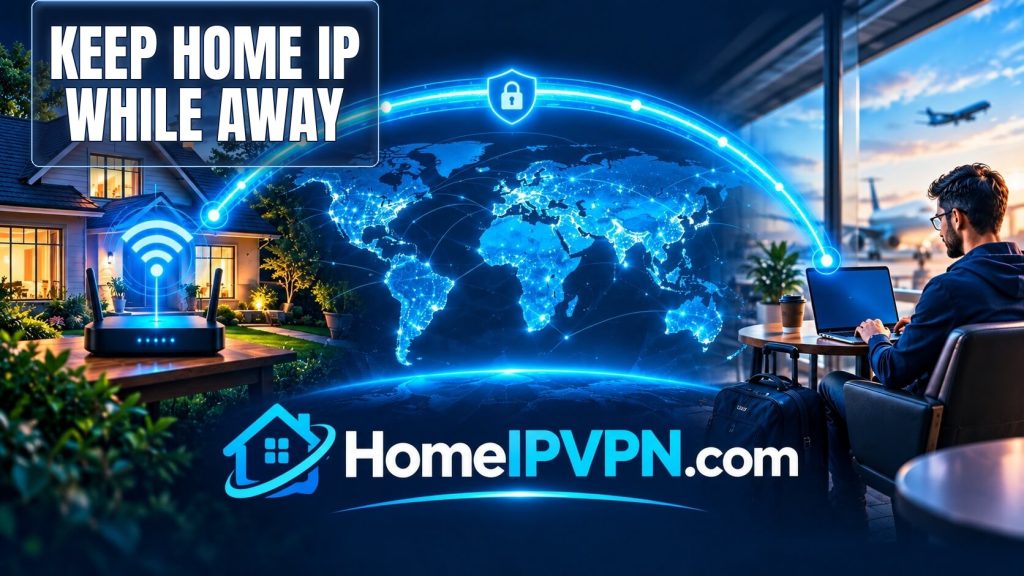
How to Keep Your Home Internet IP Address While Traveling Around the World
Work from anywhere while continuing to use your familiar home internet connection.
Traveling internationally is exciting, but it can create a frustrating problem for remote workers, digital nomads, freelancers, and frequent travelers: every time you connect to a new hotel, airport, cafe, or local Wi-Fi network, your public IP address changes.
A Home IP VPN provides a way to securely connect back to your home internet connection while you are traveling, allowing your internet traffic to use your home network as its exit point.
Learn more about HomeIPVPN.com →
What Is a Home Internet IP Address?
When you connect your home to the internet, your Internet Service Provider (ISP) normally provides your connection with a public IP address.
You can think of this public IP address as the internet-facing address of your home connection. When your devices access websites and online services, your home router normally sends that traffic to the internet through your ISP connection.
At home:
Your device → Home Wi-Fi → Home Router → Home ISP → Internet
The important point is that your public IP is associated with the internet connection you are using, rather than permanently following your laptop or phone wherever you travel.
What Happens to Your IP When You Travel?
Suppose your home is in Germany. At home, your devices use your German home internet connection.
Now you travel to another country and connect your laptop to hotel Wi-Fi.
Your connection changes from:
Your laptop → Home ISP → Internet
to something like:
Your laptop → Hotel Wi-Fi → Local ISP → Internet
Your public IP address therefore changes.
Travel again and connect to another network, and your public IP may change again.
For ordinary internet use this is completely normal. However, it can become inconvenient when you specifically want your internet traffic to continue using your familiar home connection.
Why Would You Want to Keep Your Home IP While Traveling?
There are several legitimate reasons someone may want their internet traffic to continue exiting through their home connection while traveling.
Remote Work
Remote employees may prefer a consistent network environment when working from hotels, temporary apartments, or other locations.
Some organizations also use IP-based controls as one component of their security systems. However, company policies and security requirements should always take priority.
Digital Nomads
Digital nomads can move between multiple countries during the year. Every new location normally means another local internet connection and another public IP.
A home-IP VPN allows a properly configured travel router to establish a connection back to the traveler’s home network.
Access to Your Home Network
A home VPN can also provide remote access to private resources such as:
- NAS devices
- Home servers
- Self-hosted applications
- Remote desktop systems
- Private network resources
- Smart-home infrastructure
Consistent Network Connectivity
For some travelers, the biggest advantage is simply consistency. Instead of having their internet exit point change every time they move between countries, they can route traffic through the same home internet connection.
How Does a Home IP VPN Work?
The basic concept is simple even though the underlying networking can be technical.
You have two main components:
- A VPN gateway at home
- A VPN-capable travel router
The home VPN gateway remains connected to your home internet.
The travel router travels with you and connects to whatever internet connection is available at your destination.
The two devices establish a secure VPN tunnel.
The connection looks like this:
Traveling Device
↓
Hotel / Airbnb / Cafe Wi-Fi
↓
Travel VPN Router
↓
Encrypted VPN Tunnel
↓
Home VPN Gateway
↓
Home ISP
↓
Internet
Instead of using the local network as the final internet exit point, the VPN can route your traffic through your home internet connection.
Home IP VPN vs. Commercial VPN
A home-IP VPN is different from the typical commercial VPN model.
| Feature | Home IP VPN | Typical Commercial VPN |
|---|---|---|
| Internet exit point | Your home internet connection | VPN provider’s infrastructure |
| IP source | Your home ISP | VPN provider |
| Residential connection | Your own home connection | Usually provider infrastructure |
| Travel location | Can change | Can change |
| Home IP continuity | Yes, when properly configured | No |
| Travel router option | Yes | Depends on provider |
A traditional VPN generally means:
You → VPN provider → Internet
A home-IP VPN instead aims for:
You → VPN tunnel → Your home internet → Internet
The key difference is where your traffic exits onto the public internet.
What Is a Travel VPN Router?
A travel VPN router is a small portable router that can connect to the internet and establish VPN connections.
Instead of installing and configuring a VPN application separately on every device, your devices can connect to the travel router.
For example:
Hotel Wi-Fi ↓ Travel VPN Router ↓ Laptop + Phone + Tablet + Other Devices
This can be especially convenient for people traveling with several devices.
HomeIPVPN.com supports compatible travel-router setups, including supported GL.iNet hardware.
See HomeIPVPN.com hardware and setup options →
How to Use Your Home IP While Traveling
Step 1: Keep Your Home Internet Connected
Your home internet connection remains online while you travel.
The home VPN gateway needs to remain powered on and connected to the internet.
Step 2: Configure the Home VPN Gateway
A compatible VPN-capable router or gateway is installed at your home.
It becomes the endpoint that your travel router connects to.
Step 3: Configure Your Travel Router
Your portable travel router is configured with the appropriate VPN connection.
Once configured, the router can establish the tunnel back to your home.
Step 4: Take the Travel Router With You
Pack the travel router along with your laptop, phone, and other travel equipment.
Step 5: Connect to the Local Internet
When you arrive at your destination, connect the travel router to the available internet connection.
This might be:
- Hotel Wi-Fi
- Airbnb Wi-Fi
- Apartment internet
- Ethernet
- Compatible public Wi-Fi
- Another available internet connection
Step 6: Connect Your Devices to the Travel Router
Your laptop, phone, tablet, or other compatible devices connect to the travel router.
Step 7: The Router Connects Back Home
The travel router establishes the VPN tunnel back to your home network.
If full-tunnel routing is configured, your internet traffic can then exit through your home internet connection.
Do You Need a Static Home IP Address?
Not necessarily.
Many residential internet connections use dynamic public IP addresses. Your ISP may change your public IP from time to time.
A properly designed remote-access system can use technologies such as dynamic DNS, mesh VPNs, relays, or other connectivity methods to accommodate dynamic home connections.
HomeIPVPN.com is designed to work with typical residential internet connections and does not necessarily require customers to purchase a separate static IP service from their ISP.
However, the exact solution depends on your ISP and home network.
What If Your ISP Uses CGNAT?
Some ISPs use Carrier-Grade NAT, commonly called CGNAT.
With CGNAT, your router may not receive a directly reachable public IPv4 address. This can make traditional inbound VPN connections more difficult.
However, CGNAT does not automatically mean a home-IP setup is impossible.
Depending on the network, alternative connectivity technologies such as mesh VPNs or relay-based systems may be available.
If you’re unsure whether your ISP uses CGNAT, your home network should be checked before choosing the final configuration.
Security and Privacy Considerations
A home-IP VPN can provide an encrypted connection between your travel router and your home VPN gateway.
This can be useful when using unfamiliar networks such as hotel or public Wi-Fi.
However, a VPN should not be considered a complete anonymity system.
Websites and online services may use other information, including:
- Cookies
- Account information
- Device information
- GPS or location permissions
- Browser characteristics
- Mobile network information
- Time-zone settings
- Authentication and security systems
A home IP VPN primarily changes the network path and internet exit point. It does not guarantee that every service will treat you as physically located at home.
Use a VPN Kill Switch When Appropriate
A kill switch can help prevent devices from automatically using the local internet connection if the VPN tunnel unexpectedly disconnects.
This can be particularly useful when consistent VPN routing is important.
Will a Home IP VPN Be Fast?
Performance depends on several factors.
- Your home internet upload speed
- Your travel internet speed
- The VPN protocol
- Distance between you and your home
- Internet routing
- Router hardware
- Network congestion
There is also an important networking consideration: your traffic may need to travel from your current location back to your home before traveling onward to the destination website.
For example:
Thailand → Home in Germany → Website
This can add latency compared with connecting directly from Thailand.
Therefore, the primary benefit of a home-IP VPN is not necessarily speed. The main benefit is using your own home internet connection remotely.
Who Is a Home IP VPN For?
A home-IP VPN may be useful for:
- Remote workers who travel internationally
- Digital nomads moving between countries
- Freelancers working from temporary locations
- Business travelers working from hotels and apartments
- Small business owners who need remote access to their network
- Home server users who need secure remote connectivity
- Privacy-conscious travelers who prefer routing traffic through a trusted home connection
Who May Not Need One?
A home-IP VPN may be unnecessary if you rarely travel, don’t care about your public IP changing, or simply need basic protection when using public Wi-Fi.
A normal commercial VPN may be sufficient for many ordinary privacy and security scenarios.
A home-IP VPN is specifically useful when you want to connect back through your own home internet connection.
How HomeIPVPN.com Helps
Setting up a home-IP VPN yourself can involve several networking components, including VPN protocols, routers, dynamic IP addresses, CGNAT, firewall rules, routing, DNS, and remote access.
HomeIPVPN.com focuses on making this setup easier for people who want the benefits without having to design the entire networking system themselves.
The service can be used with compatible hardware and supports a BYOH (Bring Your Own Hardware) approach.
The basic concept is:
- Your home internet remains connected.
- A compatible VPN gateway operates at home.
- You carry a compatible travel VPN router.
- The travel router connects to local internet wherever you travel.
- The travel router establishes a VPN connection back home.
- Your traffic can be routed through your home internet connection.
Want Your Home Internet Connection While Traveling?
If you’re a remote worker, digital nomad, frequent traveler, or simply want secure remote access to your home internet connection, HomeIPVPN.com can help you build a home-IP travel setup.

