PRIVACY & SECURITY
“Free WiFi” at the Airport That Steals Your Passwords
Quick Answer Criminals set up fake wifi hotspots with trustworthy names like “Airport_Free_WiFi” to intercept travelers’ logins and passwords. The 30-second check: ask staff for the
Quick Answer
Criminals set up fake wifi hotspots with trustworthy names like “Airport_Free_WiFi” to intercept travelers’ logins and passwords. The 30-second check: ask staff for the exact official network name, verify the spelling precisely, and confirm your device joins automatically only to networks you have used before. A VPN adds a strong second layer by encrypting everything even on a rogue network.
- The scam: a fake hotspot with an official-sounding name; you connect, and the operator watches or intercepts your traffic.
- The 30-second check: confirm the exact network name with staff, watch for near-duplicate names, and never join a network that asks you to install anything.
- If you already connected: disconnect, forget the network, and change passwords for anything you logged into, from a trusted connection.
- Travel with a safety net: a VPN encrypts your traffic so even a rogue hotspot sees nothing usable, and routing through HomeIPVPN keeps your important logins on your trusted home connection.
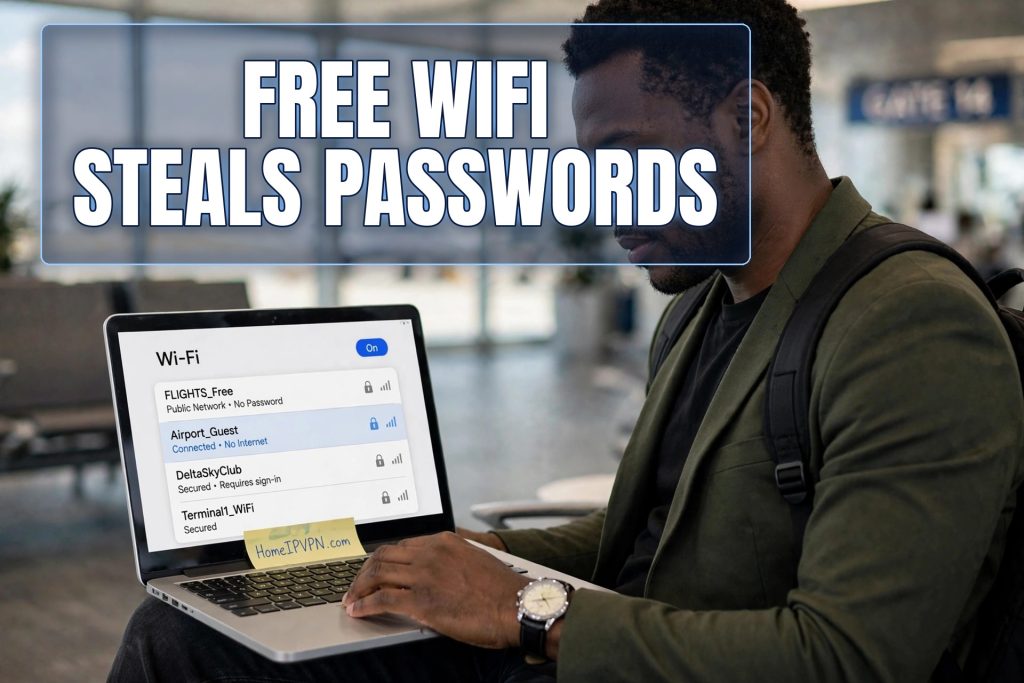
You are rushing through an airport, laptop open, trying to send one email before boarding. Your wifi list shows several options: “Airport_WiFi,” “Airport_WiFi_Free,” “Airport_Free_WiFi,” and one just called “Free WiFi.” You pick the one with the strongest signal, because of course you do. It connects instantly, no password needed. You send your email, check your bank balance quickly, and close the laptop feeling productive.
What you do not know is that the network you joined is not the airport’s. It is a small device in someone’s backpack, twenty feet away, broadcasting a name designed to look official. Everything you just did passed through it. The email, the bank login, all of it was visible to a stranger who set up this trap this morning and will pack it up before lunch.
This is the rogue hotspot scam, sometimes called an evil twin attack, and airports are its natural habitat. Here is how it works, how to spot it in thirty seconds, and what to do if you already connected.
How the trap is set
The equipment is embarrassingly simple. A laptop or a pocket-sized device, free software, and a wifi antenna. Total cost can be under fifty dollars. The criminal sits in a busy terminal, turns on the hotspot with a carefully chosen name, and waits. No hacking skill required. The victims connect themselves.
The name is the whole art. It needs to be plausible enough that a hurried traveler picks it without thinking. “Airport_Free_WiFi” works. So does the airport’s actual name plus “_Free” or “Guest.” The scammer watches which official networks exist and creates near-duplicates: same words, slightly different order or punctuation. In a long list of networks, on a small phone screen, in a rush, nobody notices the difference.
Some versions go further. The fake network shows a login page that mimics the airport’s official portal, asking for your email, or worse, your social media login “to verify.” Others skip the page entirely and just let you connect, silently watching. The sophisticated ones intercept even encrypted traffic using tricks that are beyond this article’s scope but very real. The point is not the technical details. The point is that connecting is the mistake, and everything after it is damage control.
What the operator can actually see
Honest accounting first: most of your important traffic is encrypted by the websites themselves these days. When you log into your bank, the connection between your browser and the bank is scrambled regardless of the wifi. The rogue operator cannot read your password off the wire like in the old days.
But “cannot read everything” is not “cannot do anything.” Here is what remains exposed.
First, they see which sites you visit and when. The destinations are visible even when the contents are not. That metadata alone is valuable: it tells the operator which banks you use, which email provider, which company you work for. It is reconnaissance for targeted follow-up attacks.
Second, any site or app that does not encrypt properly is wide open. Most major services encrypt, but not everything does, especially older apps, some hotel portals, and various background services your phone runs without telling you. The operator collects whatever leaks.
Third, the fake login pages. If the network presents a portal asking for credentials, and you type them in, no encryption in the world helps. You handed them over directly. This is the highest-value version of the scam and the reason the portals are designed to look convincing.
Fourth, they can redirect you. A rogue operator can send your browser to fake versions of real sites: a convincing bank login page at a slightly wrong address. If you do not notice the address bar, you type your real credentials into their copy. This is phishing delivered through wifi, and it is devastatingly effective against tired travelers.
The 30-second check that exposes them
You do not need technical skill to avoid this scam. You need thirty seconds and a small habit. Here is the check.
Step one: ask. Airport staff, the information desk, a cafe employee: “What is your official wifi network called?” Get the exact name. Not approximately. Exactly. Write it down if your memory is unreliable after a red-eye. This single step defeats most rogue hotspots, because most of them rely on you guessing.
Step two: compare precisely. Open your wifi list and find the exact name, character for character. Rogue networks live in the near-duplicates: “AirportWiFi” versus “Airport_WiFi,” “Free_Airport_WiFi” versus “Airport_Free_WiFi.” On a phone screen, these look identical at a glance. Look closer. If there are two similar names and you are not sure which is real, ask again. Staff deal with this question constantly.
Step three: be suspicious of the eager ones. Official airport networks sometimes need a login page, but they never ask you to install software, download a certificate, or log in with your social media account to get online. Any network that asks you to install something is not a network. It is an attack. Disconnect immediately.
Step four: prefer the network you have used before. Your phone remembers networks and joins them automatically. If you have connected to this airport’s real wifi on a previous trip, your phone will find it on its own. The rogue network is new, so it will not auto-join. This is one case where the automatic behavior is the safe behavior. Just make sure auto-join is enabled only for networks you trust, and periodically clear out old networks from your saved list.
Thirty seconds. Ask, compare, suspect installations, prefer the familiar. That is the whole defense at the point of connection.
The VPN layer: protection even when you choose wrong
Here is the uncomfortable truth: you will not always do the check. You will be late, the gate will be closing, the official network will be slow, and the rogue one will be fast and convenient. Human nature is part of the threat model.
This is where a VPN earns its place as a second layer. When your VPN is on, all your traffic is encrypted in a tunnel before it touches the wifi network. The rogue operator sees one encrypted stream to a VPN server. No destinations, no contents, no metadata to harvest. The fake login pages still work if you type into them, no technology fixes that, but the passive snooping, which is the bulk of what these operators collect, sees nothing usable.
The practical habit: turn on your VPN before you join any public network, and make it automatic if your app supports it. Many VPN apps have a setting to connect automatically on untrusted networks. Set it once and forget it. The protection then does not depend on your alertness at 6am in Terminal 3.
For the traffic that matters most, banking, work, email, there is an even stronger version. Route it through your own home connection instead of a shared VPN server. A private tunnel to your house means your important logins never touch the airport network in any readable form, and they arrive at your bank from your trusted home address. That is the setup HomeIPVPN builds: the rogue hotspot sees nothing, and your bank sees its favorite customer at home.
Signs you are already on a rogue network
Sometimes the check happens after the fact. You connected, something felt off, and now you are wondering. Here is what to look for.
A login page that looks wrong is the clearest sign. Misspellings, blurry logos, requests for information no wifi portal needs, like your social media password or credit card “for verification.” Real portals ask for an email at most, sometimes nothing at all.
Browser warnings are the next sign. If your browser suddenly warns about certificates or unsafe connections on sites that normally work fine, the network may be intercepting traffic. Do not click through these warnings. They are the exact alarm built for this situation.
Unusual slowness or redirects can also indicate interception, though these have innocent explanations too. A page that sends you somewhere unexpected, especially a login page for a site you did not navigate to, deserves suspicion.
And the simplest retrospective check: look at the network name now, carefully, and compare it to the official one. If you joined “Airport_Free_WiFi” and the information desk says the real one is “Airport_WiFi,” you have your answer.
If you connected: the cleanup
Do not panic, but do act. The cleanup depends on what you did while connected.
First, disconnect and forget the network. On your phone and laptop, tell the device to forget that network name so it never auto-joins again. This takes ten seconds and prevents the repeat visit.
Second, inventory what you did. Email? Banking? Work logins? Social media? Make a quick list. Anything you logged into while on the suspicious network goes on the change-the-password list.
Third, change those passwords from a trusted connection: your phone’s mobile data, your home wifi, or through your VPN tunnel. Start with email, then banks, then work accounts. If any service offers “log out all other sessions,” use it. That kills any session the operator might have captured.
Fourth, watch for follow-ups. The operator now knows which services you use. Expect targeted phishing: emails pretending to be your bank, texts about your accounts. Be extra skeptical of any security message arriving in the next few weeks. You told the attacker exactly which lures to use.
Fifth, if you installed anything the network asked you to, remove it immediately and consider having the device checked. A “wifi helper” app or a configuration profile from an unknown source is not a helper. It is a foothold.
Beyond airports: the same scam everywhere
Airports are the classic venue, but the scam follows crowds. Hotels with confusing network lists. Conference centers where every exhibitor runs a hotspot. Tourist districts with “free wifi” signs in shop windows. Train stations, malls, stadiums. Anywhere hurried people need connectivity and face a list of similar network names.
The defense is the same everywhere: verify the exact name, never install anything to get online, prefer networks you have used before, and keep the VPN on as the layer that protects you even when you guess wrong. It is a habit, not a product. Once it is automatic, it costs you nothing.
One more venue worth naming: the “hotel wifi” that is not the hotel’s. In large hotels, especially resorts, rogue hotspots appear with names like the hotel’s plus “Guest” or “Free.” The front desk knows the real network name. Asking takes twenty seconds. The pattern is identical to the airport version, just with better scenery.
Travel connected, not exposed
The rogue hotspot scam is a good reminder of a general travel principle: convenience is the attack surface. The scam works because the fake network is fast, free, and right there, while the safe path requires thirty seconds of verification. Every skipped check is a small gamble. Most gambles pay off. The ones that do not are expensive.
Build the habits that make safety the convenient option. VPN set to auto-connect on unknown networks. Saved networks cleaned up. The thirty-second name check as routine as checking the departure board. And for the accounts that matter most, a connection that never depends on the airport’s honesty at all.
That last one, a private tunnel to your own home connection that works from any network, rogue or legitimate, is exactly the problem HomeIPVPN was built to solve. If you would rather have someone set it up and verify it works before your next trip, the Pre-Travel Audit & Advisory session is 1 hour, costs $79, and that fee comes straight off the $279 Secure Home IP VPN System session if you go ahead.
Ask the name. Check the spelling. Keep the tunnel on. And never install anything to get online.