PRIVACY & SECURITY
“Your Phone Has No Signal”: The First Sign of a SIM Swap
Quick Answer If your phone suddenly loses signal abroad and it is not a normal dead zone, it could be the first sign of a SIM swap: a thief has moved your number to their phone. The three things to do
Quick Answer
If your phone suddenly loses signal abroad and it is not a normal dead zone, it could be the first sign of a SIM swap: a thief has moved your number to their phone. The three things to do immediately are: get on wifi and check your email and bank for alerts you did not trigger, contact your carrier to freeze your number, and change your most important passwords starting with email.
- Warning signs: sudden “No Service” that does not resolve, unexpected password-reset texts or emails, and logins you did not make.
- First three moves: wifi on, check accounts for intrusions, call your carrier to lock the number down.
- Then: change passwords from a trusted device, move to app-based two-factor, and alert your bank’s fraud team if money moved.
- Travel steadier: when your important logins always come from your trusted home connection via HomeIPVPN, suspicious activity is easier to spot quickly.
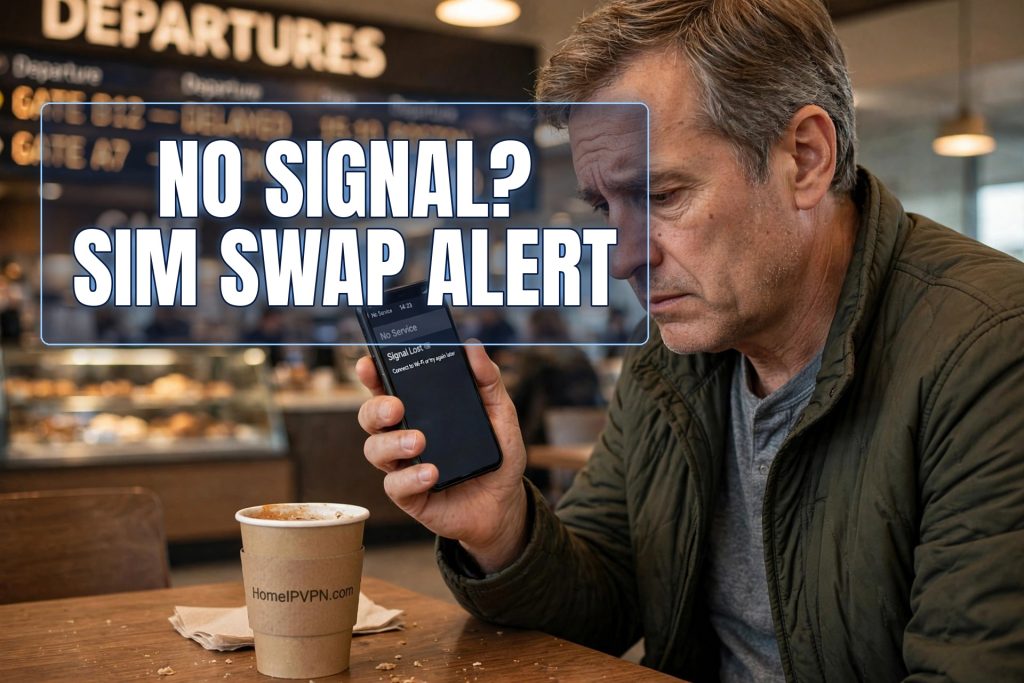
You are on a bus in rural Vietnam, or in a concrete hotel in Berlin, or walking through an airport terminal, and your phone drops to “No Service.” You barely look up. Phones lose signal all the time when you travel. Dead zones, network handoffs, a SIM getting reseated in your bag. You make a mental note to restart the phone later and keep scrolling on wifi.
Most of the time, that mental note is correct and the signal comes back. But there is a version of this story where the signal never comes back, because the problem is not the network. The problem is that your number no longer belongs to your phone. It belongs to a thief, and the clock is already running.
This article is about telling those two stories apart, and about the first hour after you suspect the bad one. It is the companion to our full explanation of how SIM swap scams work. Read that for the background. Read this for the moment it matters.
Normal signal loss versus the bad kind
Let us start with the reassuring part: most signal loss abroad is boring. Your phone constantly negotiates with cell towers, and travel multiplies the negotiations. New country, new carrier partner, new frequency bands. Sometimes the handoff fails and the phone sits there confused until you toggle airplane mode or restart it.
Normal signal loss has a pattern. It happens in specific places: tunnels, rural stretches, basements, border crossings. It resolves with the usual tricks: airplane mode on and off, a restart, reseating the SIM, or simply moving to a new area. And critically, it affects your phone’s connection, not your number’s existence. Your carrier still knows your number is yours. The phone just cannot reach the tower right now.
A SIM swap looks different in one key way: the signal does not come back, no matter what you try, and the location makes no sense. Full bars at the airport an hour ago, zero bars now, in the middle of a city, while everyone around you has signal. Airplane mode does nothing. Restart does nothing. Reseating the SIM does nothing. Your phone is fine. Your number is simply not attached to it anymore.
The tricky part is that there is a gray zone. A genuinely broken SIM, an account suspended for an unpaid bill, a carrier glitch, all of these also produce stubborn no-service. You cannot diagnose a SIM swap from the signal bars alone. You diagnose it from the combination: persistent no-service plus the other signs below.
The warning signs, in order of appearance
If a SIM swap is in progress, the dead signal is usually the first thing you notice, but it is rarely the only thing happening. Here is what else to look for, roughly in the order thieves trigger them.
First, unexpected messages about your accounts. Password reset emails you did not request. “Your verification code is…” texts that you cannot receive, because they are going to the thief’s phone, but the email versions still reach you. Login alerts from services you have not touched in hours. Any of these arriving around the same time as the signal loss is a blaring alarm. One unexplained password reset email is worth investigating. Two is worth dropping everything for.
Second, being logged out of things. If the thief resets your email password, your sessions on your devices may get kicked. You open Gmail and you are suddenly logged out, or your banking app asks you to sign in again unexpectedly. On its own, this happens for innocent reasons too. Combined with dead signal, it is a pattern.
Third, contacts telling you they got strange messages from you. Some thieves do not stop at financial accounts. They message your contacts asking for money or for more personal details, trading on your identity. If a friend asks “did you just text me asking for a favor,” and your phone has no service, put the pieces together fast.
Fourth, and most serious, money moving. Unauthorized transfers, new payees added to your bank, crypto moved to unknown wallets. By the time you see this, the swap happened a while ago. This is why speed in the first hour matters so much: everything the thief does compounds.
The first three things to do (in this order)
If you suspect a SIM swap, you have a short window where fast action limits the damage enormously. Do these three things before anything else.
One: get on wifi and check for intrusions. Your cellular number is gone, but wifi still works. Immediately check your email for password resets, login alerts, or security notifications you did not trigger. Check your bank and most important accounts for unrecognized activity. Do this first because it tells you whether this is actually happening and how far it has gone. Five minutes of checking now saves hours of untangling later.
Two: contact your carrier and freeze the number. Call them, use wifi calling, use their app’s chat, use their website, whatever channel works. The magic words are “I believe my SIM has been swapped fraudulently.” Ask them to immediately block any further SIM changes on your account and move the number back to your SIM. Be firm and be clear that this is fraud, not a technical issue. Front-line support may try to troubleshoot your signal. Politely insist on the fraud path.
Three: change your most important passwords, starting with email. Use a trusted device, your laptop on wifi is fine, and start with the account that unlocks everything else: your email. Then your bank, then your other financial accounts, then everything important. Use strong unique passwords, and if you were still on SMS two-factor for any of these, switch to an authenticator app right now, while you are in there. The thief’s power comes from SMS codes. Every account you move off SMS is an account they lose.
These three steps, wifi check, carrier freeze, password triage, are the entire first hour. Everything else can wait until the bleeding stops.
What to prepare before you travel (the five-minute version)
The first hour goes dramatically better if you prepared for five minutes before the trip. Here is the preparation list.
Save your carrier’s fraud department contact somewhere reachable without your number. An email to yourself, a note in your password manager, a screenshot in your photos. When your number is stolen, you cannot receive the SMS codes to log into your carrier’s website, so you need the human path: a phone number for wifi calling or a chat URL that does not require SMS login.
Set a carrier PIN or port-out lock if you have not already. This is the single best prevention, and it takes one call. A thief who cannot answer the PIN challenge cannot move your number through the normal process.
Move your email and bank to app-based two-factor authentication. Authenticator apps generate codes on your device without using the phone network. A thief holding your number gets nothing from them. This one change removes most of the SIM swap’s payoff.
Make sure you can access your email and password manager from your laptop without your phone. If your password manager requires an SMS code to unlock on a new device, and your number is stolen, you are locked out of the very tool you need. Test this before you fly: log into everything from your laptop with your phone in airplane mode. Whatever breaks, fix now.
Tell one trusted person your plan. A travel companion, a partner at home, someone who can call your carrier from your home country if you cannot get through. When you are stressed, on wifi, in a different time zone, having a second person who knows what is happening is invaluable.
Dealing with the carrier from abroad
This deserves its own section because it is where travelers get stuck. Calling your carrier from another country, without a working number, while stressed, is genuinely hard. Here is how to make it work.
Use wifi calling if your phone supports it. It routes the call over wifi and often works even with a dead SIM for the number itself, since the call goes through the internet. If that fails, use the carrier’s app or website chat from your laptop. Most carriers have chat support that does not require SMS verification to start.
When you reach a human, lead with the word “fraud.” Not “my signal is not working.” Not “I think something is wrong.” Say “I am reporting a fraudulent SIM swap on my account.” This routes you to the right team and the right urgency. Support agents triage by keywords, and “fraud” opens doors that “technical issue” does not.
Have your identity documents ready. Passport, account PIN, answers to security questions. The agent needs to verify you are really you before reversing the swap, which is exactly as it should be. The thief got through with stolen details. You will get through with real ones and a real ID.
Ask for three specific things: reverse the SIM swap immediately, place a fraud alert and SIM-change lock on the account, and confirm the callback number they have for you, since your number was compromised. Write down the ticket or reference number. If anything goes wrong later, that number is your proof the report was filed.
After the first hour: the cleanup
Once the number is back under your control and the critical passwords are changed, the cleanup begins. It is less urgent but still important.
Review every important account for changes the thief may have made: new email addresses added, new devices authorized, new payees or recipients added to banks, forwarding rules added to your email. Thieves often plant backdoors, like an added recovery email, so they can get back in later. Check the security settings page of each important account, not just the password.
File reports. With your carrier’s fraud department, with your bank if money moved, and with local police if the amounts warrant it. These reports matter for recovering funds and for disputing fraudulent transactions. Banks have processes for SIM swap fraud specifically, because it is common enough to have a playbook. Ask for it by name.
Watch your accounts closely for the next few weeks. Set up transaction alerts on everything if you have not already. The thief had your personal details from the homework phase, and those details do not expire. Staying alert for a month costs nothing and catches the slow-burn follow-ups.
Consider whether your number should stay as your identity anchor at all. After going through this, many people accelerate the move to authenticator apps, hardware security keys, and passkeys everywhere they are offered. The SIM swap taught you the lesson. Make the lesson permanent.
Keeping your footprint consistent helps you notice faster
One more layer worth mentioning, because early detection is everything in this scam. The faster you notice something is wrong, the less the thief can do. And you notice faster when your normal looks orderly.
If your important accounts are always accessed from your familiar home connection, through a private tunnel, then anything unusual stands out immediately. A login alert from an unfamiliar setup is obviously wrong, not “probably just travel.” Consistency does not stop SIM swaps, but it makes their side effects visible sooner, and sooner is the whole game.
This is part of why travelers set up a private tunnel to their own home connection with HomeIPVPN: not just for access, but for a stable, recognizable baseline. When everything important flows through the connection your accounts have trusted for years, anomalies look like anomalies. You see them. You act. The thief’s window shrinks.
You will probably never need this. Prepare anyway.
Let us end with perspective. SIM swaps are real and devastating, but they are not common enough to ruin your trip with worry. Millions of travelers lose signal every day for boring reasons and get it back with a restart. The odds are overwhelmingly that your dead zone is just a dead zone.
But the preparation is so cheap, a carrier PIN, authenticator apps, a saved fraud number, that there is no reason to skip it. It is the travel equivalent of knowing where the emergency exit is. You will probably never use it. If you do, you will be glad it took five minutes instead of five days.
If a steady, trusted home connection is part of how you want to travel, if you like the idea of your accounts seeing the same familiar address no matter where you wake up, that is exactly the problem HomeIPVPN was built to solve. And if you would rather have someone set it up and verify it works before your next trip, the Pre-Travel Audit & Advisory session is 1 hour, costs $79, and that fee comes straight off the $279 Secure Home IP VPN System session if you go ahead.
Restart the phone. Check the alerts. Trust the pattern, not the panic. Safe travels.