REMOTE WORK & DIGITAL NOMAD
Cafe WiFi vs. Coworking WiFi: Which Is Safer for Work?
I have worked from both sides of this question for years. There was the month in Medellin where my “office” was a corner table at a cafe with great
✓What cafe WiFi actually is✓What coworking WiFi actually is✓Why “safer” is not the
Quick Answer
Coworking WiFi is generally safer than cafe WiFi because it is a managed network with fewer random strangers cycling through, but both are still shared networks you do not control. A cafe network is open to anyone who walks in, including attackers running fake hotspots, while a coworking space at least has a known owner and usually some basic security. For real work involving logins, banking, or client data, neither is safe on its own.
- Cafe WiFi is the riskier option: open networks with no password let anyone join and snoop, and fake lookalike hotspots are a known traveler scam.
- Coworking WiFi is managed but shared: it is usually password protected and maintained by staff, but dozens of members still share the same network and its configuration.
- The deciding factor is not the place, it is the tunnel: an encrypted connection to your own home network protects you on either one, because the local WiFi then sees nothing useful.
- The practical fix: route your work through HomeIPVPN and it stops mattering whether you are on cafe or coworking WiFi, since every login arrives from your own home connection.
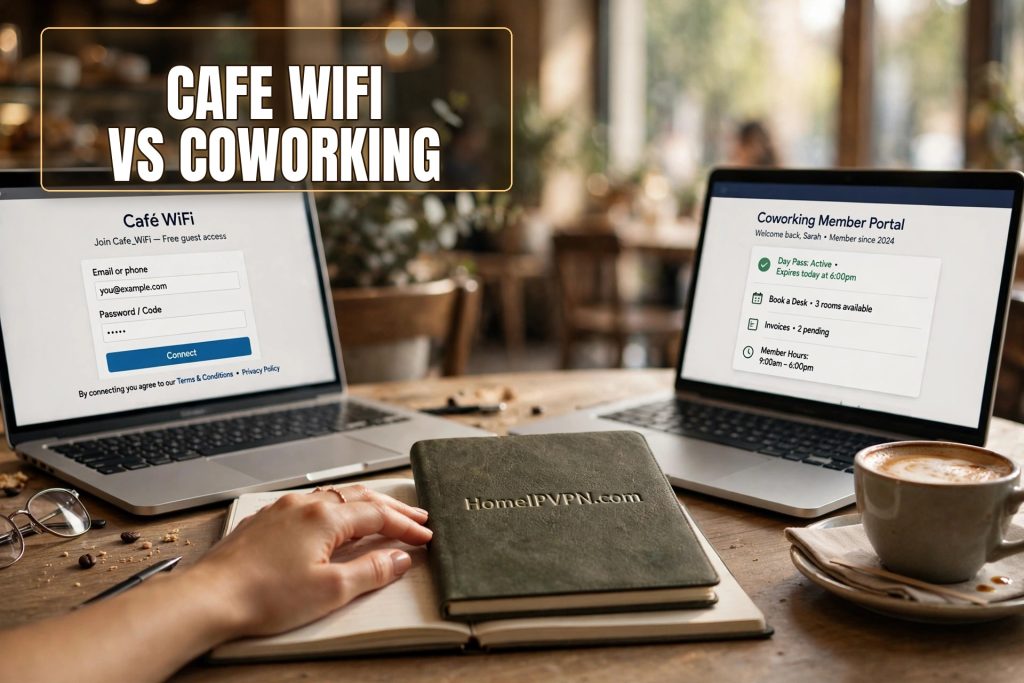
I have worked from both sides of this question for years. There was the month in Medellin where my “office” was a corner table at a cafe with great arepas and WiFi that dropped every time it rained. There was the month in Chiang Mai where I paid for a coworking space with fiber internet, a front desk, and a network that felt like a fortress. Both got my work done. Only one of them I would trust with my bank login, and the answer is probably not what you expect.
The cafe versus coworking safety question comes up constantly among nomads, and most answers are too simple. “Coworking is safer” is roughly true but hides the details that actually matter. Let us walk through what each network really is, what can go wrong on each, and the one habit that makes the whole debate irrelevant.
What cafe WiFi actually is
A cafe network is usually a single consumer-grade router sitting on a shelf near the counter, set up once by the owner or a cousin, and never touched again. The password, if there is one, is written on a chalkboard and shared with hundreds of strangers a week. Nobody is managing it, nobody is updating it, and nobody would notice if something went wrong.
The openness is the core problem. Anyone can join. The tourist next to you, the delivery driver waiting for an order, and the person in the corner running snooping tools on the network are all on the same WiFi. On an unencrypted or weakly encrypted network, a moderately skilled attacker can see a surprising amount of what other devices are doing: which sites they visit, which apps they open, and sometimes much more.
Then there is the fake hotspot problem, which is worse because it is invisible. An attacker sets up a network called something like “Cafe_Guest_FREE” next to the real “Cafe_Guest,” and your phone helpfully connects to whichever signal is stronger. Now all your traffic flows through the attacker laptop. This trick is old, simple, and still works constantly on travelers who connect without thinking.
Cafes also have the worst security hygiene in the physical sense. The router password is often still the factory default, the firmware is years out of date, and the staff would not know what a firmware update was if you asked. You are connecting your work laptop to a device that nobody maintains.
What coworking WiFi actually is
A coworking network is a different animal. It is set up deliberately, usually with business-grade equipment, separate networks for members and guests, and someone, a manager, an IT contractor, somebody, who is at least nominally responsible for it. The password changes, the equipment gets rebooted, and there is a person you can complain to when it breaks.
The member base is also more stable. Instead of hundreds of random strangers cycling through daily, you have a few dozen regulars with a financial stake in the space working properly. A coworking member is much less likely to be running attacks on the network, because they would get caught and lose their membership. The social accountability is real.
Many decent spaces also segment their networks properly. The member WiFi is separate from the guest WiFi, the printers are on their own network, and the management systems are locked away. This kind of setup limits what any one device can see or reach. A cafe router does none of this.
So yes, coworking WiFi is meaningfully safer than cafe WiFi. It has an owner, it has maintenance, it has a stable user base, and it is usually built with actual networking equipment. If the question is only “which shared network is less bad,” coworking wins clearly.
Why “safer” is not the same as “safe”
Here is the part the simple answer misses. A coworking network is still a shared network that you do not control, shared with dozens of people you do not know, configured by someone whose qualifications you cannot verify.
You have no idea how that network is actually set up. The space might have enterprise gear with proper isolation, or it might have an expensive router running on default settings because the manager never hired anyone to configure it properly. The tour will not tell you, the community manager will not know, and you will never see the admin panel.
The other members are strangers too. Most are perfectly nice people. But it only takes one curious person with free tools and an afternoon to map the network, see what devices are connected, and probe for weaknesses. Coworking spaces attract tech-savvy people, which is great for community and slightly less great for network trust. The person two desks over probably knows more about networks than the cafe owner ever will.
And then there is the login-pattern problem, which has nothing to do with attackers. Your bank, your email, and your work tools all watch where you log in from. A month of logins from a coworking IP in a new country looks like a changed pattern, and changed patterns trigger fraud alerts, extra verification steps, and sometimes frozen accounts. The network can be perfectly secure and still cause you problems, simply because it is not your home connection.
The honest comparison
Let us put it plainly. On a cafe network, the risks are: snooping by strangers, fake hotspots, unmaintained equipment, and login-pattern flags. On a coworking network, the risks are: a smaller chance of snooping, no fake hotspots to speak of, unknown configuration quality, and the same login-pattern flags.
Coworking wins on every axis except the last one. Both networks make your accounts see a foreign login, and both can trigger the security systems that freeze accounts and demand verification codes. If you have ever been locked out of your bank while sitting in a perfectly nice coworking space, you have met this problem. The network was fine. Your bank just did not recognize it.
This is why experienced nomads stop asking which shared network is safer and start asking a better question: how do I stop depending on the local network at all?
The habit that ends the debate
The answer is to put an encrypted tunnel between your laptop and a network you trust, and let the local WiFi carry only scrambled traffic. This is what a VPN does in general terms, but there is an important detail: a regular commercial VPN routes you through a data center IP address that is shared with thousands of strangers, and banks and work tools have learned to distrust those. You trade the cafe problem for a different flag.
The version that actually solves it is a home IP connection. I route my traffic through HomeIPVPN, which sends everything through my own home internet connection. The cafe or coworking WiFi in front of me sees only encrypted traffic it cannot read. My bank sees a login from my home address, matching my normal pattern, so no alerts and no frozen accounts. My work tools see the same. It genuinely stops mattering which WiFi I am sitting on, because as far as every account I care about is concerned, I never left home.
This is the setup I use for client work, banking, and anything with a password, whether I am in a five-dollar-a-day cafe or a premium coworking space. The local network becomes just a pipe. The trust lives at home, where it belongs.
Practical rules for each place
Even with a good setup, a few habits are worth keeping. In cafes, never connect to a network you did not verify with staff. Ask for the exact network name and confirm the spelling, because the fake hotspot trick depends on you connecting to the wrong one. Keep your firewall on, turn off file sharing and AirDrop-style discovery, and avoid doing anything sensitive if your tunnel drops unexpectedly.
In coworking spaces, use the member network, not the guest network, since the guest one is usually less maintained and more crowded. Ask whether the space offers wired ethernet at desks and use it when you can, because a cable removes an entire category of wireless attacks. And keep the same rule as cafes: sensitive work goes through your own connection, always.
On both, keep your devices updated. Most network attacks that work against travelers exploit old software, not clever tricks. An updated laptop on a cafe network is safer than an outdated laptop on a coworking network. Updates are boring and they are the highest-value security habit you have.
The root cause, and a simpler fix
The cafe versus coworking debate has a simple root cause: both are shared networks you do not control, and the difference between them is only a matter of degree. One is an unmanaged free-for-all, the other is a managed shared space, but neither one is your network, and your accounts know it.
That exact gap is what HomeIPVPN was built to close. Your own home connection follows you to every cafe table and coworking desk, so the local WiFi becomes irrelevant and your logins always look like home. If you would rather have someone set it up for you and verify it works, the Pre-Travel Audit & Advisory session is 1 hour, costs $79, and that fee comes straight off the $279 Secure Home IP VPN System session if you go ahead.
Work from the cafe when you want the atmosphere. Pay for the coworking space when you want the community. Just stop trusting either network with your real work.