REMOTE WORK & DIGITAL NOMAD
Crossing the US Border With a Work Laptop: What Remote Workers Should Expect
You are standing in the customs hall at the airport, tired from the flight, thinking about the tacos waiting on the other side. The officer glances at your…
✓What the Law Actually Says✓What Officers Are Actually Looking✓How to Behave: The Calm
Quick Answer
US border officers can legally ask to inspect your laptop and phone, and most travelers pass through with nothing more than a few questions. Stay calm, answer honestly, keep your devices charged and backed up, and know that you can ask for the inspection to happen in a private area.
- It is rare but real: device searches happen to a small fraction of travelers; most crossings involve only routine questions.
- Stay calm and honest: answer questions directly, do not volunteer extra information, and never lie to a federal officer.
- Prepare your devices: back everything up to the cloud, keep devices charged, and travel with only the data you need.
- Protect your work setup: many remote workers keep sensitive work behind their home network, reached securely through HomeIPVPN, so a device search reveals little.
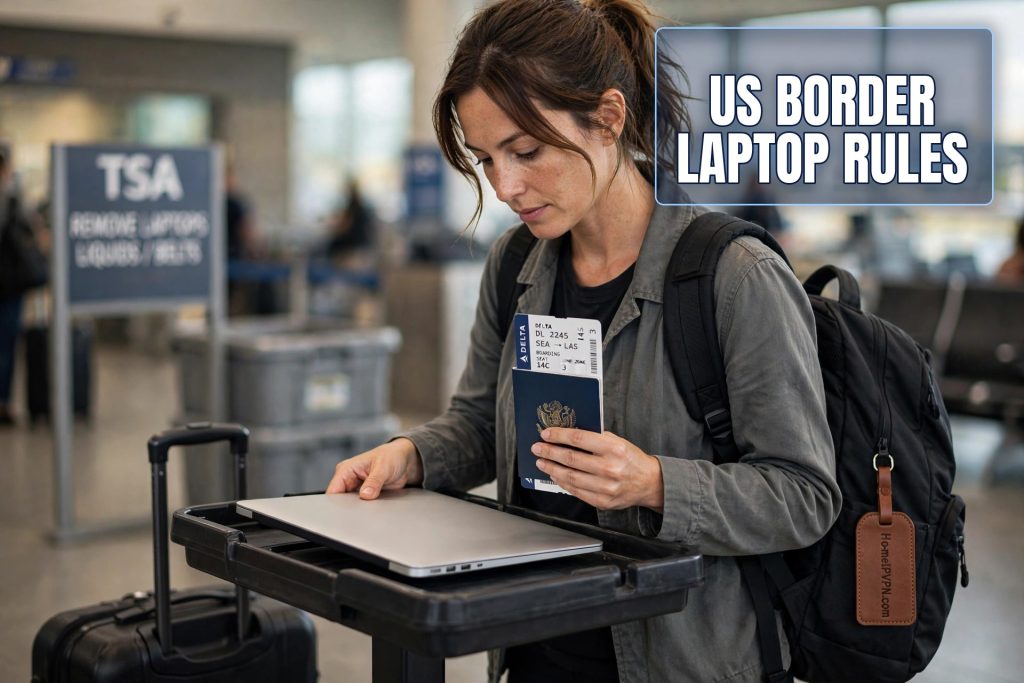
You are standing in the customs hall at the airport, tired from the flight, thinking about the tacos waiting on the other side. The officer glances at your passport, asks where you are coming from, and then says the words that make every remote worker’s stomach tighten: “Can I see your laptop?”
Your mind races. Your entire professional life is on that machine. Client files, company Slack, personal photos, half-written emails, banking apps. You have nothing to hide, but that does not stop the wave of panic. Is this normal? What are they looking for? What are your rights? What should you do?
Take a breath. This happens, it is legal, and for the vast majority of travelers it ends with the officer handing the laptop back and waving them through. Here is what to actually expect, explained calmly, and how to prepare so a device search is an inconvenience instead of a crisis.
What the Law Actually Says
Let us start with the facts, because the internet is full of confident misinformation on this topic. At the US border, Customs and Border Protection officers have broad legal authority to inspect travelers and their belongings, including electronic devices. This is called the border search doctrine, and courts have upheld it for a long time. The border is legally different from the interior of the country: the usual requirement for a warrant or probable cause does not apply the same way.
In plain English: yes, they can ask to look at your laptop or phone. This applies to US citizens, permanent residents, and visitors alike. It applies when you are entering the US and, in some circumstances, when you are leaving. Refusing is legally complicated and practically unwise, as we will get to.
Now the important context. “They can” is very different from “they do.” Device searches happen to a tiny fraction of travelers, far less than one percent of border crossings. The overwhelming majority of people, including remote workers with laptops full of client data, walk through with a passport check and a couple of questions. The odds are strongly in your favor. But the consequences of being unprepared are annoying enough that preparation is worth an hour of your time.
What Officers Are Actually Looking For
Understanding what they want makes the whole thing less scary. Border officers are not reading your emails for fun. Device searches are typically looking for specific things: evidence of immigration violations, contraband, security threats, or undeclared commercial activity. For a remote worker, the realistic worst case is questions about what you were doing abroad and whether you were working illegally in another country.
A basic search usually means the officer scrolls through your device with you present, looking at files, photos, or messages. A more advanced search involves connecting the device to equipment that copies data for later analysis, and this typically requires the device to be held longer. Advanced searches are much rarer and usually happen when something in the basic interaction raised specific concerns.
Here is the practical takeaway: the officer is looking for red flags, not reading your novel. A normal laptop belonging to a normal remote worker does not contain red flags. The people who run into trouble are the ones who act evasive, get argumentative, or have something genuinely problematic on their devices.
How to Behave: The Calm Traveler’s Playbook
Your behavior matters more than anything on your laptop. Officers are trained to read people, and nervous, defensive, or hostile behavior is what turns a routine interaction into a long one. This is not about your rights in the abstract. It is about getting through the line and into the taxi.
Answer questions directly and honestly. “What do you do?” gets “I’m a graphic designer” or “I work in marketing,” not a five-minute explanation of your freelance business model. “Where were you?” gets the country, not your life story. Short, true, calm. Do not volunteer information they did not ask for, and absolutely never lie to a federal officer. Lying is a separate crime and it will make everything worse.
If they ask to see your laptop, comply calmly. You can politely ask for the inspection to happen in a private area rather than in the middle of the hall, and officers will often accommodate this. You can ask what they are looking for. You can ask how long it will take. What you should not do is argue about your rights, lecture them about the Constitution, or physically resist. The place to challenge a search is later, with a lawyer, not in the customs hall.
Preparing Your Devices: The Smart Traveler’s Checklist
Now the practical part. An hour of preparation before your trip turns a potential device search from a crisis into a minor delay.
Back everything up. All of it. Your laptop, your phone, your tablet. Use cloud backup so that if a device is held for further inspection, which can happen, you are not cut off from your work and your life. Test the backup before you fly. A backup you have never tested is a hope, not a plan.
Keep devices charged. A dead laptop cannot be quickly inspected, which paradoxically makes the process longer, not shorter. Bring your chargers in your carry-on, not your checked bag.
Travel light on data. You do not need every file you have ever created on the laptop you carry across the border. Keep sensitive client data, financial documents, and personal archives in secure cloud storage or on a drive at home, and access them after you cross. The less there is to look at, the faster any inspection goes.
Log out of sensitive accounts, or better yet, do not stay logged into everything. An officer scrolling through a device can see whatever is open. You are not required to make their job easy, and there is nothing suspicious about a laptop that requires passwords. Just make sure you know the passwords, because being unable to unlock your own device creates its own problems.
For company laptops, know your employer’s policy before you travel. Many companies have specific procedures for border crossings, including who to call if a device is detained. Some employers prohibit employees from granting access to company devices at all, which creates a genuine conflict you want to resolve with your IT department before you are standing in front of an officer, not during.
The Special Case: Remote Workers and “Work” Questions
Remote workers face one specific wrinkle that tourists do not. When the officer asks what you do and where you were, your honest answer involves working from another country. This makes some nomads nervous, as if admitting to remote work is confessing to something.
It is not. Working remotely for a US employer or your own clients while traveling is not a border crime. The questions officers care about are immigration questions: were you working illegally in the other country, are you trying to live in the US without proper status, are you smuggling something. A US citizen returning home with a laptop full of spreadsheets is not their target.
Keep your answers simple and true. “I work remotely for a company in Texas. I was visiting Mexico for two months.” That is a complete, honest, boring answer, and boring is exactly what you want to be at the border. Do not over-explain, do not get defensive about the legality of digital nomadism, and do not launch into a speech about location independence. Answer the question and move on.
What If They Keep Your Device?
In rare cases, officers may detain a device for further inspection. This is uncommon, but it happens, and it is the scenario your backup plan exists for. If it happens to you, stay calm, get a receipt or documentation for the detained property, ask for a timeline and a contact for follow-up, and then go live your life on your backup devices.
This is also where traveling light on data pays off enormously. If your laptop contains only your current projects and everything else lives securely at home or in the cloud, a detained device is an inconvenience, not a catastrophe. You can work from a backup, your clients never notice, and the device comes back when the process concludes.
One more thing worth knowing: you can file a complaint or seek redress later if you believe a search was conducted improperly. There are established channels for this, including the DHS Traveler Redress Inquiry Program. The customs hall is not the venue. The venue is a calm email from home, after the fact, with documentation.
A Smarter Setup for Border-Crossing Nomads
Here is how the most prepared nomads I know think about this. They treat their travel laptop as a terminal, not a vault. The sensitive stuff, client archives, financial records, personal files, lives on their home network or in encrypted cloud storage. The laptop they carry has what they need for the trip and nothing more.
When they need something from home, they reach it through a secure connection back to their own house. A home IP VPN setup makes this natural: your laptop connects to your home network first, and from there you can access your files, your accounts, your whole digital life, without any of it physically sitting on the device in your bag. If an officer scrolls through the laptop, they see a working machine with current projects. The vault stays home.
This is not about hiding things from border officers. It is about good data hygiene that happens to make border crossings smoother. Traveling with minimal sensitive data is just smart, and the remote-access setup that enables it is useful every single day you work abroad, not just at the border. HomeIPVPN builds these home network setups for remote workers who cross borders regularly.
The Root Problem Is Traveling Heavy
Most border anxiety comes from carrying your entire digital life in your bag and hoping nobody looks at it. The fix is not to hope harder. It is to travel lighter: back up everything, carry only what you need, know your employer’s policy, and keep the sensitive stuff accessible remotely instead of physically present.
That lighter way of traveling, where your laptop is a window into your home setup rather than a vault containing it, is the problem HomeIPVPN was built to solve. If you would rather have someone set it up and verify it works, the Pre-Travel Audit & Advisory session is 1 hour, costs $79, and that fee comes straight off the $279 Secure Home IP VPN System session if you go ahead.
Charge your devices, back up your files, answer honestly, and walk through like the boring, law-abiding traveler you are. The tacos are waiting.