TROUBLESHOOTING
Can My Airbnb Host See What I Do Online?
I was three weeks into a month-long stay in a beautiful apartment in Mexico City when the thought hit me. I was on a video call with a client, discussing a…
✓What the router knows✓What they can and cannot actually✓The scenarios that actually worry
Quick Answer
Yes, your Airbnb host can potentially see some of your online activity. The wifi router in the rental logs which websites you visit and when, and the host owns that router. They cannot see the contents of properly encrypted pages, like your messages or passwords, but they can see a list of the sites you connected to. Encrypting your traffic before it touches their network closes this window completely.
- What hosts can see: router logs show the websites you visit, when you visit them, and how much data you use, even if they never open the logs.
- What they cannot see: the contents of encrypted connections, so your messages, emails, and passwords stay private as long as the site uses proper encryption.
- The simple protection: encrypt everything leaving your device and the router logs show only scrambled traffic going to one destination, your home connection.
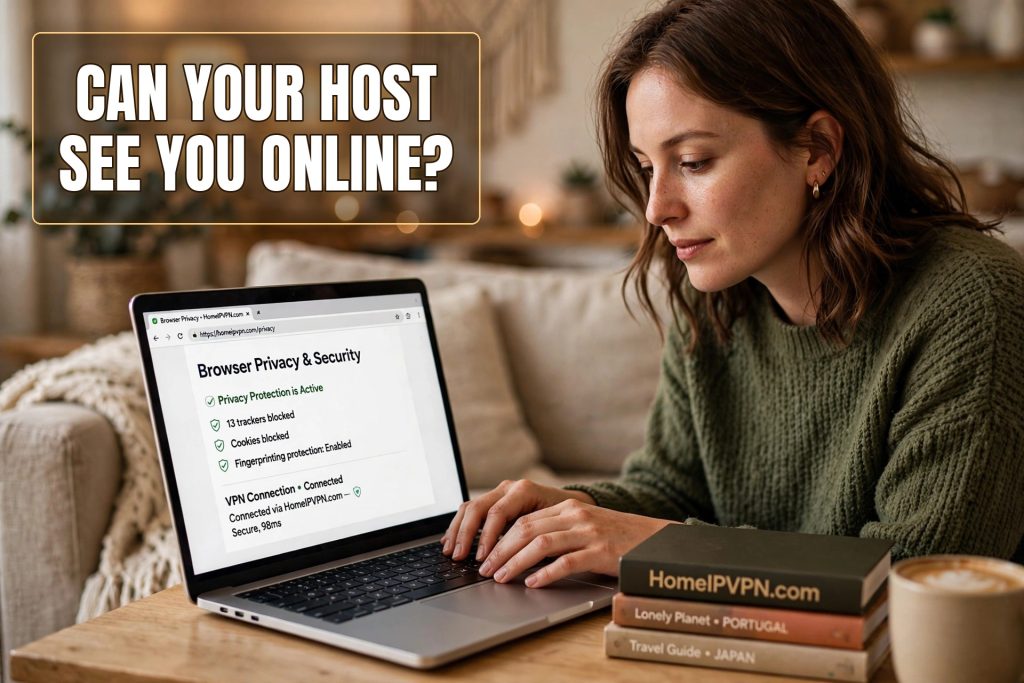
- Private by default: HomeIPVPN routes your traffic through your own home internet with encryption, so no host, hotel, or cafe network can see what you do online.
I was three weeks into a month-long stay in a beautiful apartment in Mexico City when the thought hit me. I was on a video call with a client, discussing a contract, and I glanced at the little white router blinking on the bookshelf. That box belonged to my host. Every byte of that confidential call had passed through it. And I had no idea what it remembered.
It is one of those thoughts that arrives uninvited and refuses to leave. You are living in a stranger’s home, using a stranger’s internet, and doing the most private things modern life involves: banking, work calls, medical portals, messages to your partner. So let us answer the question properly. Can your Airbnb host see what you do online? The honest answer is: more than you would like, less than you fear, and entirely preventable.
What the router knows
Every home internet setup has a router. It is the box that creates the wifi and connects the house to the internet. Your Airbnb has one, and your host owns it, which means your host has the administrator password for it. That matters because routers keep logs.
A router log is, roughly speaking, a diary of connections. It records which devices connected, when, and which internet addresses they talked to. In plain terms: it can show that a device was connected to a banking website at 9:14 in the morning, streamed video for three hours in the evening, and visited a particular news site at midnight. Most hosts will never look at these logs. But the capability is there, built into the box, one login away.
Some routers, especially the ones internet providers hand out, keep these logs by default without anyone asking. Others need the logging turned on. More advanced setups can go further, recording every domain visited in a neat, timestamped list. Your host does not need to be technical to stumble into this. Some router apps now present browsing history in friendly dashboards designed for parents monitoring kids. The same dashboard works just as well for monitoring guests.
What they can and cannot actually see
Here is the important distinction. The router can see where you go. It generally cannot see what you do there, as long as the site uses proper encryption. That padlock in your browser means the connection between you and the website is scrambled. Your host’s router can see that you visited your bank’s website. It cannot see your balance, your password, or what you clicked.
Think of it like the postal service. The router sees the envelopes: who you are writing to, when, how many letters. Encryption seals the envelopes. Without it, and some sites and apps still do not encrypt properly, the router sees postcards, content and all.
Where it gets uncomfortable is the pattern. Even without content, a log of your browsing is revealing. The telehealth appointment. The job search sites during work hours. The dating apps. The late-night visits to websites you would not want narrated back to you. Metadata, the data about your data, tells a story most people would rather keep to themselves. And unlike a hotel, an Airbnb host is a specific person you might meet for coffee, which makes the whole thing feel more personal.
The scenarios that actually worry travelers
Let us be realistic about the threat. The vast majority of Airbnb hosts are not spying on guests. They have better things to do, like cleaning between bookings. The realistic risks are narrower but worth naming.
First, the curious host. Someone who notices you are online at odd hours and takes a peek at the router dashboard out of nosiness. Not malicious, just human, and exactly the kind of thing that is awkward to discover.
Second, the shared computer problem in reverse. Some rentals have a host’s computer or smart home devices on the same network. Misconfigured networks can expose more than intended, and you have no way to verify how the network is set up.
Third, the previous guest problem. This one people forget. If a previous guest compromised the network, or if the host reuses passwords across everything, the network you are trusting might already be untrustworthy for reasons that have nothing to do with your host’s intentions.
Fourth, and most serious: in some countries, authorities can request router logs from hosts. Your browsing history sitting in a stranger’s router is data you do not control, subject to requests you will never hear about.
What encryption changes
Now the good news: this entire problem has a clean, complete solution. When your traffic is encrypted before it leaves your device, the host’s router sees only one thing: encrypted data flowing between your device and a single destination. No list of websites. No timestamps of your banking. No late-night browsing history. Just a stream of scrambled data going to one place.
Back to the postal analogy. Without encryption, you are handing the host a stack of postcards. With it, you are handing them a single locked safe and saying “please forward this.” They can see the safe. They cannot see inside. The diary goes blank.
This is why the standard advice for any network you do not own is to encrypt everything. It does not matter whether the network belongs to a hotel chain, a cafe, or a friendly host named Marta with a five-star rating. The principle is the same: the network is not yours, so give it nothing to see.
The setup that makes this automatic
The catch with most privacy advice is that it requires constant vigilance. Remember to turn on the VPN. Remember to check it is connected. Remember to reconnect when it drops. Travelers are busy, wifi is flaky, and sooner or later you forget, usually at the worst moment.
The travelers I know who handle this best made it automatic rather than willpower-based. Their devices route through an encrypted connection to their own home internet by default, everywhere they go. They do not think about the Airbnb router at all, because from the router’s perspective there is nothing to think about. Just encrypted traffic, all day, every day.
There is a side benefit specific to remote workers. Routing through home does not just hide your browsing from the host. It also makes your work systems see your home address, which means fewer “unusual login” challenges and less friction with company security tools. Privacy and convenience, from the same setup.
HomeIPVPN is built around exactly this idea: your traffic leaves every network you touch fully encrypted, travels to your house, and goes out from there. The Airbnb router, the hotel router, the cafe router, they all see the same thing. Nothing.
A word on being a good guest
One thing worth saying: using encryption does not mean you are doing anything wrong, and it does not violate any house rules. You are not hacking anything or hiding anything improper. You are simply keeping your private life private, which is what any reasonable person would want. Hosts encrypt their own banking too. This is the digital equivalent of closing the bathroom door. Nobody reasonable objects.
What encryption does not cover, and should not, is bandwidth. If the house rules ask you not to torrent massive files or run a streaming server off their connection, respect that. Privacy is your right. Hogging the host’s bandwidth is still rude.
Your browsing is your business
I finished that month in Mexico City without incident. My host was lovely, the router kept blinking on the bookshelf, and I never had any reason to think anyone looked at anything. But I was glad, the whole time, that there was nothing to look at. That peace of mind is the real product here, not the encryption itself. The encryption is just plumbing. The feeling of living your digital life without an audience is the point.
You would not let a stranger read over your shoulder while you bank. Do not let their router do it either. The fix takes minutes to set up and then disappears into the background, which is where security belongs.
Keeping your browsing private on networks you do not own is exactly the problem HomeIPVPN was built to solve. If you would rather have someone set it up and verify it works, the Pre-Travel Audit & Advisory session is 1 hour, costs $79, and that fee comes straight off the $279 Secure Home IP VPN System session if you go ahead. You can book a Pre-Travel Audit & Advisory session before your next stay and check in with nothing to hide and nothing to worry about.
Enjoy the apartment. The router can mind its own business now.

