TROUBLESHOOTING
Is Hotel WiFi Safe? What the FBI Actually Recommends
I checked into a hotel in Istanbul at midnight, exhausted in the specific way only overnight flights produce, and did what I always do: connected to the hotel…
✓What the FBI actually recommends✓Why hotel networks are such easy✓What “encrypted”
Quick Answer
Hotel wifi is not safe for anything sensitive unless your connection is encrypted end to end. The FBI has warned travelers that hotel networks are a known target for criminals, and hotel wifi has a long history of breaches. Treat it like a public utility: fine for browsing, never trust it with banking or work logins unless your traffic is routed through a private, encrypted connection.
- What the FBI says: the FBI has advised travelers to be cautious on hotel wifi and to use a VPN, because these networks are frequent targets for data theft.
- The real risk: on hotel networks, attackers can intercept unencrypted traffic, set up fake lookalike networks, and exploit the shared, poorly secured infrastructure.
- The practical rule: never log in to banks, email, or work systems over raw hotel wifi. Encrypt everything first, then use it normally.
- The traveler-proof setup: HomeIPVPN routes your traffic through your own home internet with encryption, so hotel wifi becomes just a dumb pipe that cannot see anything.
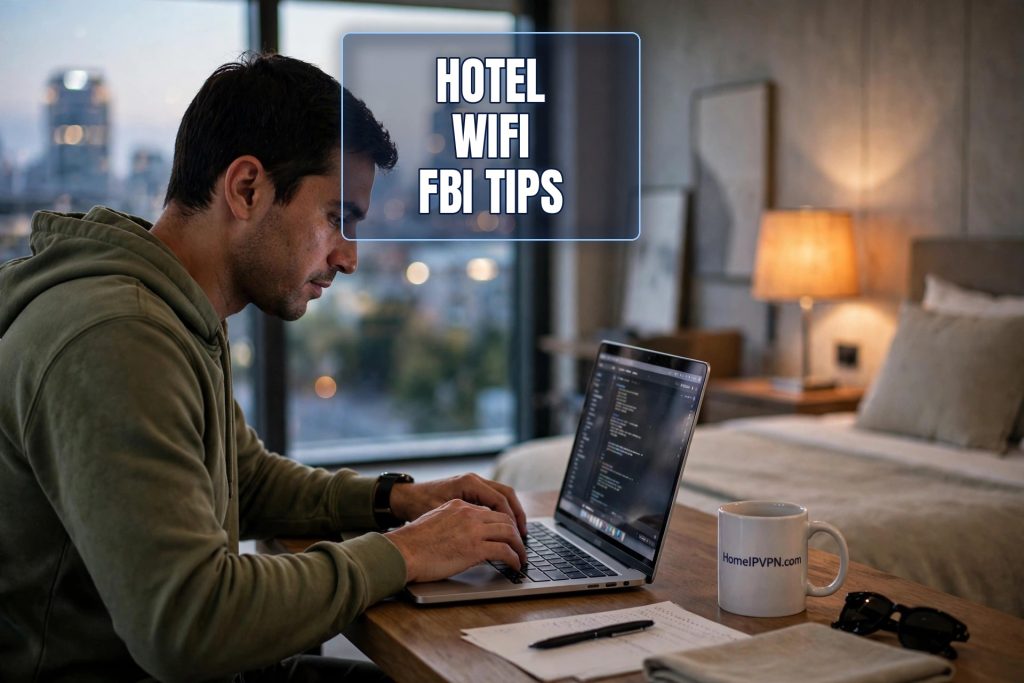
I checked into a hotel in Istanbul at midnight, exhausted in the specific way only overnight flights produce, and did what I always do: connected to the hotel wifi before I had even put my bag down. The network name was the hotel’s name plus “GUEST.” No password. My laptop joined instantly, no questions asked, and that should have been my first warning. A network that asks nothing of you will also protect nothing for you.
For years I treated hotel wifi the way most travelers do: as a free amenity, like the tiny shampoo bottles. It is there, it works, why think about it? Then a friend who works in cybersecurity watched me log into my bank over a hotel network in Buenos Aires and physically winced. “You know the FBI has a warning about exactly this, right?” I did not. So I looked it up. He was right, and what I learned changed how I travel.
This is the plain-English version of what the FBI actually says, what has actually gone wrong on hotel networks, and what to do instead. No jargon, no paranoia, just the practical picture.
What the FBI actually recommends
The FBI has published guidance for travelers about hotel wifi more than once, and the message has been consistent. Their public service announcements have warned that cyber criminals target hotel wifi networks because they know exactly who is on them: business travelers and tourists, people with money, with corporate logins, with their guard down.
The FBI’s advice boils down to a few practical points. Be careful with any wifi network you do not control. If you must use hotel wifi, use a VPN, which encrypts your connection so that anyone watching the network sees scrambled nonsense instead of your actual activity. Keep your software updated, because attackers on shared networks love targeting unpatched devices. And be suspicious of pop-ups or updates that appear only when you join a hotel network, because legitimate software does not wait for you to check into a hotel to update itself.
That last point deserves emphasis, because it is a real attack. You join the hotel wifi, and a very official-looking window tells you your video player or system software needs an update before you can browse. You click it, and you have just installed malware. The FBI has specifically called out fake software updates on hotel networks as a known criminal tactic. If an update prompt appears the moment you join a network, close it and update later from the official source.
Why hotel networks are such easy targets
To understand the risk, it helps to see the hotel network the way an attacker does. A hotel has hundreds of guests cycling through every week, all sharing the same infrastructure. The network was probably set up years ago by the lowest bidder. The password, if there is one, is printed on a card at reception and shared with every guest, which means it is not really a password at all. It is a formality.
Everyone on that network can, in principle, see everyone else’s traffic. Modern encryption on websites (the little padlock, HTTPS) protects a lot of this, but not everything, and not every app encrypts properly. Older devices, misconfigured apps, and plain bad luck can all leak data onto a network where anyone with basic tools can collect it.
Then there is the fake network trick, which is almost insultingly simple. An attacker in the lobby creates a wifi network called “HotelName_GUEST” or “HotelName_Free,” just slightly different from the real one. Tired travelers connect to it without thinking. Now every byte of their traffic flows through the attacker’s laptop. There is no hacking involved. The victims connect voluntarily.
And hotel networks have a miserable security track record at the institutional level too. The industry has suffered major breaches, including incidents where attackers lived inside hotel reservation and wifi systems for years, quietly harvesting guest data. When the network itself has been compromised at that level, no amount of careful browsing on your part fully protects you. The infrastructure you are trusting was already untrustworthy.
What “encrypted” actually means for you
You will hear “use a VPN” as the answer, and the FBI says it too, so let us make it concrete. When your connection is encrypted, everything leaving your laptop is scrambled before it touches the hotel network. Someone watching the network, whether a criminal in the lobby or compromised hotel equipment, sees only that you are sending encrypted data somewhere. Not which sites you visit. Not your passwords. Not the contents of your emails. Just noise.
Think of it like sending every letter in a locked safe instead of a postcard. The hotel wifi is the postal service. It can see that you are sending safes, and roughly how many, but it cannot read a word inside them. Without encryption, you are sending postcards, and anyone along the route can read them over your shoulder.
The padlock in your browser helps, but it only protects your web browsing, and only when it is working correctly. A VPN encrypts everything: your email app, your messaging apps, your work tools, the background syncing you do not even know is happening. On a network you do not trust, that difference matters.
The habits that actually keep travelers safe
Beyond encryption, a few habits cover most of the remaining risk. First, confirm the real network name with the front desk and be suspicious of near-duplicates. If you see two similar network names, ask which one is legitimate. This takes ten seconds and defeats the most common attack outright.
Second, turn off automatic wifi joining on your devices. Your phone’s habit of silently reconnecting to any network it has seen before is convenient at home and dangerous everywhere else. Attackers exploit this by broadcasting names of common networks and letting your phone connect on its own. Go into your wifi settings and turn that feature off before you travel.
Third, never do anything sensitive on hotel wifi without encryption running first. Banking, work logins, anything with a password that matters. If your VPN is not connected, wait. The email can wait ten minutes. Your bank account being drained cannot be undone in ten minutes.
Fourth, keep your devices updated. Those update reminders are annoying, but unpatched software is how attackers on shared networks get into devices. Update before the trip, not during it, and never install an “update” that a hotel network popup offers you.
Why “just use a VPN app” is incomplete advice
Here is where I part ways slightly with the standard guidance. A commercial VPN app does encrypt your traffic, which solves the eavesdropping problem. But it introduces the shared-address problem: you are now browsing from an IP address shared with thousands of strangers, which gets you flagged by banks, streaming services, and fraud systems. You have traded one travel annoyance for several others.
The better version of the same idea is to encrypt your traffic and route it through your own home internet. Same locked-safe protection on the hotel network, but on the other end you emerge as yourself, at your own address, with none of the “suspicious login” friction. The hotel wifi sees only encrypted noise. Your bank sees you at home. Everyone is happy except the criminals, who get nothing.
This is how HomeIPVPN approaches it: your traffic leaves the hotel encrypted, travels to your house, and goes out to the internet from there. The hotel network is reduced to what it should be, a dumb pipe carrying safes it cannot open.
The question to ask at every check-in
I now have a small ritual. When I check in, I ask for the exact wifi network name, I connect, I turn on my encrypted connection before opening anything else, and only then do I start working. It adds about thirty seconds to the process. It has become as automatic as locking the hotel room door, and for the same reason: the lock does not mean I expect to be robbed. It means I would rather not find out what happens without one.
Hotel wifi is not evil. It is just a shared, low-budget network used by thousands of strangers, some of whom are not strangers you would choose. The FBI’s warning is not paranoia. It is a practical observation about where criminals go to find victims: wherever the victims gather, tired, distracted, and connected.
You do not need to fear hotel wifi. You need to stop trusting it. Encrypt everything, verify the network name, and route through home so the network you are on never gets to know anything about you. That is the problem HomeIPVPN was built to solve. If you would rather have someone set it up and verify it works, the Pre-Travel Audit & Advisory session is 1 hour, costs $79, and that fee comes straight off the $279 Secure Home IP VPN System session if you go ahead. You can book a Pre-Travel Audit & Advisory session and check into your next hotel already protected.
Sleep well. The tiny shampoo bottles are still safe to use.

