TROUBLESHOOTING
Live Sports Blackouts Abroad: Why Your Subscription Stops Working on Trips
Championship weekend. I was in a coworking space in Medellin, and I had done everything right. I had the subscription, I had paid for the full season, I had…
✓Blackouts are about TV contracts,✓How the app knows you are not home✓The VPN treadmill, sports edition
Quick Answer
Live sports blackouts happen because leagues sell broadcast rights region by region, and your streaming app checks your internet address to decide whether you are inside the allowed zone. When you travel, your foreign address puts you outside it, even though you paid for the subscription. Routing through your own home internet makes the app see your home address, so the blackout never triggers.
- What a blackout is: the league, not your subscription, decides which regions can watch which games, and the app enforces it using your location.
- Why travel triggers it: your hotel or cafe internet address tells the app you are abroad, so games get blocked even on a fully paid account.
- Why VPNs are hit or miss: sports apps flag shared VPN server addresses aggressively, so the stream works one week and dies the next.
- The steady fix: watch through your own home connection with HomeIPVPN and the app sees you exactly where your subscription expects you to be.
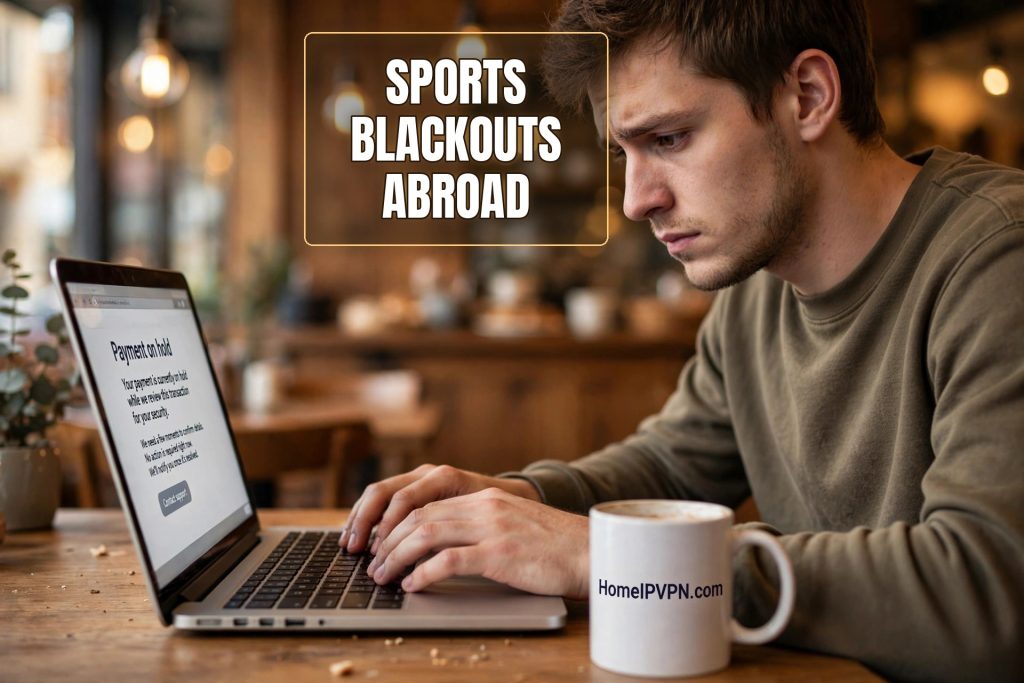
Championship weekend. I was in a coworking space in Medellin, and I had done everything right. I had the subscription, I had paid for the full season, I had even bought decent headphones for the occasion. I opened the app five minutes before kickoff, and instead of the pregame show I got a polite little message explaining that this game was not available in my region.
My region. I had paid hundreds of dollars for the season. My region was wherever my couch was, which at that moment was 2,500 miles away. I spent the first quarter refreshing the app like that would change anything, the second quarter reading angry forum threads full of people with the same problem, and the rest of the game following along on a text commentary feed like it was 1998.
If you follow sports and you travel, this will happen to you. Probably has already. Here is why it happens, why the usual fixes are unreliable, and what actually keeps your games working on the road.
Blackouts are about TV contracts, not your subscription
First, the part that feels unfair but is worth understanding: the blackout is not a glitch, and it is not your streaming app malfunctioning. It is the system working exactly as designed. Sports leagues sell the right to show games in pieces. One company buys the rights for the United States, another for the UK, another for Latin America, and so on. These deals are worth billions, and each buyer is paying for exclusivity in their territory.
Your subscription buys you access to the games your region’s rights holder is allowed to show. The moment you leave that region, you are standing outside the territory your money paid for. The app checks where you are, sees you are not in the right place, and blocks the stream. It does not care that you are a paying customer. It cares about the contract.
This is also why blackouts can hit you even at home sometimes. In the US, local games are often blacked out in the team’s home market to protect local TV deals. Travelers just get a much more aggressive version of the same treatment: everything is blacked out, because from the app’s perspective you are nowhere you are supposed to be.
How the app knows you are not home
The mechanism is the same one behind every streaming location check. Your internet connection carries an address, and that address is registered to a place. When you connect from a hotel in Medellin, your address says Colombia. The sports app looks it up, compares it to the list of allowed regions for that game, and makes its decision in a fraction of a second.
Some sports apps go further than others. A few check your device’s location services too, not just your internet address, which means they can catch you even if your IP address looks right. The big American leagues’ apps are notorious for this. If you are dealing with one of those, you will want your phone’s location to agree with your internet address, or the app will get suspicious.
The key insight is that the app is not verifying your identity. It already knows who you are, you are logged in, you paid. It is verifying your whereabouts. And whereabouts, unlike identity, is something you can legitimately project from home.
The VPN treadmill, sports edition
The standard advice is the standard advice: fire up a VPN, connect to a server back home, enjoy the game. And sometimes this works beautifully. You will find whole forum threads of fans swearing by specific servers for specific leagues.
Here is what those threads do not tell you until you learn the hard way. Sports streaming apps are among the most aggressive VPN blockers in existence, arguably more aggressive than Netflix. The leagues have a direct financial incentive to keep the territorial walls intact, and they invest accordingly. Shared VPN server addresses get identified fast, sometimes within days of going live.
So the pattern goes like this. You find a server that works. You watch two, maybe three games. Then one Saturday the stream will not load, or you get the region message, and you spend kickoff scrolling through server lists. Someone in a forum says “try the Dallas server,” and it works, until it does not. This is not a solution. It is a part-time job with terrible hours, and the hours are always during the game.
There is a second problem specific to live sports: timing. A movie can buffer. A live game cannot. VPN servers get crowded on game days, because thousands of other fans had the same idea you did. The result is the special misery of a stream that works but stutters, freezing at exactly the wrong moments. You find out your team scored from your group chat thirty seconds before you see it happen. If that does not ruin sports, nothing does.
What “home” looks like to a sports app
Now think about the fan who never has this problem: you, on your couch, no VPN, no tricks. Your home internet address is tied to your actual neighborhood. The app checks it, finds you exactly where your subscription expects, and the game plays. Nobody flags anything because there is nothing to flag. A residential address with normal usage is invisible to every detection system, because blocking it would mean blocking legitimate customers.
The fix is to be that person even when you are not that person. Route your connection through your own home internet, and the app sees your home address. Not a server that looks like it might be residential. Your address. The one tied to your house, your provider, your account history.
This is what a home IP setup does. A small device lives on your home network. Your laptop or phone connects through it from wherever you are. Every check the sports app runs comes back with the same answer it would get if you were on your couch. The blackout logic never fires, because as far as the app can tell, there is nothing to black out.
The practical details traveling fans should know
A few things worth knowing before you rely on this for a season. First, live video needs decent speed, and your stream travels up through your home internet before coming back to you. That means your home connection’s upload speed matters. Most modern home connections handle this fine, but if your home upload is very slow, test it before the season starts, not five minutes before kickoff.
Second, set it up before you leave. This is the single most common mistake. The device needs to be plugged in at home and verified working while you are still there to check it. Trying to set up remote access to your house from a hotel room is exactly as fun as it sounds. Do a test run: connect through it from a coffee shop near home, open the sports app, confirm the game loads.
Third, remember the location services wrinkle. If your league’s app checks your phone’s GPS as well as your internet address, you need those two to agree. Some travelers handle this with the usual phone settings; others just watch on a laptop, where there is no GPS to argue with. Know which kind of app you are dealing with before game day.
The folks at HomeIPVPN set this up for sports fans every season, and the pre-trip test is part of the routine. Nobody wants to discover a problem during the playoffs.
What about just watching at a local bar?
Fair question, and honestly, sometimes the bar is the right answer. Finding an expat bar showing your game is one of the great travel experiences. But it is not a strategy. Bars close, games start at 3am local time, the bar has the wrong league on, or you are somewhere with no expat bar at all. And if you are working remotely, you probably cannot spend every game night out on the town. Having your own reliable setup means the bar is a choice, not a necessity.
Never miss kickoff again
I think about that afternoon in Medellin more than I probably should. Not because the game was so important, but because of how powerless it felt. I had done everything right as a customer. Paid in full, months in advance. And a line of code decided I was in the wrong place, as if my fandom had a mailing address.
Sports are one of the few things that make you feel connected to home when you are far from it. The rituals matter: the pregame show, the familiar commentators, the group chat blowing up at the same moments. Losing that to a location check feels disproportionate because it is disproportionate. You are not trying to steal anything. You are trying to watch the thing you paid for.
Making your connection come from home is the closest thing to a permanent answer this problem has. No server lists, no forum threads, no refreshing at kickoff. That is exactly the problem HomeIPVPN was built to solve. If you would rather have someone set it up and verify it works, the Pre-Travel Audit & Advisory session is 1 hour, costs $79, and that fee comes straight off the $279 Secure Home IP VPN System session if you go ahead. Book a Pre-Travel Audit & Advisory session before the season starts, and the only thing you will be refreshing is the score.
See you at kickoff. Wherever in the world that finds you.

