TROUBLESHOOTING
Should You Do Online Banking on Public WiFi? (Short Answer: No)
You are sitting in a cafe in Lisbon, or maybe it is an airport in Bangkok, and a notification buzzes. Your credit card bill is due today. The WiFi is free,…
✓What Makes Public WiFi Different✓What Can Actually Go Wrong: The✓But My Bank Uses Two-Factor
Quick Answer
No. Open public WiFi networks, the kind in cafes, airports, and hotels, can let strangers intercept what your device sends, and banking logins are the most valuable thing to steal. Use your phone hotspot instead, wait for a private connection, or bank from a connection that looks like your home internet.
- Short answer: Do not log into your bank on free cafe, airport, or hotel WiFi. The risk is real, not theoretical.
- The danger: On open networks, your login details can be captured in transit by anyone else on the same network.
- The safer move: Use your phone’s hotspot, your own mobile data, or wait until you have a trusted private connection.
- The home option: HomeIPVPN lets you bank from abroad through a connection that looks exactly like your home internet, which is the scenario your bank trusts most.
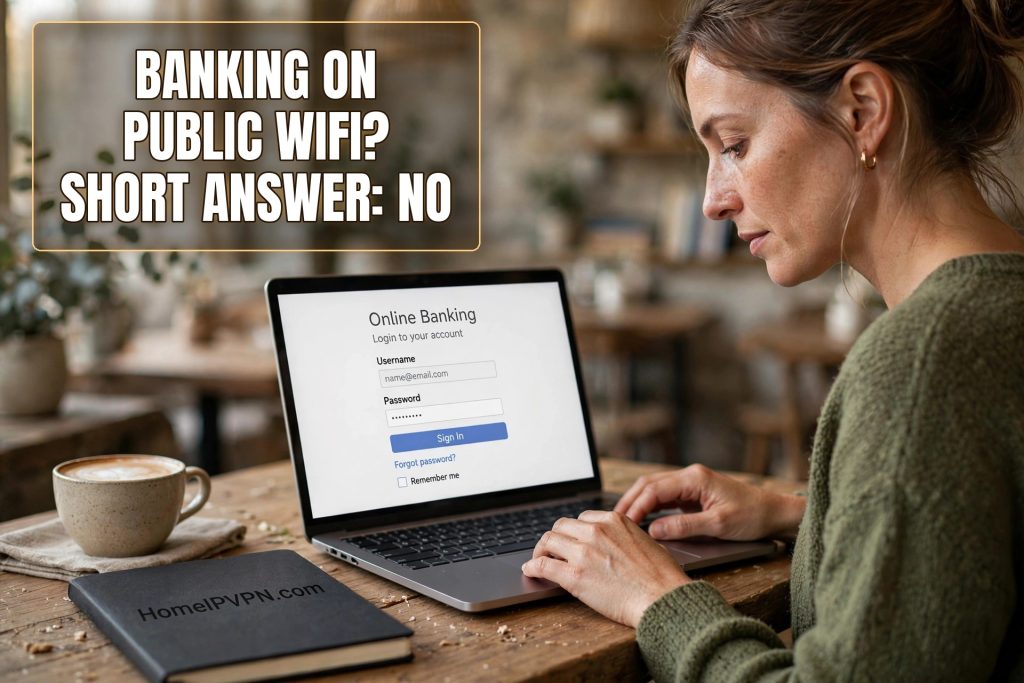
You are sitting in a cafe in Lisbon, or maybe it is an airport in Bangkok, and a notification buzzes. Your credit card bill is due today. The WiFi is free, your coffee is hot, and the bank’s app is right there on your phone. It takes about forty seconds to log in and pay. What could possibly go wrong?
That exact moment, ordinary and boring as it feels, is one of the riskiest things a traveler does online. Not because hackers are targeting you personally, but because open WiFi networks are built for convenience, not privacy, and your banking login is worth more than anything else you will type that day.
I want to be honest with you: the answer really is no. You should not do online banking on public WiFi. But “just don’t” is not a plan when you are living out of a suitcase, so let me walk you through what is actually happening on those networks, what can go wrong, and what to do instead when the bill is due and you are nowhere near home.
What Makes Public WiFi Different From Your Home WiFi
At home, your WiFi is protected by a password and a locked box, your router, that scrambles everything traveling between your phone and the internet. A stranger standing on your street cannot read your bank login even if they wanted to, because your router encrypts the wireless signal itself.
Public WiFi in most cafes, airports, and hotel lobbies does the opposite. Anyone can join. The signal usually is not encrypted at all, or it uses a single shared password that everyone in the building knows, which amounts to the same thing. Picture a crowded room where everyone is shouting their conversations out loud. That is roughly what your phone is doing when it talks to the network.
Now, to be fair, modern banking websites and apps add their own layer of protection. The little lock icon in your browser means the connection between your phone and the bank’s website is scrambled, even on open WiFi. That protection is real and important. But it does not make you safe. It just means an attacker has to work a bit harder, and the harder version is still something criminals do every single day.
What Can Actually Go Wrong: The Three Ways Bankers Steal on Open Networks
First, fake hotspots. A criminal sits in a busy airport with a little device that broadcasts a network named something like “Airport_Free_WiFi” or, sneakier, an exact copy of the real network name. You join it. Now every byte your phone sends flows through their device before it reaches the internet. They can see what you are doing, and with a technique that tricks your phone into accepting a lookalike certificate, they can even read the “secure” banking connection. This is the most common real-world attack on travelers, and it requires zero skill beyond buying a small gadget online.
Second, snooping on the real network. Even on a legitimate cafe network, anyone else connected can watch the traffic flowing past. They cannot usually read the inside of your encrypted bank session, but they can see which bank you use, when you log in, and metadata that helps them target you later. Worse, many banking sessions leak unencrypted pieces around the edges: images, analytics, notifications. A patient thief pieces together a surprisingly complete picture of your financial life from these scraps.
Third, session hijacking. When you log into your bank, the bank hands your browser a session token, a temporary proof that you are logged in. If a thief on the network captures that token, they can paste it into their own browser and ride your logged-in session, moving money and changing details, all without ever knowing your password. Good banking apps guard against this, but mobile browsers on travel websites are less careful, and the attack is silent. You would never know it happened until the money was gone.
But My Bank Uses Two-Factor Authentication, Right?
Two-factor codes help, and you should absolutely have them on. But here is the uncomfortable part: if a thief hijacks your active session, as described above, the two-factor check already happened. You passed it yourself a minute ago, on your own device, on that same cafe network. The thief is just borrowing the session you authenticated. The code did its job and the thief walked in through a different door.
This is also why “I have a strong password” does not fully solve it. Strong passwords protect against someone guessing your login. They do not protect against someone reading your login off the network, or against a fake bank page on a fake hotspot asking you to type it in. The password is the lock on the front door; the network attack comes through the window.
What Banks Themselves Say About It
Here is a thing most people never notice: your bank’s own terms often quietly expect you to connect from trusted networks. Several major banks have fraud-detection systems that weigh the network you connect from. Log in from a hotel network in a foreign country you have never visited, and you are already tripping the very alarms that lead to frozen accounts.
Banks also track which IP addresses, those numbers that identify your connection, belong to which places. A home internet IP is associated with a residential address and a history of normal activity. A hotel WiFi IP is shared by hundreds of strangers and flagged in fraud databases. When your bank sees you logging in from one of those shared, flagged addresses, their system does not think “traveler.” It thinks “compromised account,” and it acts accordingly.
This is the double problem of banking on public WiFi: you risk having your credentials stolen on the network itself, and you risk your bank freezing your account because the login looked suspicious. Either outcome ruins your week.
The Safer Alternatives, Ranked
So the bill is due and you are in a cafe. What do you actually do? Here is the practical order of preference.
The best option is your phone’s own mobile data. A cellular connection is encrypted between your phone and the tower by design, and it is vastly harder for a stranger in the cafe to intercept than WiFi. If you can tether your laptop to your phone’s hotspot, do that. It is the single biggest upgrade you can make to your safety, and it costs you nothing extra if you already have a data plan.
The second best option is simply waiting. Most banking tasks are not actually urgent. A bill due today usually has a grace period. Logging in from your hotel room on your hotspot tonight is meaningfully safer than logging in from the airport lounge right now. Ask yourself whether it truly cannot wait two hours. Often it can.
The third option is banking from a connection that your bank recognizes as home. This is where things get interesting for people who travel full time. When you connect through HomeIPVPN, your internet connection goes through your own home internet first, so to your bank it looks like you are sitting on your couch, not in a foreign airport. Same familiar IP address, same residential network, no foreign flags, no shared hotel network. Your bank’s fraud system stays calm, and you never touch a sketchy network with your banking login at all.
The worst option is banking on the open network with nothing between you and it. If you absolutely must, at least confirm the exact network name with staff, never click a “log in to WiFi” page that asks for your email or social login, and log out of everything the moment you are done.
A Five-Point Checklist Before You Log In
Before your fingers type a single banking password on any network that is not your own, run through this list. It takes thirty seconds.
One: is this network private, or can anyone join it? If anyone can join, treat everything you type as public. Two: did you verify the network name with staff, letter for letter? Fake hotspots rely on you picking the close-enough name. Three: is the website address exactly right, with the lock icon, and did you type it yourself rather than clicking a link? Four: is your phone running the bank’s official app, freshly updated, not a browser tab you opened from a search result? Five: will you log out completely and close the app when you finish, not just switch to another app?
One more, and it matters for travelers: is your phone backing up photos and syncing email in the background while you bank? Background apps on an open network leak information too. Turn off auto-sync before connecting to any public network if you can. It is a small habit that closes a surprising number of little holes.
The Bill Is Due Right Now: What Do I Do?
Okay, the bill is genuinely due in an hour and you are on airport WiFi. Here is the emergency version. Turn on your phone hotspot and connect your laptop or phone browser to it instead of the airport network. If your phone has no signal, tether through someone you trust, or ask the airline lounge staff whether they have a password-protected staff network. As a last resort, call the bank’s number on the back of your card and pay by phone. A phone call to your bank is far safer than a browser on open WiFi, and most banks will happily take a payment over the phone.
And once you are somewhere safe, change nothing about your account but change everything about your habits. Set up payment reminders a few days before due dates so you are never forced into a rushed banking session on a sketchy network. If your bank offers a separate travel notification or trusted-device setting, turn it on. The best security emergency is the one you never have.
Why This Matters More the Longer You Travel
If you travel for two weeks a year, you can mostly dodge this. Pay your bills before you leave, set up autopay, and ignore your bank app until you are home. But if you are a digital nomad, a remote worker living abroad for months, or an expat, there is no “home network” to wait for. Your entire financial life happens from foreign connections. That makes the quality of your connection a daily safety decision, not a one-time precaution.
This is exactly the problem that a HomeIPVPN home IP setup is built to solve. Instead of your banking traffic leaving from a hotel network in one country and a cafe network in another, everything you do online goes out through your own home internet connection first. Your bank sees the same residential IP address it has always seen. The foreign network never sees your banking traffic at all, because your traffic is wrapped inside a private tunnel from your laptop straight to your home router. You stop being a suspicious traveler in your bank’s eyes, and you stop being an easy target on open networks.
If you would rather have someone set that up for you and verify it actually works, the Pre-Travel Audit & Advisory session is 1 hour, costs $79, and that fee comes straight off the $279 Secure Home IP VPN System session if you decide to go ahead. You will hang up with your banking traffic running through your own home connection, wherever in the world you happen to be sitting.
Travel is supposed to be the reward, not a reason to worry every time a bill comes due. Bank like you are home, even when you are not, and the rest of the trip gets a lot more relaxing.