TROUBLESHOOTING
The “Free Cafe WiFi” That Was Not: How Fake Hotspots Steal Your Info
I was working from a cafe in Ho Chi Minh City, deep in a flow state, when the barista tapped my shoulder. “Excuse me,” she said, “are you on…
✓Anatomy of a fake hotspot✓Why you cannot tell by looking✓The real-world damage
Quick Answer
The “free cafe wifi” you join might not belong to the cafe at all. Criminals set up fake wifi networks with convincing names to intercept everything connected devices send. This trick, called an evil twin attack, is simple to run and almost impossible to spot. Always confirm the exact network name with staff, and encrypt your connection so that even a fake network sees only scrambled data.
- How the trick works: an attacker broadcasts a network named like the real one, your device connects automatically, and all your traffic flows through their laptop.
- Why you cannot spot it: the fake network looks identical on your wifi list, and your device may join it without asking.
- The defense: confirm the network name with staff, turn off auto-join, and encrypt everything so a fake network captures nothing usable.
- Fake-proof your connection: HomeIPVPN encrypts your traffic before it touches any network, real or fake, so evil twins get nothing.
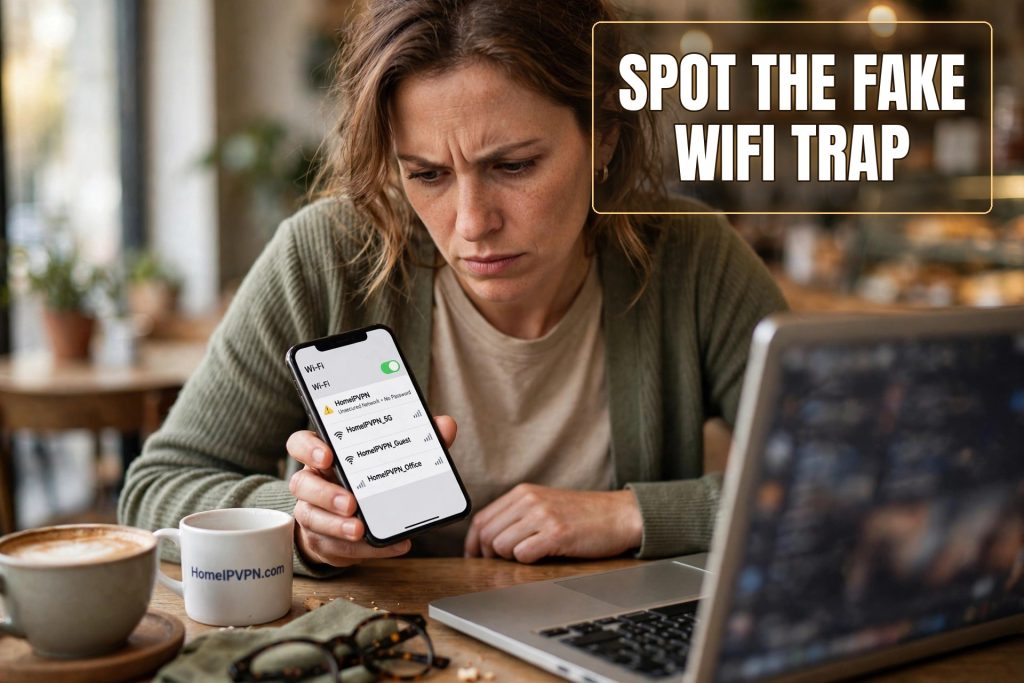
I was working from a cafe in Ho Chi Minh City, deep in a flow state, when the barista tapped my shoulder. “Excuse me,” she said, “are you on our wifi?” I said yes, pointing at the network name on my screen: the cafe’s name plus “Free_WiFi.” She shook her head. “Our network is just the cafe name. No ‘free wifi.’ That one is not ours.”
I stared at my screen. The network I had been using for two hours, through which I had checked email, messaged clients, and logged into two work tools, belonged to someone I had never met. Maybe it was a neighboring shop being generous. Maybe it was something worse. I will never know. I disconnected so fast I nearly knocked over my coffee.
That was my introduction to the evil twin attack: the lookalike network trick that most travelers have never heard of, even though it is one of the oldest and simplest attacks in the book. Here is how it works and how to make sure it never works on you.
Anatomy of a fake hotspot
The attack has a dramatic name, “evil twin,” for something almost boringly simple. An attacker sits in or near a cafe, hotel, or airport with a laptop. They create a wifi network and give it a convincing name: the cafe’s name, the cafe’s name plus “Free,” the hotel name plus “GUEST.” Then they wait.
Your devices are remarkably cooperative with this plan. Phones and laptops are designed to connect easily, and many will join a network automatically if the name matches one they have seen before, or if you have auto-join enabled and you tap the familiar-looking name. There is no verification. Your phone does not check with the cafe. It sees a name it likes and connects.
Once you are connected, everything you send goes through the attacker’s laptop first. They are the network now. They can watch your unencrypted traffic, redirect you to fake login pages that harvest your credentials, and inject malicious content into the pages you visit. Some setups even strip away the encryption your browser tries to use, downgrading your connection silently.
The whole thing can be run with free software and a cheap wireless adapter. It does not require skill so much as patience and a busy location. Cafes, airports, hotel lobbies, conferences: anywhere travelers gather with their guards down.
Why you cannot tell by looking
This is what makes the evil twin so effective. There is nothing to see. The fake network appears on your wifi list exactly like a real one. It might even have a stronger signal than the genuine network, because the attacker is sitting closer to you than the cafe’s router is. Your device cheerfully reports “connected,” and everything seems to work. Websites load. Email syncs. The attack is invisible by design.
In my Ho Chi Minh City story, I only found out because the barista happened to notice and happened to care. Most of the time, nobody tells you. You work for hours, pack up, leave, and never know that your traffic took a detour through a stranger’s laptop. The attack does not announce itself when it ends, either. It just stops, when the attacker packs up and leaves.
Some attackers add a touch of social engineering. They name the network something authoritative, like the hotel name plus “Official,” or they print a fake wifi password card and leave it on tables. Others rely on your device’s auto-join doing the work silently. Either way, the victim’s experience is identical to using legitimate wifi: it just works.
The real-world damage
What does the attacker actually get? Everything you send unencrypted: emails, messages, browsing activity, login credentials for poorly secured services. Plus the active attacks: fake banking pages that look pixel-perfect, credential harvesting for email accounts, session theft that lets them impersonate you on sites you are logged into.
Email credentials are the prize most attackers actually want. Your email is the master key to your digital life: password resets for everything flow through it. An attacker who captures your email login on a fake network does not need anything else. They can reset their way into your bank, your work accounts, your everything, at their leisure, long after you have left the cafe.
This is why the attack is so disproportionate to its simplicity. Ten minutes of setup in a busy cafe can yield credentials that take months to fully exploit. And the victims rarely connect the breach to the cafe, because the theft happens silently and the exploitation happens later.
How to spot the fakes (and why that is not enough)
The standard advice starts with verification. Ask the staff for the exact network name. Be suspicious of duplicates: if you see two similar names, one of them is lying. Watch for networks with no password where the real one has one, or vice versa. These checks help, and you should do them.
But verification has limits. An attacker can learn the real network name just by looking at the same wifi list you see. They can copy it exactly, or use a variation your tired brain will accept at a glance. And you cannot verify every network. Travelers join dozens of networks a month. Vigilance does not scale.
Turn off auto-join on your devices. This is the single most effective setting change, because it stops your phone from volunteering you to networks you have not consciously chosen. It is slightly less convenient. It is enormously safer. Also forget networks after using them, so your device does not auto-connect next time you walk past.
The defense that does not depend on vigilance
Here is the deeper fix. All of the spotting advice assumes you can reliably distinguish real networks from fake ones. You cannot, not consistently, not when you are tired and working. So the robust defense does not try. It assumes the network might be fake and makes that irrelevant.
Full encryption does exactly this. When every byte leaving your device is scrambled before it touches the network, it does not matter whose network it is. The attacker’s laptop receives encrypted traffic it cannot read, cannot modify usefully, and cannot redirect into credential theft, because the encrypted tunnel was established with your trusted endpoint, not with the local network.
Think of it this way. The evil twin is someone impersonating the postal service to intercept your mail. Encryption is sending everything in locked safes addressed to someone only you know. The fake postal worker can carry the safes around all day. They cannot open them, and they cannot convincingly pretend to be the recipient, because the locks were made for someone else.
This is why the order of operations matters: encryption on first, then use the network. If you join a network and then remember to encrypt, the window in between is the attacker’s opportunity. Make it automatic, and the window never opens.
Routing through your own home connection, the way HomeIPVPN sets it up, adds the final layer. Your traffic is encrypted to your house, and it emerges there as you. A fake network in a foreign cafe becomes a minor curiosity: a stranger’s laptop carrying safes it cannot open, addressed to a house it cannot impersonate.
What I do now, every time
Since Ho Chi Minh City, I have a ritual. I ask for the network name. I turn off auto-join before I travel and leave it off. My encrypted connection starts automatically when I join any new network, before I open a single app. The whole thing takes under a minute, and most of it happens without me thinking about it.
I still think about those two hours, though. What flowed through that unknown network. Whether it was innocent or not. I will never know, and that not-knowing is the real cost of the attack. Even when nothing bad happens, the uncertainty lingers. The ritual exists so I never have to wonder again.
You cannot see an evil twin. You cannot reliably avoid one. But you can make yourself a worthless target, which amounts to the same thing. Encrypt everything, verify what you can, and let the fakes collect their safes.
Making every network, real or fake, safe by default is the problem HomeIPVPN was built to solve. If you would rather have someone set it up and verify it works, the Pre-Travel Audit & Advisory session is 1 hour, costs $79, and that fee comes straight off the $279 Secure Home IP VPN System session if you go ahead. You can book a Pre-Travel Audit & Advisory session and never wonder about a network name again.
The coffee in that cafe was excellent, by the way. I still go back. I just ask the barista first.