TROUBLESHOOTING
What Is a Man-in-the-Middle Attack? (Explained Like You Are Five)
Picture this. You are five years old and you want to pass a note to your best friend across the classroom. You hand it to the kid sitting between you. The kid…
✓Two People Talking, One Person✓Why It Is So Easy in a Cafe✓What the Thief Actually Gets
Quick Answer
A man-in-the-middle attack is when someone secretly sits between your device and the internet, reading or changing what passes through. On public WiFi, this is easy to do. The fix is simple: never let strangers’ networks carry your private traffic.
- The idea: You think you are talking straight to a website, but a thief is secretly in the middle, reading everything.
- Where it happens: Mostly on open public WiFi: cafes, airports, hotels, anywhere anyone can join.
- The sign: There is no sign. The whole point is that it is invisible, which is why prevention beats detection.
- The prevention: HomeIPVPN wraps your traffic in a private tunnel back to your own home internet, so there is no middle for anyone to sit in.
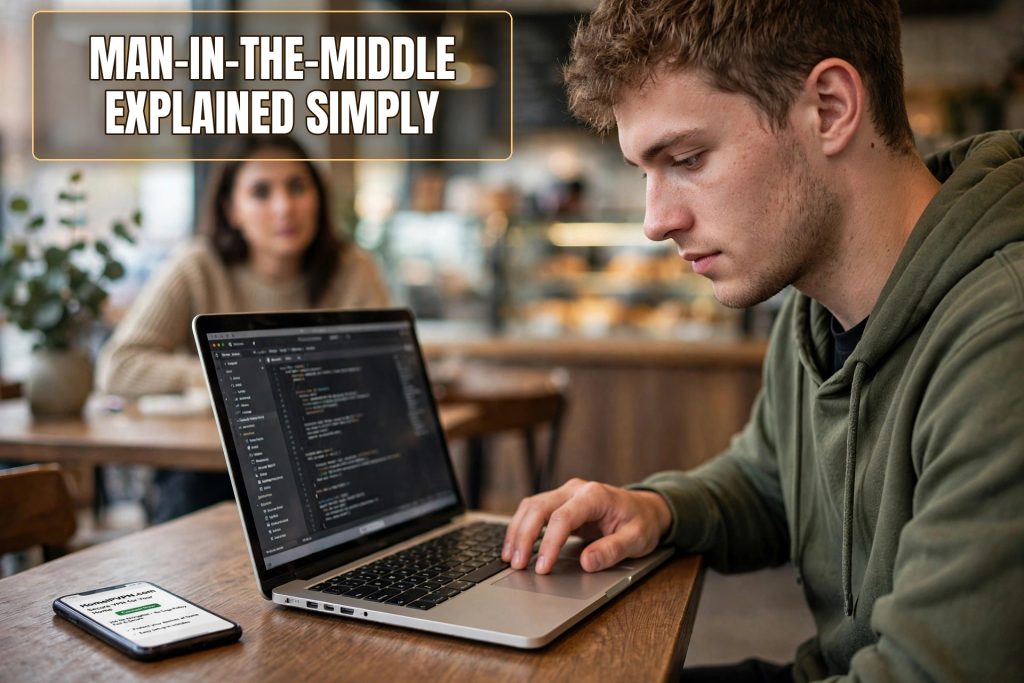
Picture this. You are five years old and you want to pass a note to your best friend across the classroom. You hand it to the kid sitting between you. The kid reads it, giggles, maybe changes a word, and passes it on. Your friend answers back through the same kid, who reads that too. Neither of you ever knows.
That kid in the middle is exactly what a man-in-the-middle attack is. Only the classroom is a coffee shop in Bali, the note is your bank login, and the kid in the middle is a stranger with a laptop.
Two People Talking, One Person Listening
Every time you use the internet, your device is having a conversation with some website or app. Your phone says “hello” to your bank, the bank says “hello back,” and then they exchange secrets: your password, your account balance, your messages. In a safe setup, nobody else can hear this conversation.
A man-in-the-middle attack breaks that privacy by inserting a third person into the conversation without either side knowing. Imagine calling your mom, but your neighbor secretly spliced into the phone line. You hear your mom fine. She hears you fine. But your neighbor hears everything too, and if they wanted to, they could even speak over one of you and neither of you would notice the voice change.
The technical trick behind it does not matter for our purposes. What matters is the result: the thief sees what you send and what you receive, and they can quietly change things along the way. A “send $50 to your sister” could become “send $500 to a stranger.” The website thinks you sent it. You think you sent $50. Everyone is fooled except the thief.
Why It Is So Easy in a Cafe
Here is the part that surprises people. On your home WiFi, pulling this off is genuinely hard. But on public WiFi, it is almost embarrassingly easy, and that is why travelers are the favorite targets.
Most public WiFi has no password, or one shared password that everyone knows. That means everyone in the cafe is, technically speaking, on the same network as you, and your phone will happily talk to other devices on that network. An attacker’s laptop can introduce itself to your phone and say, in effect, “I am the internet, send everything through me.” And your phone believes it. There is no bouncer checking IDs. Nobody asks whether that laptop is allowed to be the middle.
The scarier version is the fake hotspot. The attacker does not even need to be on the cafe’s network. They bring their own little device that broadcasts a WiFi name like “Starbucks_Guest” right next to the real Starbucks. Your phone, which remembers and auto-joins familiar names, may connect to the fake one without you noticing. Now the attacker is not just in the middle. They are the entire road you are driving on.
This is not movie-hacker stuff. The tools are free, the instructions are on the internet, and it works against phones, laptops, and tablets equally. That is why security people get so tense about public WiFi: the attack is cheap, silent, and devastating when it lands.
What the Thief Actually Gets
Let us be concrete, because vague fear is not useful. What can a person in the middle actually steal from you in a cafe?
They can steal your passwords. If you log into anything on an unencrypted page, or if they trick your browser into dropping down to an unencrypted version of a site, your username and password flow through their hands in plain text. Email, social media, freelance platforms, banking: everything you type is theirs.
They can steal your session. Even on properly encrypted sites, as we will see below, there are moments when pieces of your logged-in state travel in ways the attacker can grab. Capture that, and they are you, logged in, until you log out.
They can steal your messages and files. Anything you send or receive while the attacker is in the middle can be copied. Photos, documents, that contract you just emailed your client: all of it passes through their screen first.
And they can change things. This is the part people forget. A man in the middle is not limited to reading. They can alter the bank details on an invoice you are viewing, swap a download for a malicious version, or redirect you to a perfect copy of your bank’s login page to harvest your credentials. Reading is theft. Changing is sabotage.
Wait, Does the Little Lock Icon Not Stop This?
Good question, and the answer is: usually, but not always. That lock icon means your browser and the website have agreed on a secret code that scrambles everything between them. Even if a thief is sitting in the middle, all they see is scrambled noise. That is a big deal and it is why the web is dramatically safer than it was fifteen years ago.
But there are cracks. Sometimes a site loads its secure page but pulls in images or scripts over an unsecure connection, and those pieces can be tampered with. Sometimes the attacker intercepts your very first visit and downgrades you to the unsecure version before the lock ever appears. Sometimes they present a fake certificate and hope you click through the scary warning, and let us be honest, most people click through scary warnings when they are in a hurry at an airport.
Think of the lock icon as a very good seatbelt. It saves lives constantly. But it does not make driving into a storm a good idea. The storm, in this case, is an open network full of strangers.
The Real-Life Scenarios Where Travelers Get Caught
Let me paint the three scenes that catch travelers most often, because recognizing the setup is half the battle.
Scene one: the airport. You have a two-hour layover in Istanbul. Your phone auto-joins a network called “IST_Free_WiFi,” but the real network is called “IstanbulAirport_WiFi.” The fake one was set up by someone sitting three gates away. You check email, log into your freelance platform, scroll social media. They get all of it.
Scene two: the coworking cafe. You are working in a nice cafe in Medellin with fifty other laptops around. Everything feels safe because the place looks legitimate. But one of those laptops belongs to someone running snooping software, quietly collecting whatever leaks off the shared network. You will never know which laptop it was.
Scene three: the hotel. You connect to the hotel WiFi, which asks for your room number on a login page. That page is unencrypted, and the person in the middle swaps it for a copy that also asks for your email password “for verification.” You type it in, because you are tired and the page looks official. Game over.
None of these people will ever knock on your shoulder. The whole design of the attack is that everything looks normal. Your pages load fine. Your apps work. The theft happens invisibly, and you find out days or weeks later when the strange charges appear.
So What Do You Actually Do About It?
Now the good news: this attack has a simple, reliable countermeasure. The man in the middle needs to be between you and the internet. Remove the middle, and there is no attack.
Your phone’s mobile data is the easiest removal. Cellular connections are encrypted from your phone to the tower, and there is no shared local network for a stranger to sit on. Tethering your laptop to your phone’s hotspot gives your laptop the same protection. When the choice is between free cafe WiFi and your phone’s data, the phone wins every time for anything that matters.
Avoid networks that ask you to click through login portals for anything important. Those captive portals, the pages that ask for your room number or email before you can use the WiFi, are unencrypted by design, and they are trivial to fake. If a network makes you log in through a web page, do your sensitive stuff later, on a different connection.
Turn off auto-join for public networks. Your phone’s habit of automatically reconnecting to networks it has seen before is exactly what fake hotspots exploit. Go into your WiFi settings and tell your phone to forget public networks after you use them, and to ask before joining new ones. It is thirty seconds of setup that closes the airport trap described above.
And the strongest version of “remove the middle” is to never let the local network see your traffic at all. When you connect through HomeIPVPN, everything your device sends is wrapped in an encrypted tunnel that goes straight from your laptop to your own home internet connection. The cafe network, the airport network, the hotel network: they see only an unreadable stream going to one place. There is nothing in the middle to read, copy, or change, because as far as the local network is concerned, your real traffic is not there at all. It is all happening inside the tunnel.
The Five-Year-Old’s Version, One More Time
Because this is worth carrying in your pocket: never pass your note through a stranger’s hands. On public WiFi, every note you pass is going through strangers’ hands unless you do something about it. Use your phone’s data, turn off auto-join, and keep your real traffic inside a tunnel that goes home.
Most internet safety advice for travelers is a long list of chores. This one is simpler. The man in the middle can only attack the middle. Take the middle away, and the kid in the classroom never gets to read your note in the first place.
Which brings us to the bigger picture. The reason public WiFi is scary is not that WiFi is broken. It is that you are borrowing a stranger’s network and hoping everyone on it is honest. When your traffic instead travels through a HomeIPVPN connection first, there is no stranger’s network involved at all, which is the cleanest answer to this whole category of attack.
If setting that up sounds like something you would rather not do yourself, the Pre-Travel Audit & Advisory session is 1 hour, costs $79, and that fee comes straight off the $279 Secure Home IP VPN System session if you go ahead. Someone else handles the whole thing and verifies it works before you hang up.
Pass your notes directly, keep the middle empty, and enjoy the cafe for what it is for: the coffee.