ROUTER SETUP
How to Keep Your Home Router Running as an Always-On VPN Server
A home VPN server is only useful when it's actually running. And here's the cruel irony of the setup: the moment you most need it is when you're
✓Power Resilience: UPS Picks and✓Keeping DDNS and the Tunnel✓Remote Monitoring So You Know
Quick Answer
Keeping a home router running as an always-on VPN server comes down to boring reliability: a UPS for power blips, auto-reboot settings, DDNS so the tunnel survives IP changes, and monitoring that tells you something is wrong before your workday depends on it. HomeIPVPN treats this as the foundation every remote setup stands on.
- Power: a small UPS carrying modem, router, and server for 30 to 60 minutes beats the vast majority of outages.
- Self-healing: enable auto-reboot and auto-power-on, and schedule a weekly reboot in off hours.
- DDNS: a hostname that follows your home IP keeps client configs working after address changes.
- Monitoring: a simple uptime check pinging your DDNS hostname, plus a secure remote admin path for fixes from abroad.
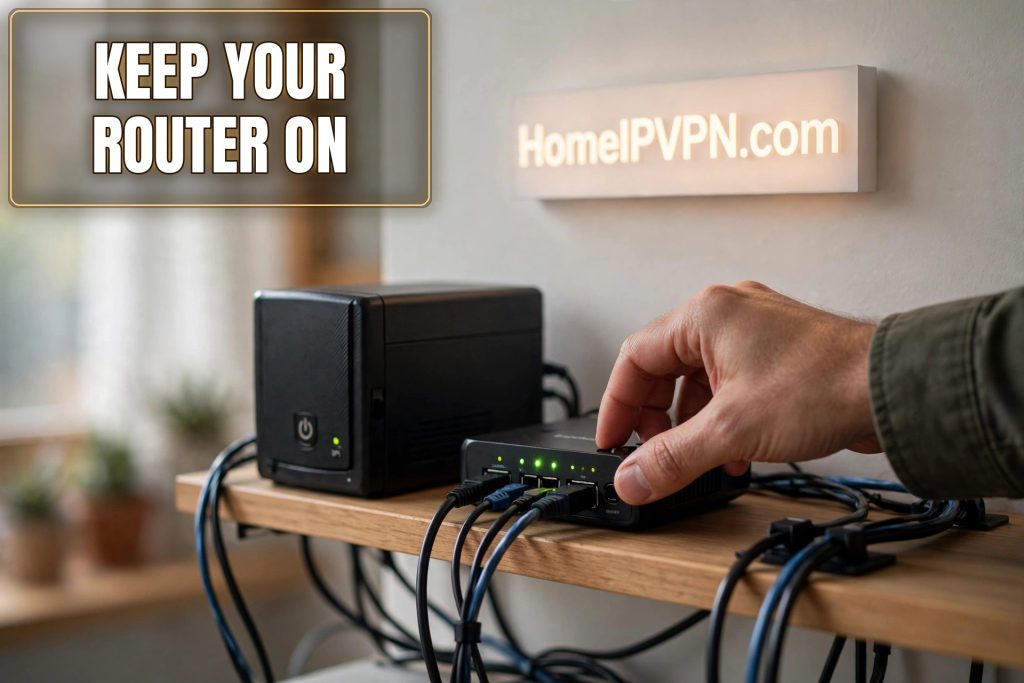
How to Keep Your Home Router Running as an Always-On VPN Server
A home VPN server is only useful when it's actually running. And here's the cruel irony of the setup: the moment you most need it is when you're farthest away and least able to fix it. Keeping a home router up as an always on home VPN server isn't about exotic engineering. It's about boring reliability: power, self-healing, and knowing something's wrong before your workday depends on it.
> Quick answer: To keep your home VPN server reliably always-on: put the router, modem, and server on a small UPS; enable auto-reboot and auto-power-on settings; use DDNS so the tunnel survives IP changes; schedule a weekly off-hours reboot; and set up remote monitoring (a free uptime check pinging your DDNS hostname) plus a secure remote admin path so you can fix issues from abroad.
Power Resilience: UPS Picks and Auto-Reboot Settings
Power is the number one killer of always-on home servers. Not dramatic lightning strikes (though those happen), just the mundane stuff: a 30-second blip that reboots everything, a breaker trip while you're gone, a utility maintenance window at 3am.
The UPS. A small uninterruptible power supply is the single highest-ROI purchase in this whole setup. Size it to carry your modem, router, and VPN server (Pi, mini PC, or the router itself) for 30-60 minutes. That's enough to ride out the vast majority of outages, and for longer ones, it gives everything a clean graceful shutdown instead of a hard crash. What to look for:
- Enough outlets for modem + router + server (count them; people always forget the modem).
- USB or network signaling for graceful shutdown if your server supports it.
- Replace the battery every 3-4 years. A UPS with a dead battery is a power strip with delusions of grandeur. Put a calendar reminder.
Auto-power-on. In the BIOS/UEFI of a mini PC, or the equivalent setting on a Pi-adjacent setup, enable "restore on AC power loss: power on." Routers generally reboot themselves when power returns, but verify yours does rather than assuming. The goal: after any outage, everything comes back without a human touching it.
Scheduled reboots. Once a week, in the small hours (say 3am local home time), reboot the router and the VPN server. This clears memory leaks, applies the universal fix preemptively, and surfaces flaky hardware on your schedule instead of mid-trip. Most router firmware has a scheduled reboot option; a cron job handles a Pi or mini PC. Stagger them by 15 minutes so the modem comes up first, then the router, then the server.
Surge protection. The UPS usually includes it, but if any gear plugs straight into the wall, add a surge protector. Cheap insurance.
Keeping DDNS and the Tunnel Healthy Unattended
Your home IP will change. ISPs rotate residential addresses on their own schedule, and every change is a potential outage for your tunnel if nothing tracks it.
DDNS that actually updates. Most routers have a built-in DDNS client (many vendors include a free hostname). The two failure modes: the client stops updating (stale firmware, expired free account), or it updates too slowly after an IP change. Test it deliberately: reboot your modem to force an IP change, then check whether the hostname resolves to the new address within a few minutes. If your router's client is flaky, run the update from the server itself (plenty of lightweight DDNS clients for Pi/Linux).
Tunnel health. WireGuard tunnels are stateless and recover gracefully, which is why they're ideal for this. Still, add PersistentKeepalive = 25 on the server side's peer configs so NAT mappings stay fresh through long idle periods. If you run OpenVPN as a backup, its keepalive settings deserve the same attention.
Watch for the silent killers:
- ISP-side changes: some ISPs periodically reset connections or push firmware to their gateway that wipes your port forwards. After any ISP maintenance window, verify the port forward survived.
- Double-NAT creep: if your ISP swaps your gateway or you add new hardware, you can end up behind an extra NAT layer that breaks inbound connections. Re-verify reachability from outside after any home network change.
- Certificate and key expiry: if you use anything with expiry (some DDNS free tiers, Tailscale key expiry on certain setups), calendar the renewals.
Remote Monitoring So You Know Before It Breaks
The difference between a minor incident and a ruined workweek is when you find out. Monitoring options, simplest first:
- Free uptime monitor. Services like UptimeRobot's free tier can ping your DDNS hostname or check the VPN port every few minutes and email/SMS you when it goes dark. Five minutes to set up, and it's the single most valuable monitoring you can have.
- A heartbeat from the server. A tiny cron job that pings an external health-check service (or even just sends you a daily "I'm alive" message) tells you the server is up even when the VPN port check is ambiguous.
- Router admin via secure remote access. Keep a way in: SSH with key-only auth on a non-standard port, or your router's secure remote admin feature. This is how you restart a stuck service from a hotel. Lock it down properly (keys, no passwords, fail2ban or equivalent) because it is internet-facing.
- A human backup. A trusted neighbor, friend, or family member with a key and a one-page "if the internet box has no lights, unplug this, wait 30 seconds, plug it back in" instruction card. Technology fails; neighbors with instructions don't.
The pre-trip drill. Before every long trip, run the full failure rehearsal: unplug the home setup, wait, plug it back in, and confirm everything (DDNS, tunnel, monitoring) recovers without you touching anything. If it doesn't recover cleanly while you're standing there, it definitely won't while you're in another timezone.
What "Always-On" Realistically Means
Aim for 99%+ uptime, not perfection. A well-set-up home server with a UPS, scheduled reboots, DDNS, and monitoring will hum along for months. Things will still occasionally break: ISP outages, hardware death, the once-a-year weirdness. The goal isn't zero failures; it's failing gracefully (clean shutdowns, auto-recovery) and visibly (you get the alert in minutes, not when your next call drops). That combination is what makes a home server trustworthy enough to build your work life on.
FAQ
How do I keep my home VPN server running while I travel?
Do I need a UPS for a home VPN server?
How often should I reboot my home router and VPN server?
What is DDNS and why does my home server need it?
How will I know if my home server goes down while I'm away?
Can someone at home fix it if remote access fails?
Need help setting this up?
Want an expert to review your setup for leaks and reliability? Our VPN audit covers it: https://homeipvpn.com.

