REMOTE WORK & DIGITAL NOMAD
Background Noise on Calls: Cheap Fixes That Actually Work
The rooster started at 5:40 a.m. I know this because I was on a call with a client in New York, mid-sentence about deliverables, when the entire farmyard…
✓Fix number one: get the microphone✓Turn on the noise suppression you✓Choose your battlefield: location
Quick Answer
Background noise on calls is mostly fixable without buying anything: move the mic closer to your mouth, turn on your app’s noise suppression, and pick your call times around the noise. A cheap pair of earbuds solves more than any software setting.
- Get the mic close: every centimeter between your mouth and the microphone multiplies the room noise it picks up, so earbuds beat a laptop mic across the room.
- Turn on noise suppression: Zoom, Meet, and Teams all have built-in noise removal that is off or on low by default; set it to high before your next call.
- Time your calls: construction, traffic, and call-to-prayer schedules are predictable; schedule important meetings in the quiet windows.
- Protect the call itself: clear audio means nothing over a stuttering connection, so travelers keep calls stable with a home IP address from HomeIPVPN.
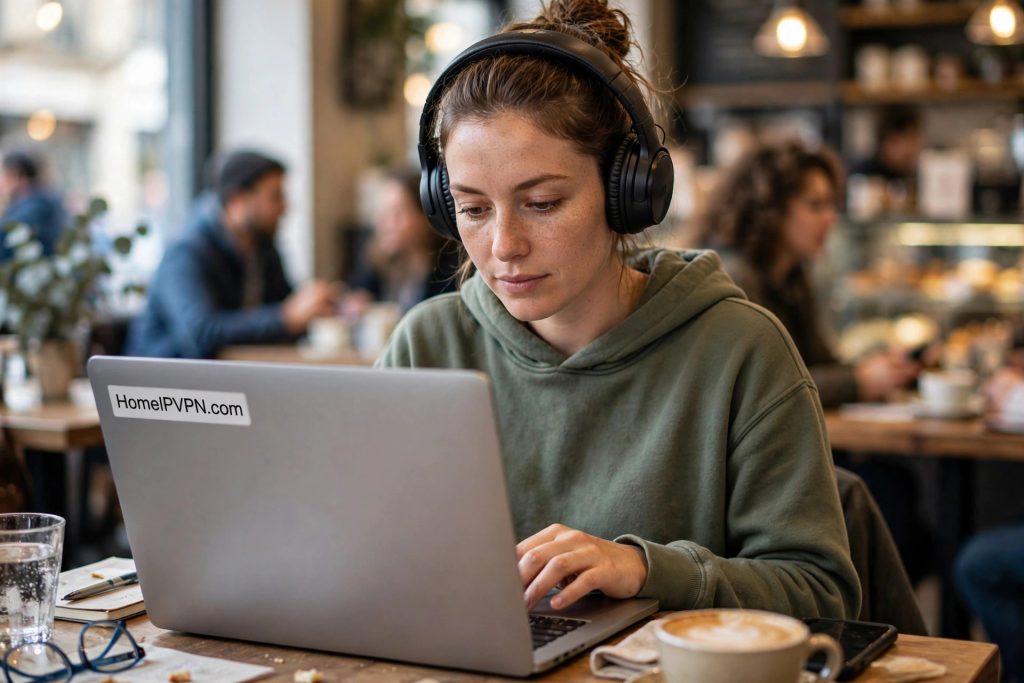
The rooster started at 5:40 a.m. I know this because I was on a call with a client in New York, mid-sentence about deliverables, when the entire farmyard outside my guesthouse in Vietnam announced itself. The client laughed. I laughed. Then the neighbor started a motorbike, a dog joined in, and nobody was laughing anymore. I spent the rest of the call on mute, unmuting for three seconds at a time like a game show contestant.
Nomad life is noisy in ways office life never is. Roosters, scooters, construction, street vendors, thin walls, call centers next door, waves that sound lovely until they are crashing through your microphone. You cannot soundproof the world, but you can do a surprising amount with what you already own. Here is the full kit of cheap fixes that actually work.
Fix number one: get the microphone closer to your mouth
This is physics, and it is the highest-leverage change you can make. Sound gets quieter very fast as it travels, so a microphone two centimeters from your mouth hears your voice enormously louder than the scooter twenty meters away. A microphone a meter away on your laptop hears them at nearly the same volume. That is the entire difference between “professional on a call” and “broadcasting from a street.”
A basic pair of earbuds with an inline mic, the kind that comes free with phones, puts the microphone right at your chin and instantly demotes every background sound to a whisper. A cheap headset does the same. Even holding your phone to your ear for an audio-only call beats shouting across the room at a laptop. If you buy one thing for nomad call quality, make it this, and it costs less than lunch.
What does not work as well as people hope: expensive condenser microphones. Those studio-style mics are designed to capture everything beautifully, which is the opposite of what you want in a noisy room. They will record the rooster in stunning high fidelity. In unpredictable environments, a modest mic close to your mouth beats a great mic far away, every single time.
Turn on the noise suppression you already have
Every major meeting app now ships with AI noise removal, and a remarkable number of people have never opened the setting. In Zoom it lives under audio settings, labeled background noise suppression, with levels from low to high. Google Meet has it under audio settings too. Microsoft Teams calls it noise suppression. Set it to high.
These tools are genuinely impressive now. They can erase keyboard clatter, passing traffic, barking dogs, and even that one neighbor whose renovation has lasted eleven months. They work by learning what a human voice sounds like and deleting everything else, in real time, on your device. The processing happens locally, so it works even on mediocre connections.
Two caveats. First, aggressive suppression can clip the beginnings of your words or make you sound slightly robotic, so test it with a friend before a critical call. Second, it cannot fix echo, which is your own voice bouncing off walls and re-entering the mic. For echo, the fix is physical: softer room, mic closer, speakers lower or earbuds in. Software removes the world’s noise; only physics removes your room’s.
There is also a system-level option worth knowing. Both Windows and macOS have their own mic processing, and some laptops add “voice isolation” modes. These stack with your meeting app’s suppression, and sometimes they fight. If your audio sounds weird, try turning off one layer. One good noise filter beats two mediocre ones arguing with each other.
Choose your battlefield: location and timing
Half of noise control is not being near the noise in the first place. Before an important call, spend two minutes scouting. Close the windows facing the street. Move away from the kitchen if someone is cooking. Avoid sitting under the air conditioner, which microphones love to amplify into a jet engine. Small moves, big differences.
Timing is the nomad superpower here, because most noise runs on a schedule. Construction crews start and stop at predictable hours. Rush hour is rush hour everywhere. In many countries the call to prayer happens five times daily at known times; in others, the garbage truck has a route. Learn the rhythm of your neighborhood in the first few days and schedule important calls in the quiet windows. A 10 a.m. call might be silent while the 8 a.m. one is chaos.
When the apartment itself is the problem, relocate. Coworking spaces usually have phone booths or quiet rooms precisely for this. Libraries are free and silent. Some nomads swear by the parked-car office: surprisingly quiet, decent light, and nobody walks through your background. For the calls that decide contracts, a twenty-dollar coworking day pass is the cheapest insurance you will buy.
The mute-button discipline
Here is the unglamorous truth: the best noise cancellation ever invented is the mute button, used aggressively. Stay muted whenever you are not speaking. Unmute, say your piece, mute again. It feels awkward at first, then it becomes second nature, and your clients will silently thank you every time a truck passes.
Learn your app’s push-to-talk shortcut. In Zoom, holding the spacebar temporarily unmutes you, which turns muting into a reflex instead of a chore. Announce the habit lightly at the start: “I am in a lively neighborhood, so I will stay muted when I am not talking.” Everyone understands, nobody minds, and it sets the expectation so your muting never reads as disengagement.
For group calls, suggest the norm explicitly. “Let us all stay muted unless speaking” takes five seconds to say and transforms a chaotic call. The noisiest person on a group call defines the experience for everyone, and in nomad circles, there is always someone next to a construction site.
When noise is constant: the deeper fixes
Some situations need more than settings. If you are somewhere long-term and the noise is relentless, a white noise machine or even a fan creates a steady background hum that masks irregular sounds. Paradoxically, adding a constant soft noise makes the unpredictable noises less jarring to your microphone’s processing.
Soft furnishings are acoustic treatment in disguise. A room with curtains, rugs, cushions, and a full wardrobe absorbs sound; a bare tiled room with nothing in it is an echo chamber. If your Airbnb echoes, deploy every soft thing it contains around your call spot. Hang a blanket on the wall behind you. It looks ridiculous and works beautifully.
For the truly committed, there are affordable dynamic microphones designed for broadcast that reject background sound remarkably well. They cost more than earbuds but far less than the business they protect. Pair one with a cheap arm or stand, and you have a portable studio that fits in a backpack side pocket.
Do not forget the connection
There is a cruel irony in perfecting your audio setup and then having the call itself fall apart. Choppy, robotic, dropping-out audio is often not a microphone problem at all; it is a network problem. Congested cafe wifi, throttled hotel networks, and routing quirks on foreign connections all mangle real-time audio before it ever reaches your client.
This is why experienced remote workers treat the connection as part of the audio chain. A stable, consistent route matters more than raw speed for calls. Many travelers run their calls through a home IP address with a service like HomeIPVPN, which gives video and voice traffic a clean, predictable path instead of whatever the local network feels like providing. Your noise suppression can only polish the audio it receives; give it a clean signal to work with.
Quick pre-call network check: close the cloud backups, photo syncs, and the seventeen browser tabs streaming video. They all compete for the same narrow upstream pipe your voice needs. Your call gets priority; everything else can wait twenty minutes.
The bigger picture
Underneath the roosters and the renovations, the real issue is that your working environment is unpredictable in ways an office never is. You can control the microphone, the settings, and the timing, but the network underneath it all is borrowed infrastructure in a foreign country. That unpredictability is the problem HomeIPVPN was built to solve, by giving your devices a stable home IP address so your calls travel a consistent, reliable route no matter where you are working from. If you would rather have someone set that up and verify it works, the Pre-Travel Audit & Advisory session is 1 hour, costs $79, and that fee comes straight off the $279 Secure Home IP VPN System session if you go ahead.
Get the mic close, turn the suppression up, mind the mute button, and schedule around the rooster. The farmyard is not going anywhere, but it does not have to join your meetings.