REMOTE WORK & DIGITAL NOMAD
How to Look Professional on Video Calls From a Tiny Airbnb
My first video call from a studio apartment in Budapest was a disaster in the most literal sense. The client saw me, then saw behind me: an unmade bed, a…
✓Start with light, because light is✓The background: you only need two✓Camera position: eye level or
Quick Answer
Looking professional from a tiny Airbnb comes down to three things: a clean background, light on your face, and the camera at eye level. You do not need new gear, just ten minutes of rearranging what is already in the room.
- Face a window: natural daylight on your face beats any lamp behind you, which turns you into a silhouette.
- Declutter the frame: the camera sees a narrow slice, so you only need to tidy about two square meters behind you.
- Raise the camera: stack the laptop on books so the lens sits at eye level; nobody looks authoritative filmed from below the chin.
- Keep the connection steady too: a polished setup means little if your video freezes, so travelers pair good lighting with a stable home connection through HomeIPVPN.
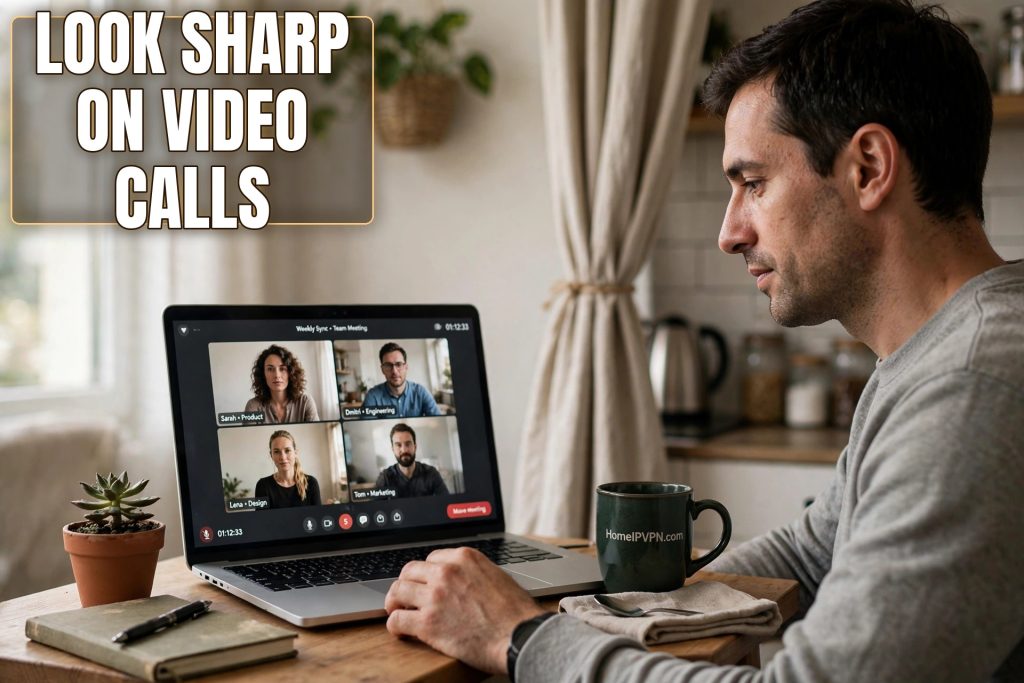
My first video call from a studio apartment in Budapest was a disaster in the most literal sense. The client saw me, then saw behind me: an unmade bed, a drying rack of laundry, and a kitchen that was technically in the same room because the whole apartment was one room. I watched his expression change in real time. We still closed the deal, but I spent the whole call feeling like I was presenting from inside a dorm room, because I was.
That evening I spent twenty minutes rearranging, and the next call felt completely different. Nobody knew the “office” was a corner of a 25-square-meter flat. Here is the full playbook, none of which requires buying anything.
Start with light, because light is everything
Cameras are far more sensitive to lighting than your eyes are. What looks like a dim but fine room to you looks like a cave to a webcam. The fix is free: sit facing the biggest window in the place. Daylight falling on your face gives you soft, flattering, even illumination that no desk lamp can match. This single change improves your video more than any other.
What you must avoid is the window behind you. It is the most common mistake in small apartments, because the desk is often under the window, which feels natural for working. On camera, the bright background forces your webcam to darken the whole image, turning you into a silhouette with a glowing rectangle behind your head. If the desk is fixed under the window, turn the laptop around and sit on the other side. Your back to the room, your face to the light.
For evening calls, you need a substitute sun. A cheap desk lamp or even a floor lamp placed behind your laptop, shining toward your face, does the job. Warm white light flatters skin; cold blue light makes you look like you are calling from a server room. If the Airbnb has harsh overhead lighting, turn it off and rely on the lamp. One soft light source in front beats three harsh ones above.
The background: you only need two square meters
Here is the liberating secret of video calls: the camera sees a narrow slice of the room, roughly the width of your shoulders plus a little. Everything outside that slice does not exist. You do not need a tidy apartment. You need a tidy rectangle about two meters wide directly behind your chair.
Pick your wall before every call. The ideal background is simple and slightly interesting: a plain wall with one plant, a bookshelf, a piece of art, a curtain. What you are avoiding is anything that tells a story you do not want told: the unmade bed, the bathroom door, the pile of suitcases, the kitchen sink. Sit, open your camera preview, and look at what is actually in frame. Then move the three offending objects out of the slice.
Depth helps enormously. Sitting close to a wall makes the background look flat and cramped, like a mugshot. If you can put a meter or two between yourself and the wall, the background softens into a pleasant blur, and the room feels bigger than it is. In a tiny studio, this might mean pulling your chair away from the wall and letting the camera see the middle of the room, which is fine as long as the slice behind you is clean.
Virtual backgrounds are the tempting shortcut, and they have gotten much better, but they still glitch at the worst moments: your hand disappears when you gesture, your hair gets eaten by the blur, the edges shimmer when you move. A real, slightly boring background always looks more professional than a fake office that flickers. Use blur sparingly if you must, but a tidy real wall wins.
Camera position: eye level or nothing
The default laptop-on-desk position films you from below, which is the least flattering angle in existence. It emphasizes chins, shows the ceiling, and makes you look like you are looming over the viewer. Everyone knows this and almost nobody fixes it, which means fixing it instantly puts you ahead.
Raise the laptop so the camera sits at or slightly above eye level. A stack of books works perfectly; in Airbnbs I have used everything from a suitcase to a rice cooker box. You want to be looking very slightly up or straight ahead, never down. This one change makes you look more engaged, more confident, and more like someone sitting across a table rather than someone being interviewed by their own laptop.
Distance matters too. Frame yourself from roughly the chest up, with a little space above your head. Too close and you fill the screen like a passport photo; too far and you are a small figure in a room. Prop the laptop, open the preview, and adjust until the framing looks like a news interview. That is the target.
Sound and the small-room echo
Tiny apartments have a hidden problem: hard surfaces everywhere, which means your voice bounces around and arrives at the microphone twice. The result is that hollow, echoey sound that screams “small empty room.” Soft furnishings absorb it. If the place echoes, close the curtains, put a cushion behind the laptop, or even hang a towel on the wall behind you, outside the camera frame. Nobody will know, and you will sound dramatically better.
Earbuds or a headset beat laptop speakers and microphones in every scenario. They cut the echo, they stop feedback, and they keep your client’s voice private, which matters when the walls are thin and the neighbors are close. This is the one piece of gear worth carrying: a cheap pair of wired earbuds weighs nothing and fixes half of all call quality problems.
The pre-call ritual that saves you
Before every important call, run a sixty-second check. Open your camera preview and scan the frame: background clean, light on your face, camera at eye level. Check your audio input in the meeting settings, because laptops love to switch to the wrong microphone. Close the noisy tabs and mute notifications; nothing kills authority like a loud message ping mid-sentence.
Then check the connection itself, because the best-lit setup in the world means nothing if your video freezes every ten seconds. Run a quick speed check, and if the Airbnb wifi is struggling, switch to your phone’s hotspot or move closer to the router. Travelers who depend on calls for a living often route through a stable home connection with a service like HomeIPVPN, which keeps video steady and avoids the weird routing some foreign networks impose on call traffic. Polish what people see, but protect the pipe it travels through.
Keep a glass of water nearby, silence your phone, and if the Airbnb has thin walls or street noise, mention it lightly at the start. “You might hear some Lisbon street life behind me” is charming. Pretending the jackhammer is not happening is not.
When the apartment truly fights you
Some places are just hard: the only table faces a wall, the window is tiny, the walls are neon green. When the room will not cooperate, change venues. A quiet corner of a coworking space, a library, even a parked car with good light can beat a bad apartment. Many nomads keep a coworking day pass in reserve specifically for important calls.
For truly critical meetings, consider booking a slightly better Airbnb with a dedicated workspace, or a hotel with a business center. The cost of one night in a better place is trivial next to the value of a major client call. This is business infrastructure, not luxury.
And remember that nobody expects a studio. They expect you to look like you have your life together, which is a much lower bar. Clean background, good light, eye-level camera, clear audio. That is the entire formula, and it works in a shoebox.
The bigger picture
The real problem underneath all of this is that your professional presence depends on infrastructure you do not control: foreign wifi, strange rooms, unfamiliar networks. You can fix the lighting and the background yourself, but the connection itself is the part you cannot rearrange like furniture. That is the problem HomeIPVPN was built to solve, giving your devices a stable home IP address so your calls run over a connection that behaves like home, wherever home currently is not. If you would rather have someone set that up and verify it works, the Pre-Travel Audit & Advisory session is 1 hour, costs $79, and that fee comes straight off the $279 Secure Home IP VPN System session if you go ahead.
Twenty minutes, a window, and a stack of books. That is the whole secret, and your clients will never know about the drying rack.