REMOTE WORK & DIGITAL NOMAD
Working From a Beach Bar: Fun Until the WiFi Drops Mid-Meeting
The photo looked perfect. Me, laptop open, ocean behind me, a fresh coconut on the table, the caption practically writing itself. What the photo did not show…
✓Why beach bar WiFi fails you✓The enemies you cannot see✓The backup plan that actually works
Quick Answer
Beach bars are wonderful places to answer emails and terrible places to take important video calls. The WiFi is usually a single consumer router shared with every tourist in the place, the connection degrades as the crowd grows, and weather, power, and noise all work against you. If a call matters, have a backup plan ready before you order the coconut.
- Test before you commit: run a video call test the moment you sit down, because beach WiFi that loads Instagram fine can still collapse under a Zoom call.
- Always carry a backup connection: a local SIM with a data plan in your phone, ready to hotspot, turns a WiFi failure from a disaster into a thirty-second switch.
- Schedule around the risk: take critical calls from your apartment or a coworking space, and save the beach bar for flexible work like email and writing.
- Keep your logins steady on shaky networks: beach bar IPs change constantly and look suspicious to banks, so working through HomeIPVPN keeps every account seeing your stable home connection instead.
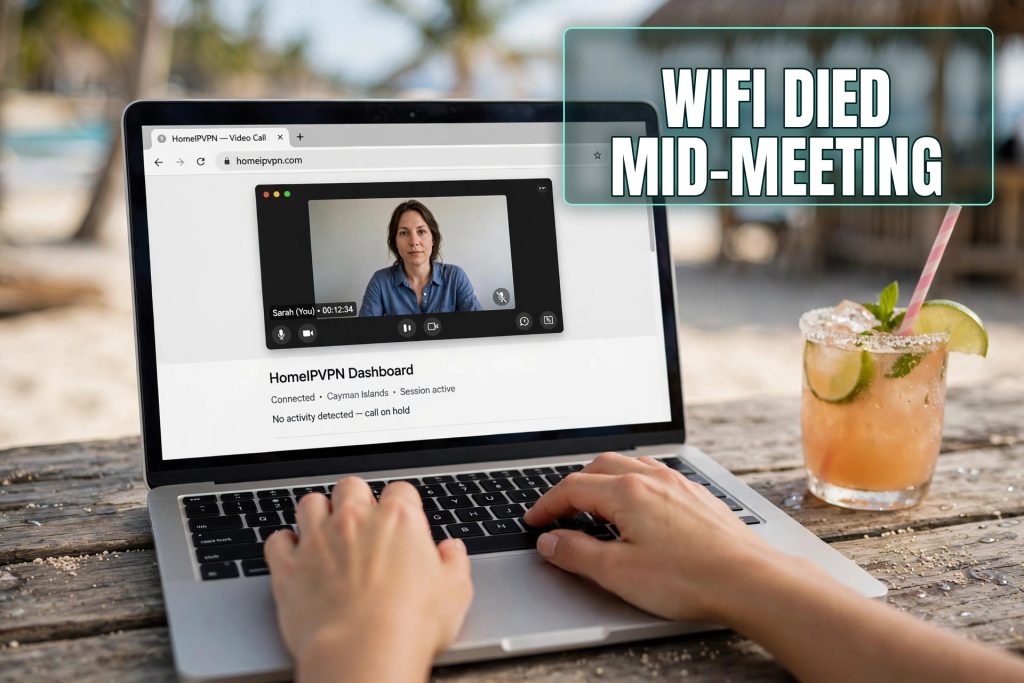
The photo looked perfect. Me, laptop open, ocean behind me, a fresh coconut on the table, the caption practically writing itself. What the photo did not show was the fifteen minutes before it, when my video call with a client froze, dropped, reconnected with my face as a pixelated ghost, and then dropped again while the bartender cheerfully blended a smoothie three feet from my microphone.
I still work from beach bars. I love them, and I am writing this from one right now, doing the kind of flexible work they are perfect for. But I have learned exactly where the romance ends and the reality begins, and the line is drawn at anything with a calendar invite. Here is the honest guide.
Why beach bar WiFi fails you
Let us start with the physics. A beach bar network is almost always a single consumer router, sometimes with a cheap extender, serving everyone in the place. On a quiet morning with six customers, it works fine. By midday, with forty tourists streaming videos and uploading beach photos, that little router is drowning.
Video calls are the first thing to break, because they need something most web browsing does not: a steady, continuous stream in both directions. Loading a webpage can survive a hiccup. A video call cannot. The result is the familiar pattern: your video freezes, your audio goes robotic, and then you are staring at a reconnecting spinner while everyone waits.
Upload speed is the silent killer. Beach bars advertise their download speed, if they advertise anything, but your video call runs on upload, sending your video and voice out to everyone else. A connection with decent download and terrible upload will feel fine for browsing and fall apart the moment your camera turns on.
Then there is the infrastructure behind the router. Many beach bars run on a single residential internet line, sometimes on a 4G router as the main connection. One line, shared with the bar own systems, the card machine, the staff phones, and every customer. There is no backup, no business-grade equipment, and when it goes down, the staff response is a sympathetic shrug and another coconut.
The enemies you cannot see
WiFi is only the first problem. Beach bars stack several more on top.
Weather is the obvious one. A tropical downpour can arrive in minutes, and your laptop, your notes, and your power strip are all sitting in the open. I have watched nomads sprint for cover clutching expensive equipment while their half-finished work got soaked. Even without rain, heat is a slow killer: laptops throttle their performance when they overheat, and direct sun on a dark laptop is a fast track to a sluggish, stuttering machine.
Power is the next. Beach bars often have limited outlets, and the ones they have are fought over. Extension cords snake across sandy floors, power strips are overloaded, and in many countries the supply itself flickers. A dead laptop at a beach bar means packing up and leaving, because there is no IT department to save you.
Noise is the one that ruins calls even when the WiFi holds. Blenders, music, waves, wind, children, the table next to you celebrating something loudly. Your noise-canceling microphone can only do so much against a beach party. And your screen is nearly unreadable in bright sunlight unless you find shade, which is usually where the WiFi is weakest. The whole setup conspires against serious work.
The backup plan that actually works
None of this means you cannot work from the beach. It means you plan like someone who has been burned before, because you will be, exactly once, and then you will plan forever.
Rule one: a local SIM with a real data plan, in your phone, from day one. This is the single highest-value item in a nomad work kit. When the bar WiFi dies mid-call, you switch to your phone hotspot in thirty seconds and keep going. In most nomad destinations a generous data plan costs less than two beach coconuts a month. There is no excuse for not having one.
Rule two: test before you commit. When you sit down, before you order, before you open your laptop properly, run a quick video call test. Call a friend, join a test meeting, check that your video is smooth and your audio is clear. If it is not, you have learned something valuable for the price of zero coconuts, and you can move to the next bar.
Rule three: carry power independence. A fully charged laptop plus a power bank that can give you a real recharge buys you hours of freedom from the outlet hunt. Charge everything overnight, every night, without exception. The morning you forget is the morning the power goes out.
Rule four: know your escape route. Before any important call, identify where you will go if the beach bar fails. The coworking space ten minutes away, your apartment, the cafe up the road with fiber. An escape route you have scouted in advance is the difference between a funny story and a lost client.
Schedule your work around the reality
The smartest beach workers I know do not fight the environment. They schedule around it. Mornings at the beach bar for email, writing, planning, and all the flexible work that survives a WiFi hiccup. Afternoons back at the apartment or coworking space for calls, deadlines, and anything synchronous.
This split has a bonus you do not expect: it makes you more productive. The beach hours become naturally focused because you know they are for deep, quiet work, and the call hours happen somewhere with a door that closes. Fighting to take a board meeting from a hammock is not freedom. It is just stress with a view.
If a call absolutely must happen from the beach, perhaps you are between places or the view is non-negotiable, then over-prepare. Test the connection twice. Join five minutes early. Have the hotspot already enabled on your phone. Warn the other participants at the start that you are on a mobile backup, so a brief switch does not look like a disaster. And keep the call short.
The account problem nobody mentions
Here is the issue that surprised me most. Beach bar WiFi networks change constantly: different bars, different routers, different IP addresses every day, sometimes several in one day. To you, that is just Tuesday. To your bank fraud system, that is someone logging in from a new location every few hours, which looks exactly like a stolen account being tested.
I learned this the week my bank froze my card while I was working down a beach, moving between three different bars in three days. Each new network was a new flag. Sorting it out required a phone call on hold, in the heat, with the waves as background music. Not my finest hour.
The fix is the same one I use everywhere now. I work through HomeIPVPN, which routes my connection through my own home internet. The beach bar WiFi just carries an encrypted tunnel it cannot read. My bank sees the same home login it has always seen, no matter how many coconuts deep I am into the coastline. New network every day, same trusted connection every day.
What beach bars are actually perfect for
Let us end on the positive, because beach bars deserve it. They are wonderful for writing, for thinking, for answering email, for planning, for reading, for all the work that is better with a view and worse with a deadline. Some of my best writing has happened with sand under the table and no pressure on the connection.
They are also good for your head. Nomad life can become a blur of identical coworking desks in identical cities. A morning at a beach bar reminds you why you chose this life. That has real value, even if it does not show up on a timesheet.
The trick is matching the work to the place. Flexible, asynchronous, low-stakes work: beach bar, absolutely. Synchronous, high-stakes, career-defining calls: somewhere with a roof, a door, and a wired connection. This is not a compromise. It is just good scheduling.
The root cause, and a simpler fix
The beach bar problem has a simple root cause: you are running your professional life on infrastructure built for tourists checking Instagram, and every part of it, the WiFi, the power, the noise, the ever-changing IP addresses, works against serious work.
That exact mismatch is what HomeIPVPN was built to solve. Your stable home connection follows you to every beach on earth, so your accounts stay calm and your traffic stays private no matter how shaky the bar WiFi gets. If you would rather have someone set it up for you and verify it works, the Pre-Travel Audit & Advisory session is 1 hour, costs $79, and that fee comes straight off the $279 Secure Home IP VPN System session if you go ahead.
Keep the beach bar mornings. Just take the important calls from somewhere with walls. Your clients will never know about the coconut, and that is exactly how it should be.