TROUBLESHOOTING
My Bank Wants to Text a Code to My Old Home Number
You are in a coworking space in Chiang Mai, trying to log into your bank to pay rent back home. You type your password correctly, you answer the security…
✓How travelers end up here✓Why banks cling to text message✓The workarounds that actually work
Quick Answer
If your bank insists on texting a verification code to an old home number you cannot access, you are caught in the 2FA trap: the bank’s security depends on a phone number that no longer exists for you. Call the bank’s international line to verify your identity another way and update the number on file. Before your next trip, switch to an authenticator app and keep your home number alive on a cheap plan.
- Why it happens: You cancelled or lost your home SIM, but the bank still sends its security codes to that number, which now belongs to nobody or somebody else.
- Immediate escape: Call the international number on the back of your card and ask for identity verification by another method; have your account details and ID ready.
- Prevention: Set up an authenticator app and save your backup codes before you leave. App codes work anywhere with no phone signal needed.
- One less trap: Many verification headaches start with logins from unfamiliar foreign connections. Banking through your own trusted home connection, the kind HomeIPVPN sets up, means fewer “verify it is you” challenges in the first place.
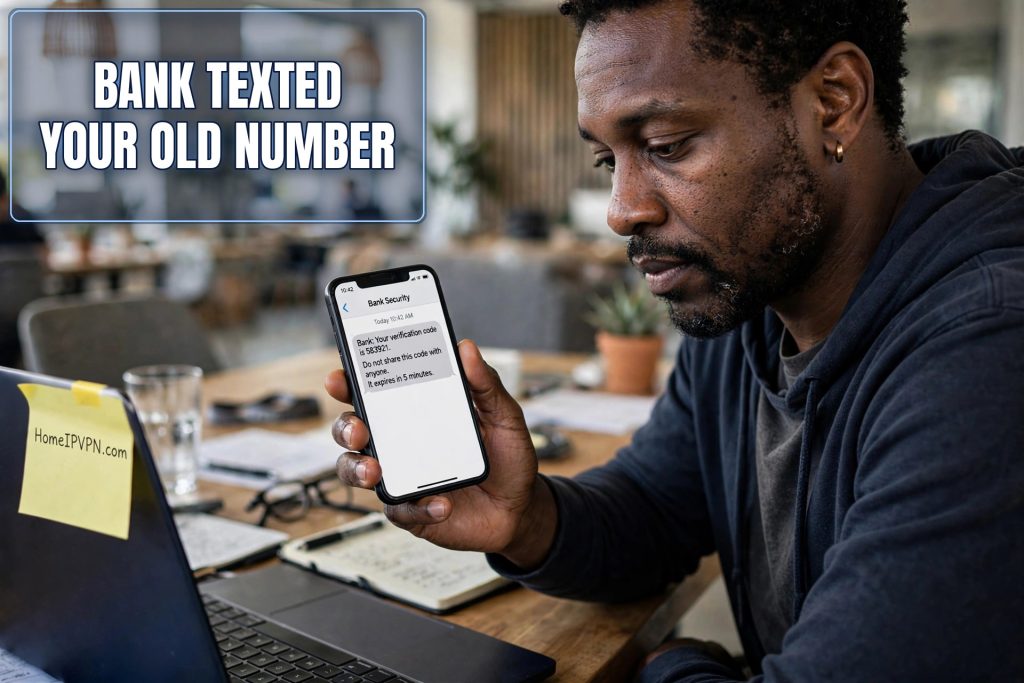
You are in a coworking space in Chiang Mai, trying to log into your bank to pay rent back home. You type your password correctly, you answer the security question, and then the screen says: “We have sent a verification code to your phone number ending in 4821.”
You stare at it. The number ending in 4821 was your old home phone number. You cancelled that plan eight months ago, two weeks after you left the country, because paying $70 a month for a phone you never used felt insane. That number is gone. It might belong to a stranger now. The code is floating through the phone network toward a SIM card sitting in a drawer somewhere, or in someone else’s pocket.
There is no “I do not have that number anymore” button. There is just a six digit box, blinking at you, guarding your own money. Welcome to the 2FA trap. Here is how travelers fall into it, and every practical way out.
How travelers end up here
Nobody plans this. It happens through a series of completely reasonable decisions that add up to a locked account.
It usually starts with the phone plan. You move abroad, and keeping a home country plan feels like burning money. Forty, sixty, eighty dollars a month for a number you never call from. So you cancel it, or you let it lapse, or you switch to a cheap local SIM and tell yourself you will sort out the banking later. Reasonable. Almost everyone does this.
Then there is the phone itself. Screens crack, phones get stolen from hostel dorms, a budget Android bought at the airport replaces the phone that had all your apps. If your verification method lived in an app on the old phone and you did not transfer it, that method died with the device.
And then there is simple forgetfulness. You updated your number with friends, with your airline accounts, with food delivery apps. The bank’s profile page, buried three menus deep, never got the update. The bank still believes you are reachable at a number that has not existed for a year.
The trap snaps shut the first time the bank actually needs to verify you: a login from a new country, a password reset, a large transfer. The system sends the code to the number on file, the way it always has. You cannot receive it. You cannot log in to change the number, because changing the number requires logging in. Around and around it goes.
Why banks cling to text message codes
To understand the way out, it helps to understand why banks love SMS codes so much. The idea is called two factor authentication, usually shortened to 2FA. The “two factors” are something you know (your password) and something you have (your phone). A thief might steal your password, but they probably do not have your phone, so the code sent to your phone stops them.
Text messages became the default second factor because everyone has a phone that receives texts, and it required no setup. For a bank serving millions of customers, many of them not technical at all, “we text you a code” was the simplest thing that worked. It is baked into every bank’s system, their call center scripts, and their fraud procedures.
The problem is that SMS was never designed to be secure, and it was definitely never designed for people who change countries. Text messages can be intercepted, SIM cards can be hijacked through social engineering at phone stores, and numbers get recycled to new customers when plans are cancelled. Security experts have been telling banks to move past SMS for years. Banks move slowly. So here we are, with the world’s financial security resting on text messages sent to numbers that travelers keep abandoning.
Knowing this helps you in one practical way: when you call the bank, you can confidently ask for an alternative verification method, because the bank’s own staff knows SMS is just one option among several. You are not asking for something exotic. You are asking them to use the backup procedures they already have.
The workarounds that actually work (before you are locked out)
If you can still log in, even barely, do these things this week. They are ranked by how much freedom they give you.
Switch to an authenticator app. This is the single best move. An authenticator app (Google Authenticator, Authy, Microsoft Authenticator, and similar) generates verification codes on your device itself, with no phone network involved. No signal needed, no SIM needed, no home number needed. It works in airplane mode in the middle of nowhere. Most banks now offer it as an alternative to SMS in their security settings, though they rarely advertise it. Turn it on, and the 2FA trap loses most of its teeth. Critical detail: when you set it up, the app shows you backup codes. Save those codes somewhere safe, printed on paper in your bag or in a password manager. They are your spare key.
Keep your home number alive on the cheapest possible plan. Even with an authenticator app, some banks still insist on SMS for certain actions, like changing your password or adding a new payee. The cheapest home country prepaid plan, the lowest tier SIM kept in a drawer, or a number parked with a low cost carrier, any of these keeps the number legally yours. Test it twice a year: have the bank send a code and confirm it arrives. A number you own but never test is a number you will discover is broken at the worst moment.
Be careful with internet phone numbers. Services that give you a phone number over the internet, like Google Voice and similar VoIP numbers, are tempting: cheap, accessible from anywhere. But many banks refuse to send verification codes to VoIP numbers, because fraudsters use them too. Some banks accept them fine; others silently fail, and you only discover it when the code never arrives. If you go this route, test it with your actual bank before you depend on it, and keep a backup method.
Keep your banking sessions boring. Banks demand extra verification most often when a login looks unusual: new country, new network, new everything. Travelers who do their banking through the same familiar home connection every time, the way a HomeIPVPN setup provides, simply get challenged less often. Fewer challenges means fewer chances to hit a broken verification method.
Add a trusted second person where the bank allows it. Some banks let you designate a trusted contact, often a family member, who can help verify your identity. This is not giving them access to your money. It is giving the bank another human who can confirm you are you. If your bank offers it, set it up with someone reliable back home.
Update the number everywhere, not just the bank. Your bank is the urgent one, but the same trap exists at your email provider, your investment accounts, and anywhere else that texts you codes. Do one sweep, updating all of them to whatever number or method you will actually have while traveling. Future you says thanks.
Locked out right now: your escape plan
Okay, prevention is lovely, but you are reading this because the code went to a dead number and you need your account today. Here is the order of operations.
Step one: call the international line. Flip your debit or credit card over. On the back, in small print, is an international collect call number. This is the number that works from abroad. Call it and explain exactly what happened: “I am traveling, the verification code is going to a phone number I no longer have, and I need to verify my identity another way.” The representative deals with this regularly. They will walk you through alternative verification: full name, date of birth, account numbers, recent transactions, security questions, sometimes a video call where you hold up your ID.
Step two: have your documents ready before you call. Dig up your account number (it is on old statements in your email), the exact phone number the bank has on file (even the dead one, they will ask you to confirm it), your ID, and answers to your security questions. If they ask about recent transactions, specific answers help: “Yes, the $212 charge at the Chiang Mai coworking space was me.” Vague answers slow everything down.
Step three: update the number during the same call. Do not just get back in and hang up. While you have a verified human on the line, update the phone number on file to one you can actually receive codes on, and ask about switching to an authenticator app. One call should fix both the immediate lockout and the underlying trap.
Step four: if the call fails, use secure message and email together. Sometimes the phone rep cannot help, or the wait is hours. Send a secure message through the bank’s website if you can reach the login page at all, and email customer service from the email address on file. Explain the situation, include your account details, and ask for the identity verification team. It is slower, often a day or two, but it creates a written record, and written requests sometimes reach specialists the phone tree never offers.
What not to do: do not keep requesting new codes hoping one arrives somewhere. Each request can extend the lockout. Do not ask a friend back home to receive the code for you if the number now belongs to a stranger; that is someone else’s phone. And do not try to “recover” the old number through the phone carrier unless you are certain it has not been reassigned; if a stranger has it now, the carrier will not give it back, and the attempt wastes days.
The eSIM option most travelers miss
There is a middle path between “pay $70 a month for a home plan” and “cancel everything” that many travelers do not know about. Many modern phones support eSIM, which is a digital SIM card you install without a physical chip, and most phones can hold several at once. You can keep your home number on an eSIM with the cheapest available plan while using a local physical SIM or a second eSIM for daily data abroad.
The home eSIM just sits there, quietly receiving texts over WiFi. Your banking codes arrive. Your authenticator app stays as the primary method. The monthly cost is often under ten dollars. It is the closest thing to a free lunch in this whole problem: you keep the number the bank knows, without paying for a phone plan you never use.
Check that your phone supports eSIM and that your home carrier offers eSIM on a cheap plan. Set it up before you leave, while you still have the physical SIM working, because transferring a number to eSIM usually requires receiving a confirmation on the old SIM. This is a “do it this weekend” task, not a “figure it out from Bangkok” task.
Setting it up right before your next trip
Here is the pre-flight checklist, in order. One, enable the authenticator app on every financial account and save the backup codes somewhere that survives a stolen phone. Two, decide the fate of your home number: cheapest plan, eSIM, or parked with a carrier, and test that it receives the bank’s codes. Three, update the number on file everywhere if it changed. Four, add a trusted contact at banks that offer it. Five, save the bank’s international collect number in your phone contacts under an obvious name, because you will never find the tiny print on the back of your card when you are stressed.
Do this once, and the 2FA trap stops being a trap. The codes either come through an app that needs no network, or they go to a number you actually control. The bank’s security keeps working, and it keeps working for you instead of against you.
It is worth noting where most of these verification nightmares begin: a login from an unfamiliar foreign connection that makes the bank demand extra proof you are you. When your banking sessions always arrive from your own trusted home connection, there are simply fewer challenges to get stuck on. Fewer “verify it is you” screens means fewer chances to discover your verification method is broken. That steady, familiar connection is the problem HomeIPVPN was built to solve. If you would rather have someone set it up and verify it works, the Pre-Travel Audit & Advisory session is 1 hour, costs $79, and that fee comes straight off the $279 Secure Home IP VPN System session if you go ahead.
Six digits should never stand between you and your own money. Set up the app, keep the number, save the backup codes, and the next time a bank asks “is this you,” you will have an answer ready in seconds. Travel on.

