TROUBLESHOOTING
Your Bank Thinks You Are a Hacker: How Fraud Flags Work on Travelers
You are sitting in a cafe in Lisbon with a pastel de nata going cold next to your laptop. You found the perfect train to Porto, seats are almost gone, and you…
✓What a fraud flag actually is✓The five signals fraud systems✓What “normal” looks
Quick Answer
Banks flag travel activity because their fraud systems watch for sudden changes in login location, device, and spending patterns, and a traveler triggers all three at once. A fraud alert usually means a temporary hold, not an accusation that you did something wrong. Set a travel notice, verify your identity when asked, and the hold lifts fast.
- The trigger: Logging in from a new country hours after a home-country login reads as “impossible travel” to the system.
- The pile-up: New devices, hotel WiFi networks, and foreign merchants each add risk points, and travelers collect all of them at once.
- The fast fix: Answer the bank’s “was this you” text or call the international number on the back of your card; most holds clear in minutes.
- The root cause: Your bank trusts logins that come from your home internet connection. Appearing at that same familiar home IP stops most travel flags before they start, which is exactly what HomeIPVPN sets up for travelers.
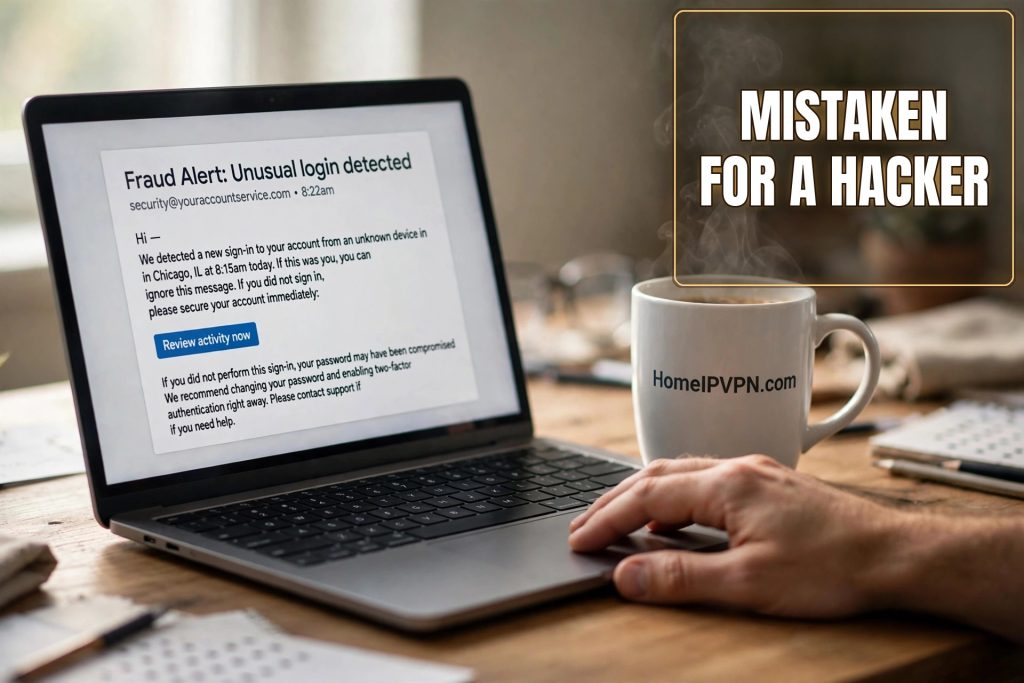
You are sitting in a cafe in Lisbon with a pastel de nata going cold next to your laptop. You found the perfect train to Porto, seats are almost gone, and you click “pay now.” The little spinner turns. And turns. Then: payment declined.
Your phone buzzes. It is a text from your bank: “Suspicious activity detected on your account. Reply YES if this was you.” Your stomach does the thing it does. You reply YES immediately, try the payment again, and get declined a second time. Now the banking app will not even let you log in.
Nobody stole your card. Nobody hacked anything. You are just a traveler, and your bank’s fraud system looked at your perfectly normal Tuesday and concluded you might be a criminal. Here is how that system thinks, what it sees when it looks at you, and how to stop tripping it.
What a fraud flag actually is
Forget the image of a serious person in a security office reviewing your file. A fraud flag is a score. Every time you log in or spend, an automated system adds up risk points based on dozens of small signals, and if your total crosses a line, it freezes the transaction or the account. No human made a judgment about you. A math formula got nervous.
This matters because it changes how you fix it. You are not pleading your case to a suspicious banker. You are giving the system the missing piece of information it needs to lower your score back under the line. That missing piece is almost always the same thing: proof that the person spending the money is the same person who owns the account. A quick identity check, a confirmed “yes, that was me,” and the score drops.
It also helps to know the system is not trying to ruin your trip. It is the same system that would freeze your account in seconds if someone actually stole your password and tried to buy a television from another continent. The price of that protection is that it occasionally mistakes you for the thief. Annoying, yes. But fixable in minutes once you understand the game.
The five signals fraud systems watch
Every bank’s system is a little different, but they all watch the same five things. Think of them as five dials, and travel spins all of them at once.
1. Where you are logging in from. Every internet connection has an IP address, which is basically a return address for your connection, and it roughly maps to a location. Your bank keeps a history of the locations you usually log in from. When a login arrives from a country you have never logged in from before, especially soon after a login from home, the system flags it. The classic version is called “impossible travel”: a login from Chicago at 9 a.m. and a login from Bangkok at 2 p.m. No human can cross the planet that fast, so the system assumes one of those logins is fake.
2. What device you are using. Your bank quietly recognizes your phone and laptop the way you recognize a friend’s voice. Technically this is called a device fingerprint, which just means the unique combination of your device type, browser, and settings. Log in from a brand new phone you bought at the airport, or a borrowed laptop, and the bank no longer recognizes the “voice.” Stranger plus new country is a double flag.
3. What network you are on. Not all internet connections look equal to a bank. Your home WiFi looks clean and familiar. A hotel WiFi network in a tourist district, shared by hundreds of strangers, looks much riskier, because fraud systems know scammers love public networks too. Some hotel and hostel networks even share IP addresses that have been flagged before because of other guests’ behavior. You did nothing wrong; you just inherited a sketchy digital neighborhood for the night.
4. How your spending pattern changes. Your bank has a quiet picture of your normal spending: grocery stores near home, the same coffee shop, a subscription or two. Travel shatters that picture in a day. Foreign merchants, new currencies, train tickets, hotels, restaurants you have never visited, purchases at odd hours. Each one is small. Together they look like someone on a spending spree with a stolen card.
5. The type of purchase. Certain purchases carry more risk points than others: electronics, gift cards, cryptocurrency, wire transfers, and anything that can be quickly resold or moved. Buy a new phone charger at the airport and it is one small flag. Send a wire transfer to a brand new recipient from a foreign IP at midnight, and you have stacked three flags in one move.
What “normal” looks like from your bank’s side
It is worth picturing what your account looks like on a good day, from the bank’s point of view, because that is the picture travel keeps breaking.
Normal is boring. You log in from the same city, on the same phone you have used for two years, over the same home internet connection. You buy roughly the same kinds of things at roughly the same times. Your location, your device, your network, and your spending all tell the same consistent story: this is the account owner, living their regular life.
The fraud system loves boring. Boring gets a low score and sails through. Every bank would rather see ten thousand boring logins than one exciting one. When people say “my bank knows my habits,” this is what they mean: not a deep understanding of your soul, just a statistical comfort with your routine.
Now look at a travel day through the same lens. New country. Possibly a new device. Definitely a new network. Completely new merchants, new currencies, new purchase times. Nothing matches the boring baseline. The system is not being unfair; it is doing exactly what it was built to do, which is notice when everything changes at once. The problem is that “everything changes at once” is also the definition of a vacation.
A travel Tuesday, scored by the system
Let us walk through a completely innocent travel day and count the flags the way the system would.
Morning: you wake up in your Airbnb in Mexico City and check your balance on the banking app over the apartment WiFi. Flag one: first login ever from Mexico, on a network the bank has never seen. Midday: you buy lunch with your card at a taco stand, then book a bus ticket online in pesos. Flag two: two new foreign merchants in a new currency within an hour. Afternoon: you log into the bank’s website on your laptop to move money between accounts, because the apartment WiFi dropped on your phone. Flag three: a different device than usual, on yet another network, doing the thing (moving money) that systems watch most closely.
Evening: you try to pay your credit card bill from the banking app at 11 p.m. local time, which is 1 a.m. back home. Flag four: account activity at an hour when you are normally asleep. Then the card gets declined at dinner, you try three more times in frustration, and each attempt adds another point. Flag five, six, seven.
None of this is suspicious behavior. It is a Tuesday. But the system does not see tacos and buses and a tired traveler. It sees location change plus device change plus network change plus pattern change plus repeated attempts, and it pulls the emergency brake. Understanding this sequence is genuinely useful, because once you see how the points add up, you can see how to stop adding them.
The sneakiest triggers nobody warns you about
Some flags are obvious, like the first purchase in a new country. Others catch travelers completely by surprise.
Hotel and hostel WiFi is riskier than you think. Hundreds of strangers share those networks, and fraud systems keep reputation scores for IP addresses. If a previous guest ran a scam from the same hostel WiFi last month, your login inherits that bad reputation. There is nothing you can do about the network’s history, which is why the connection you bank over matters more than most travelers realize.
Small test purchases look like card testing. Thieves with stolen card numbers often run a tiny charge first to see if the card works before the big purchase. So when you buy a one dollar bottle of water at the airport to “make sure the card works abroad,” the system sees the exact pattern it was trained to fear: tiny foreign charge, followed by bigger foreign charges. The irony is painful.
Topping up a local SIM looks odd. Buying phone credit from a foreign telecom website, in a foreign currency, minutes after landing, is such a normal traveler move. It is also a brand new merchant category in a brand new country within an hour of arrival. Expect it to get flagged more often than your hotel booking does.
Late night is relative. The system judges “unusual hour” by your home time zone, not the local one. Checking your balance at a reasonable 9 p.m. in Bali is 9 a.m. back in New York, which is fine, but a midnight money transfer in Bangkok is midday at home, which is also fine. The dangerous direction is the other way: an 8 a.m. check in Lisbon is 3 a.m. in Chicago, and the system marks it as middle of the night activity. You cannot fix time zones, but knowing the system uses home time explains some truly baffling flags.
Currency conversion merchants pile on. Paying in a foreign currency is one flag. Using a currency exchange service, a crypto on-ramp, or a money transfer app is a bigger one, because those are the tools real fraudsters use to move stolen money fast. If you need to convert currency, do it through your own bank’s app rather than a third party service when you can.
What your bank can see, and what it cannot
When you finally call the fraud department, it helps to know what is on the representative’s screen. They see a timeline: logins with locations, devices, networks, transactions with merchants and amounts, and the risk score with the flags that pushed it over the line. It reads like a rap sheet, even though it is just your vacation.
What they do not see is any of the context that would make it obvious. They do not see your boarding pass. They do not see your hotel reservation or your Instagram story from the beach. They cannot tell that the “new device” is the phone you have owned for a year and just never used for banking before. All they have is the system’s record, which is why your job on the call is simple: supply the context the computer never had.
This is actually the good news. You are not arguing against a judgment. You are filling in blanks. “Yes, I am in Portugal until the 20th. Yes, that train ticket was me. Yes, I bought the SIM top-up at the airport.” Every confirmation lowers the score. The representative does this dozens of times a day, and travelers are the easiest calls they get, because the story always checks out.
How to travel without tripping the alarms
You cannot turn the fraud system off, and you would not want to. But you can travel in a way that keeps your score low.
Set a travel notice before you fly. Most banking apps let you enter your destinations and dates in under a minute. It does not make you immune, travel notices are a note on your file, not a force field, but it gives the system a reason to treat a Lisbon login as expected instead of shocking. Set generous date buffers on both ends.
Keep your connection consistent. This is the big one. The location signal is the heaviest dial in the whole system, and it is the one travel wrecks completely. If your bank always sees you arriving from your familiar home connection, the foreign logins that trigger “impossible travel” never happen in the first place. Travelers who route their banking traffic through their own home internet connection report dramatically fewer flags, because from the bank’s perspective, nothing about their location ever changed. A HomeIPVPN setup does exactly this: your laptop and phone reach the bank through your own home connection, so the location dial stays exactly where the bank expects it.
Use the same device for banking. Pick one device, your phone or your laptop, and do all your banking on it for the whole trip. Every new device is a new stranger to the system. If you must use a new device, log in once from your home connection before you leave so the bank meets it while you are still boring.
Answer “was this you” immediately. When the bank texts or emails asking about a transaction, respond right away. A fast confirmation often stops a soft flag from hardening into a full lock. Ignoring it is interpreted as “the real owner is not responding,” which is exactly what a theft looks like.
Slow down when something gets declined. One declined transaction is a question. Three rapid retries is an answer the system does not like. If a payment fails, stop, check your messages from the bank, confirm it was you, wait a few minutes, and try once more.
Keep your phone number reachable. So many fraud checks end with “we texted a code to the number on file.” If that number is a SIM you cancelled before the trip, you are locked out of the fastest fix. Keep your home number alive while you travel, even if it is just the cheapest possible plan sitting in a drawer back home.
The root cause of nearly every travel fraud flag is the same: your bank trusts your home connection, your home routine, and your home patterns, and travel replaces all three overnight. That sudden foreign footprint is the problem HomeIPVPN was built to solve. If you would rather have someone set it up and verify it works, the Pre-Travel Audit & Advisory session is 1 hour, costs $79, and that fee comes straight off the $279 Secure Home IP VPN System session if you go ahead.
Your bank is not your enemy here. It is an overprotective guard dog that barks at you because you came home wearing a different coat. Show it your face, keep your routine recognizable, and it goes right back to sleep. Now go rescue that pastel de nata.

