TROUBLESHOOTING
MyGov Blocked Abroad? How Aussie Expats Get Into Their Government Accounts
Quick Answer MyGov sometimes blocks or limits logins made from outside Australia because its security systems read a foreign internet address as a possible account takeover. It is rarely permanent, an
Quick Answer
MyGov sometimes blocks or limits logins made from outside Australia because its security systems read a foreign internet address as a possible account takeover. It is rarely permanent, and most Aussies get back in by restoring the login pattern MyGov expects, usually by appearing to connect from their home Australian internet.
- The trigger: an overseas IP address tells MyGov your login is coming from another country, which its fraud systems can treat as a stolen account being used by someone else.
- The first-hour fix: stop hammering the login button, switch to a cleaner connection, and work through official identity verification with your TFN and passport handy.
- The hidden trap: verification codes go to your Australian mobile number, so if you cancelled it when you left, getting back in becomes much harder.
- The long-term answer: many Aussie expats stop this from happening again with a home IP setup from HomeIPVPN, so every MyGov login looks like it came from their own house back home.
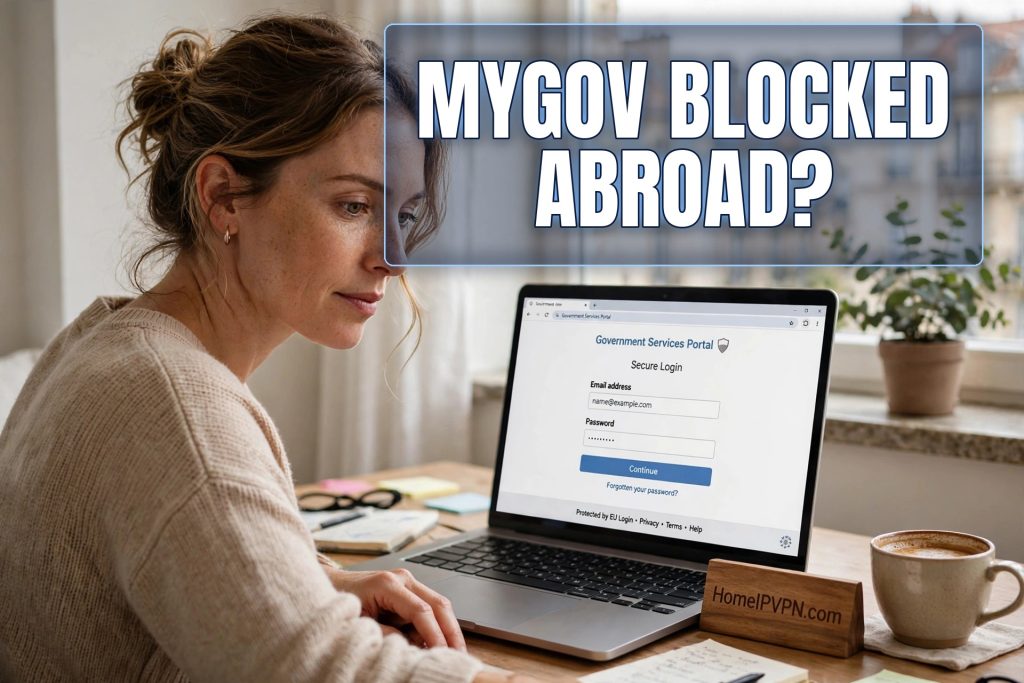
It is 11 at night in a rented apartment in Da Nang. Your tax return is due by midnight, Sydney time, which gives you exactly one hour. The ceiling fan is doing nothing against the humidity, your laptop is warm on your knees, and you open my.gov.au the way you have a hundred times before.
Only this time, the screen that comes back is not your inbox. It is a polite, firm refusal. Maybe it says it cannot verify your identity. Maybe it just loops you back to the login page. Maybe the code it promised to text you never arrives. Either way, the door to your tax, your Medicare records, your super, and your Centrelink history has just quietly closed in your face, and the only thing that changed is the country your chair is sitting in.
If that scene feels uncomfortably familiar, you are not alone. Every year, thousands of Australians living and traveling overseas discover that MyGov, the front door to nearly every government service back home, has decided their login looks suspicious. It is one of those problems nobody warns you about before you leave, and it always seems to surface at the worst possible moment: tax time, a Medicare claim, a super fund asking for identity confirmation.
Here is the good news. A MyGov block from overseas is almost never permanent, and it is almost never personal. It is a machine making a guess about you, and once you understand what the machine is looking at, you can usually get back in within the hour and stop it happening again. This is the plain-English version: no jargon, no lectures, just what is going on and what to do about it.
Why MyGov cares so much about where you are
MyGov is not like your email or your social media. Behind that one login sit the tax office, Medicare, Centrelink, and your super funds. That makes it one of the most valuable targets in the country for identity thieves. A criminal who gets into your MyGov can redirect your tax refund, mess with your benefits, and steal enough identity documents to ruin your year. So the security around it is, quite reasonably, aggressive.
One of the main things that security watches is where your login is coming from. Every internet connection has an address, called an IP address, that roughly says which country and which provider you are using. When you log in from your house in Brisbane, that address says something like “residential internet, Australia.” MyGov sees that pattern thousands of times a day from you, and it relaxes.
When you log in from a coworking space in Lisbon or a cafe in Bangkok, the address says something completely different: a foreign country, a commercial network, a connection MyGov has never seen you use. To the fraud system, that looks exactly like what a stolen login looks like, because criminals who steal Australian logins usually operate from overseas. The system is not accusing you of anything. It is pattern matching, and your pattern just changed dramatically.
This is why the block feels so sudden and so unfair. You did nothing wrong. You just moved countries, and the machine noticed before any human did.
What a MyGov block actually looks like
Not every overseas login problem looks the same, which is part of why it is confusing. Some people get an outright message saying access is denied or their identity cannot be verified. Others get stuck in a loop: log in, get asked for a code, enter the code, get sent back to log in again. Some find that the site works but certain linked services, like the ATO, refuse to open.
The most common version for travelers is the silent one. You enter your username and password correctly, and then MyGov asks for extra verification it never asked for at home. The code goes to your old Australian mobile number, which you cancelled six months ago. The alternative verification asks for documents you do not have on you, or answers to questions about credit history that you cannot quite remember. You are not locked out with a big red warning. You are just gently, firmly, stuck.
It is worth saying clearly: none of this means your account is gone, your identity has been stolen, or you have done something wrong. It means the system wants stronger proof that you are you, and it wants that proof delivered through channels that assume you are still in Australia.
The first-hour playbook: getting back in today
Right, it is 11pm in Da Nang and the tax deadline is real. Here is what to do, in order.
Step one: stop hammering the login button. Every failed attempt is another data point for the fraud system. Five rapid-fire tries from a Vietnamese IP address look worse than one calm one. Take a breath, close the tab, and give it fifteen minutes. This feels like doing nothing, but it genuinely helps.
Step two: switch to a cleaner connection. Cafe and hotel wifi is shared by hundreds of strangers, some of whom may have done shady things that got that network’s address flagged. Your phone’s mobile hotspot is a much cleaner signal: one user, one device, a normal mobile address. Switch to your hotspot and try once more. For some people, this alone is enough.
Step three: appear to be at home. This is the step that fixes it for most long-term travelers. If your internet connection traveled back through your own house’s internet in Australia, MyGov would see the same residential Australian address it has always seen from you, and the whole problem disappears. The cleanest way to do this is a home IP setup, where a small device at a family member’s house (or your own place back home) carries your connection so you log in exactly as if you were sitting in your living room. That is what HomeIPVPN builds for Aussie clients: your laptop in Da Nang, your internet address in Brisbane, and MyGov none the wiser because as far as it can tell, you never left.
Step four: go through official verification. If you need in right now and cannot wait, call the official help lines. Services Australia publishes international contact numbers for people overseas, and the ATO has its own line for callers outside Australia. Before you call, have your tax file number, your date of birth, your passport, and the answers to any identity questions ready. The call may take a while and the time zones are cruel, but a human can do what the machine will not: listen to your story and verify you properly.
Step five: check the code problem. If the block is really “we texted a code and you never got it,” the fastest fix is getting access to that Australian number again. Some carriers let you reactivate a number online or keep it alive on a cheap prepaid plan with roaming. If the number is truly gone, you will need to update your contact details through the phone verification process, which is slower but doable.
The phone number trap almost every expat falls into
Let us talk about the Australian mobile number, because it causes more MyGov lockouts than anything else. When you moved overseas, you probably did the sensible thing: cancelled the expensive Australian plan, got a local SIM, saved a fortune. Totally reasonable. Also the seed of every future lockout.
MyGov, your banks, and half your other Australian accounts treat your mobile number as proof of identity. Codes go there. Verification calls go there. When you need to prove you are you from overseas, that number is often the only channel they trust. Cancelling it is like throwing away the spare key to your house and then being surprised the locksmith charges extra.
The fix is to keep the number alive somehow. A cheap prepaid plan that you top up once a year. A number parked with a provider that supports wifi calling or SMS forwarding. Some expats port the number to a low-cost service specifically for this. Whatever the method, the principle is the same: that number is infrastructure now, not a phone plan. Protect it like you protect your passport.
This matters far beyond MyGov, by the way. Your Australian bank will want to text that number. Your super fund will want to call it. Keeping it alive is probably the single highest-value admin task an Aussie expat can do.
What does not work (and what actually does)
When people get blocked, the first instinct is to download a random free VPN and pick “Australia” from the list. This almost never works for MyGov, and it can make things worse. Free and cheap VPN services route thousands of users through the same few server addresses, and those addresses are well known. MyGov’s security can see that your “Australian” connection is actually coming from a commercial data center, and a data center address trying to look like a home user is, to a fraud system, even more suspicious than an honest cafe in Da Nang.
What works is consistency. MyGov does not need you to be in Australia every second; it needs your login pattern to look stable and familiar. The same residential address, the same device, regular logins. A home IP setup gives you exactly that: every login looks like it comes from your house, because as far as the internet is concerned, it does. The second thing that works is keeping your Australian number active, as above. Between those two, most expats never see another block.
There is also a simpler habit worth building: log in to MyGov regularly, not just at tax time. An account that goes silent for eleven months and then suddenly appears from overseas looks alarming. An account that logs in every few weeks from the same home-like connection looks like a person living their life. Which, of course, is exactly what you are.
Staying ahead of it for the long term
Once you are back in, take twenty minutes to future-proof yourself. Check that your contact details in MyGov are current, especially the mobile number and email. Make sure your linked services (ATO, Medicare, Centrelink) all show the same details, because mismatches between them can trigger fresh verification loops. Download or screenshot anything you might need offline: your TFN confirmation, recent notices, Medicare details.
If you are going to be overseas for a year or more, sort out the home connection before you need it in a panic. Setting up a home IP arrangement is a calm afternoon task when nobody is locked out, and a nightmare when the tax deadline is an hour away. The travelers who never have this problem are not lucky; they just handled it on a boring Tuesday instead of a panicked Saturday night.
And keep a small “Australia admin” kit wherever you travel: your TFN written down somewhere safe, your passport details, the international phone numbers for Services Australia and the ATO, and whatever keeps your Australian mobile number alive. Boring paperwork, but it is the difference between a ten-minute fix and a three-week saga.
The root cause here is simple: MyGov trusts logins that look like they come from your house in Australia, and it distrusts everything else. That mismatch between where you live your life and where the internet thinks you live is the exact problem HomeIPVPN was built to solve. If you would rather have someone set it up and verify it works, the Pre-Travel Audit & Advisory session is 1 hour, costs $79, and that fee comes straight off the $279 Secure Home IP VPN System session if you go ahead.
Your government accounts do not have to stay locked just because your life moved overseas. Fix the pattern, keep your number, and the next tax deadline can be boring again, exactly the way it should be.